
Pre-Registration for Events
1. What pre-registration is
Use pre-registration when you want to build anticipation, control access to future sales, or manage demand before tickets go live. It’s especially useful for high-demand events, private parties, or invite-only releases. Guests register in advance and can be contacted later.
Pre-registration allows guests to register their interest in an event before tickets or admissions are available.
With pre-registration, you can:
Collect guest details in advance
Measure demand before opening sales
Control who gets access to tickets or invitations
Contact your guests automatically when sales start
Pre-registered guests do not receive a ticket or guaranteed entry.
2. Enable pre-registration for an event
Log in to XCEED Pro.
Open the event you want to enable pre-registration for.
Access the event settings on the pre-registration tab
Enable the pre-registration option with or without the automatic email
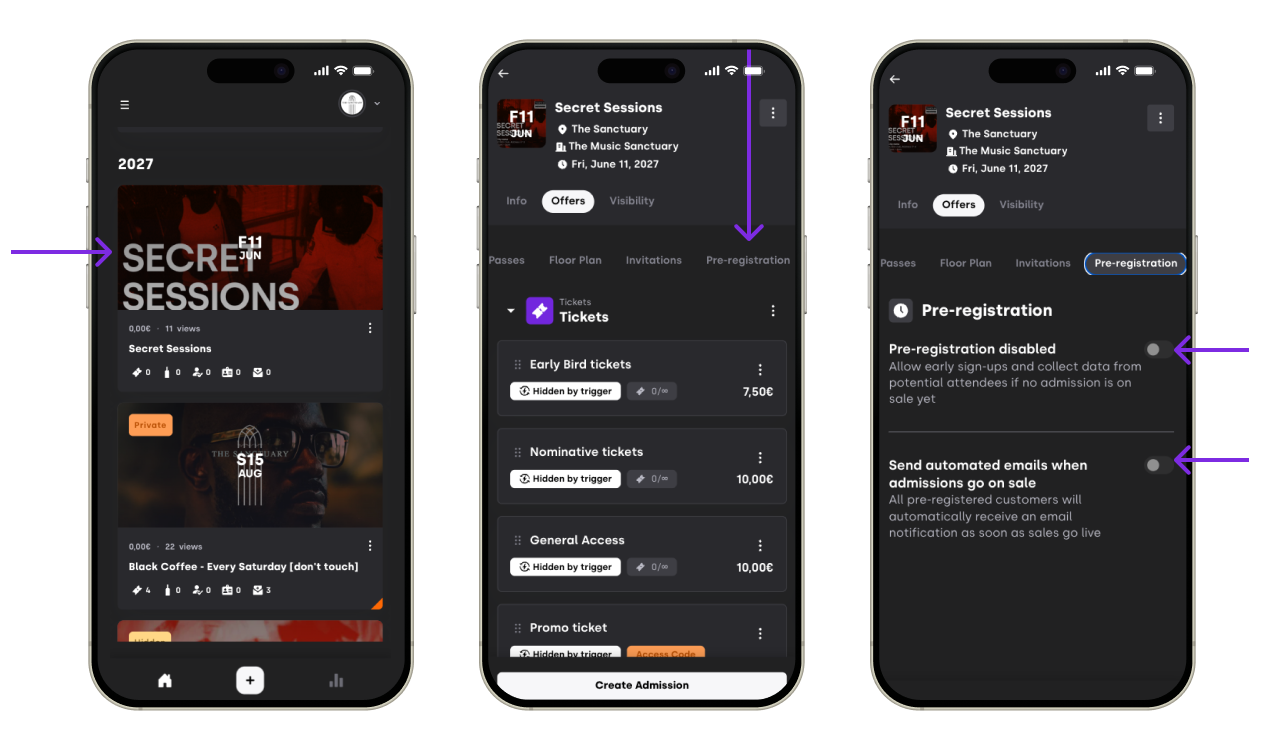
Save your changes.

Once enabled, guests will be able to pre-register instead of purchasing tickets.
3. What guests see when pre-registering
When pre-registration is active:
Guests see a pre-registration form instead of tickets
They submit their contact details
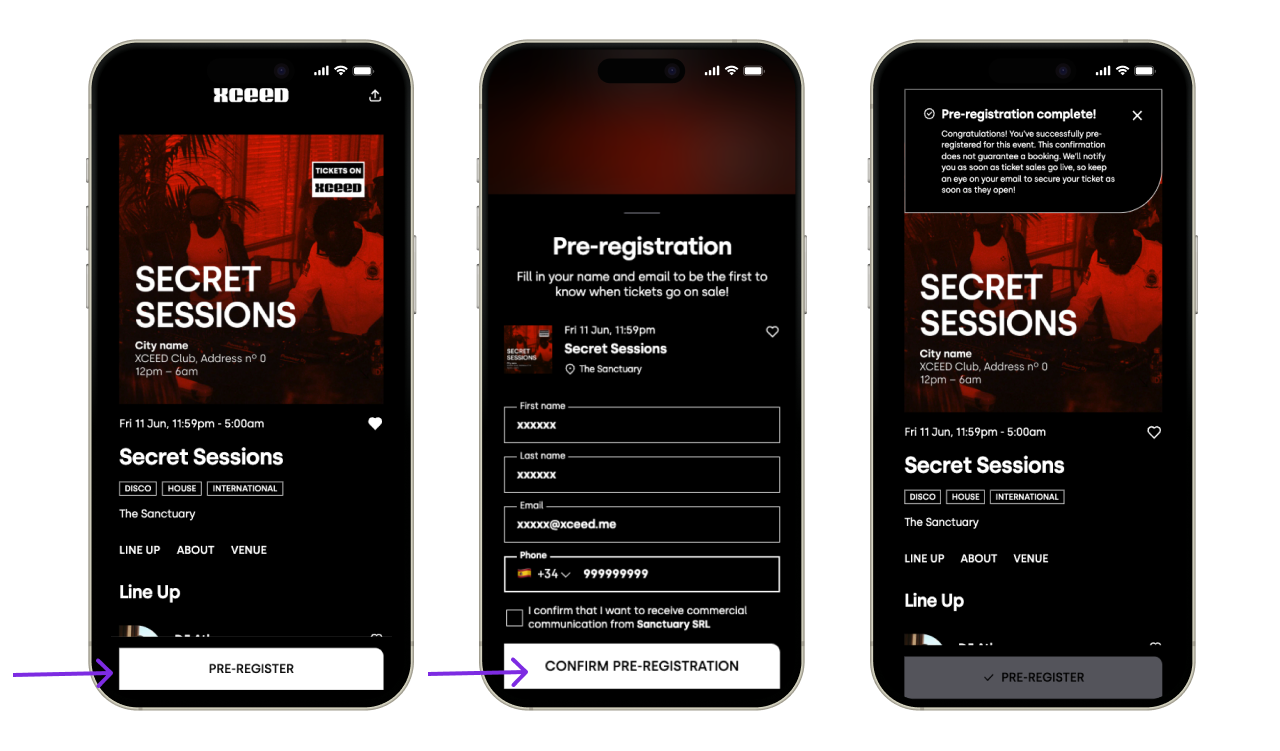
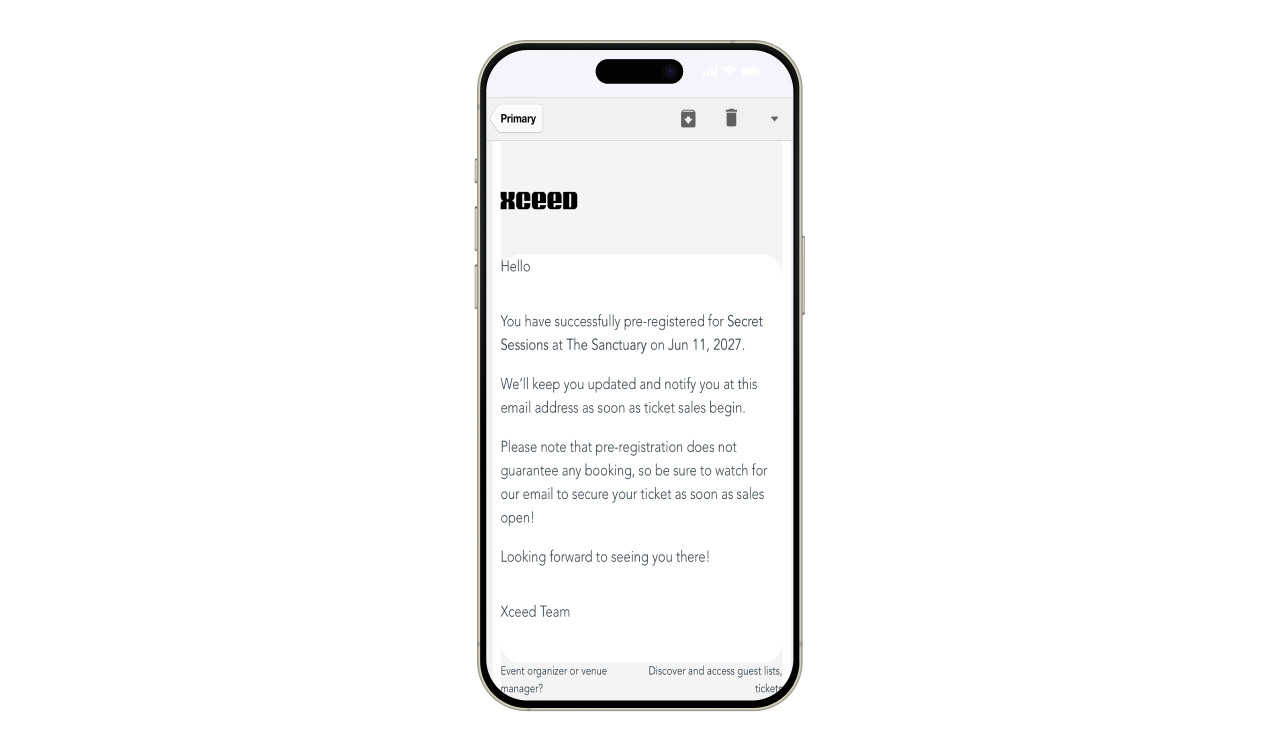
They receive a confirmation that they are pre-registered on the web and by email


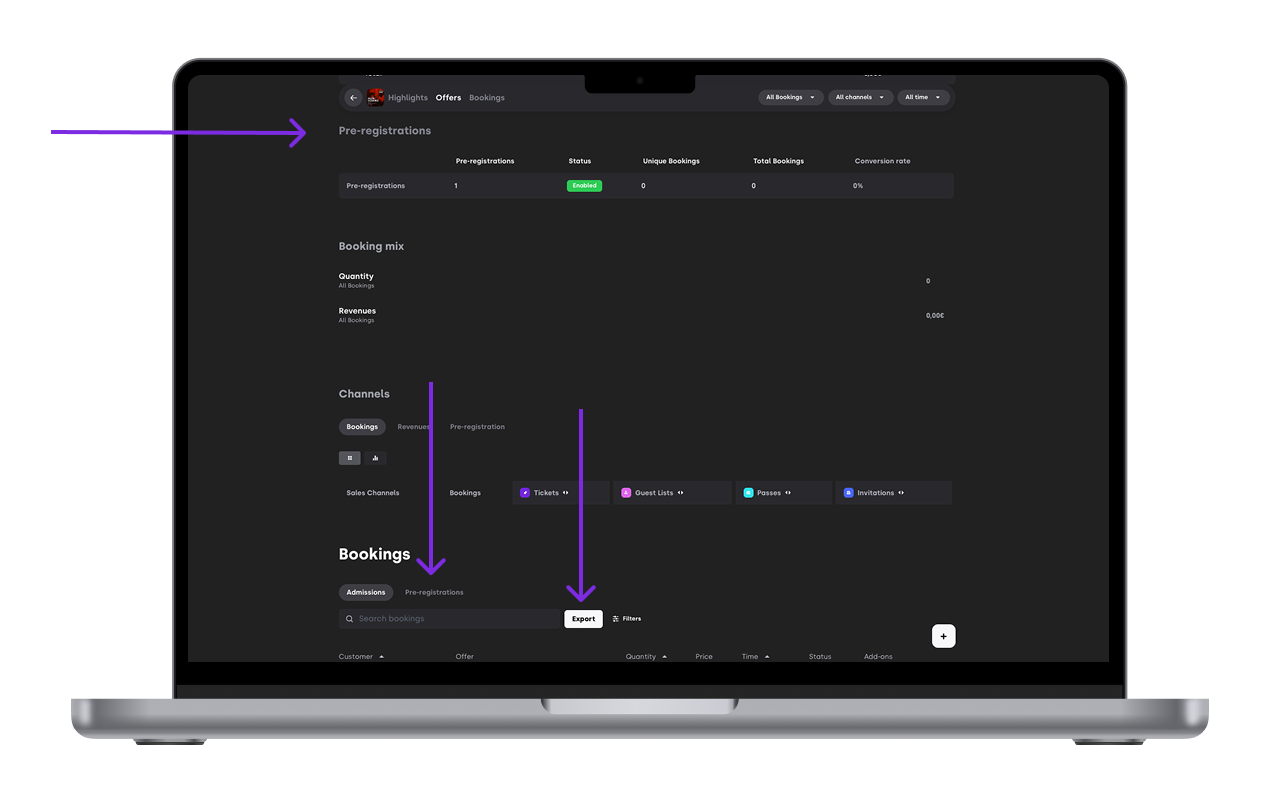
4. Managing pre-registered guests
From XCEED Pro, you can:
A new section under Offers comes up for Pre-Registration
View the list of pre-registered guests on the Pre-Registrations tab of bookings
Export pre-registration data
Use the list to send communications or invitations
Pre-Registration automatically closes when any offers go on sale

5. What pre-registration does not do
It’s important to note:
Pre-registration is not a ticket
It does not guarantee entry
It does not reserve capacity
Access must still be granted through tickets, passes, or guestlists.
6. Best practices for pre-registration
Clearly communicate what pre-registration means
Use it for demand control or private access
Follow up with registered guests when tickets go live
Disable pre-registration once it’s no longer needed
If you have any other questions check our FAQ page or contact support@xceed.me