
How to set up Audience Republic integration on XCEED
Audience Republic is a CRM and marketing platform specifically designed for live events, including festivals, conferences, sports, and theatre performances. It consolidates customer data into a single dashboard, enabling event organizers to track ticket sales, analyse audience demographics, and create targeted marketing campaigns. The platform offers tools for
Email Marketing (Click to learn more)
SMS marketing (Click to learn more)
Campaigns to sell faster and build your audience (Click to learn more)
Event insights (Click to learn more)
Automated messages (Click to learn more)
Integration with paid advertising platform (Click here to learn more)
This integration allows you to send ticket buyer data from XCEED to Audience Republic automatically.
Use this feature if you’re running email or CRM campaigns with Audience Republic and want to avoid manual exports. It’s especially useful for promoters and venues managing recurring events. Once set up, data syncs automatically.
If you want to know more about Audience Republic contact your account manager or email us on support@xceed.me and we will connect you to get a demo.
1. Requirements before setting it up
Before enabling the integration, make sure:
You have an active Audience Republic account (https://www.audiencerepublic.com/)
You have access to the required credentials from Audience Republic
Your XCEED account is fully set up and active
Without these, the integration cannot be completed.
2. Enable the integration in XCEED
Log in to XCEED Pro and enter settings
Chose the integration tab
Select Audience Republic.
Enter the required credentials provided by Audience Republic.
Save your changes.
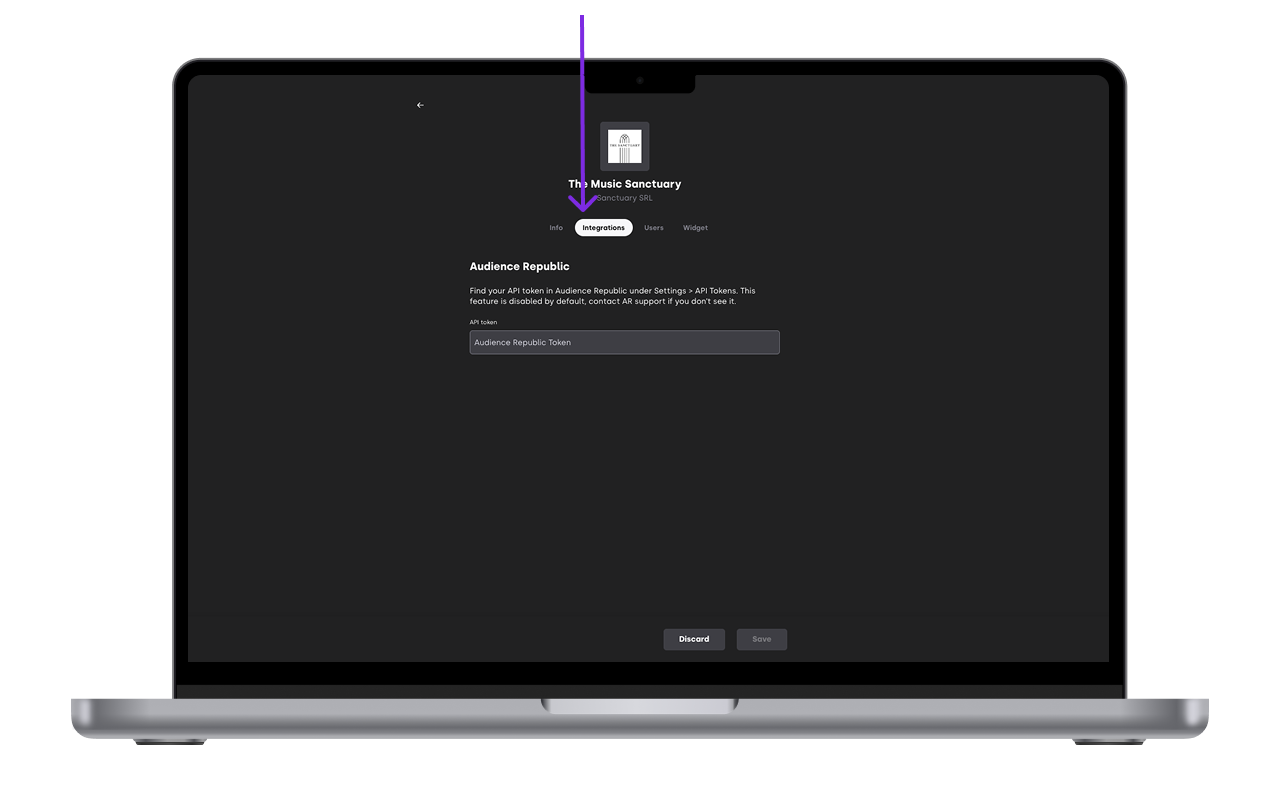
Once saved, the integration becomes active.

3. How data syncing works
Ticket buyer data is sent automatically after purchases
No manual export is required
Data availability depends on your Audience Republic setup
XCEED does not control how data is processed once it reaches Audience Republic.
4. Things to keep in mind
Make sure your credentials stay valid
Test the integration with a real ticket purchase
Check data visibility directly inside Audience Republic
If data doesn’t appear, review your Audience Republic configuration first.
If you have any other questions check our FAQ page or contact support@xceed.me