
Sales Triggers: Opening and closing your Pass sales
You can configure a "Start after" relationship directly on a Pass Preset. When you pick another pass as the trigger:
The configured pass stays hidden from customers until the trigger pass sells out
As soon as the trigger pass hits zero available, the next pass is released automatically
A purple "After {pass name}" badge appears on the pass card so your team can see the dependency at a glance
The trigger relationship is inherited by any event that uses the preset.
1. Set a "Start after" trigger on a Pass Preset
Go to Offers (Presets) and open the Passes tab
Open an existing Pass Preset or click Create new pass
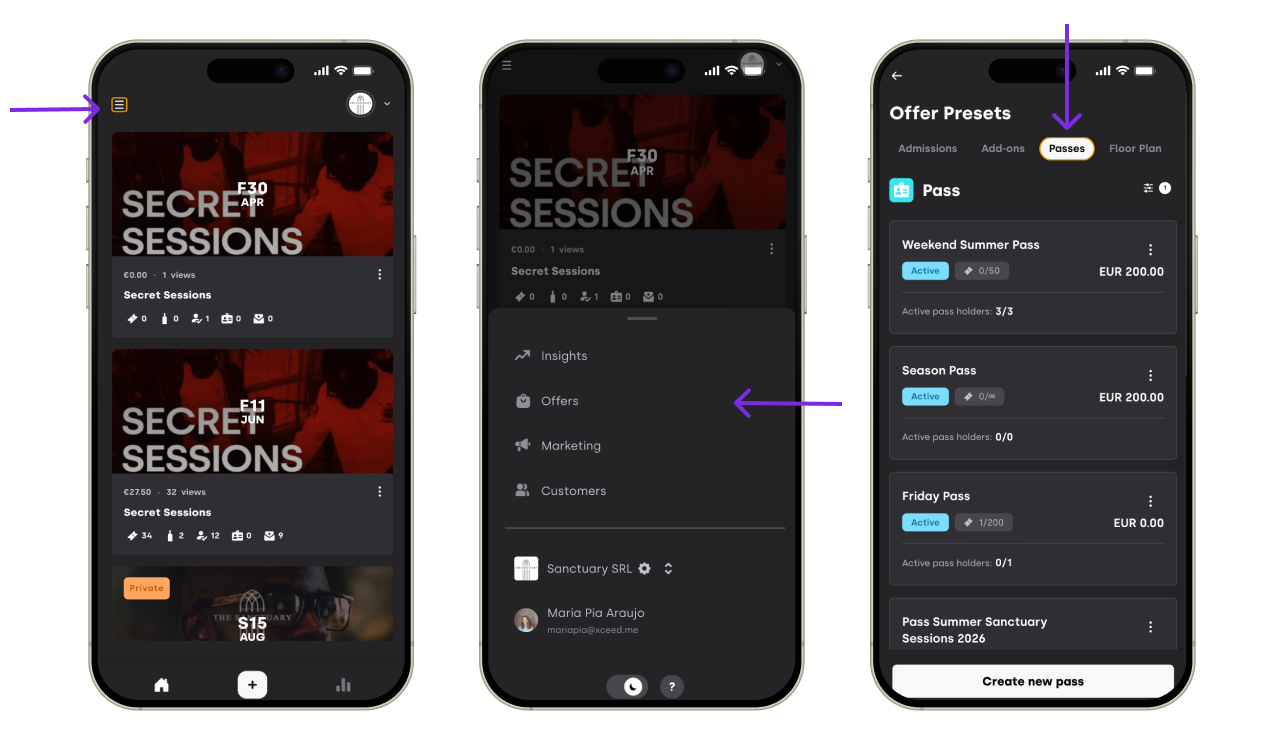
Find the Start after field (below the general pass details)
Click the selector and pick the pass you want to use as the trigger
Save the preset
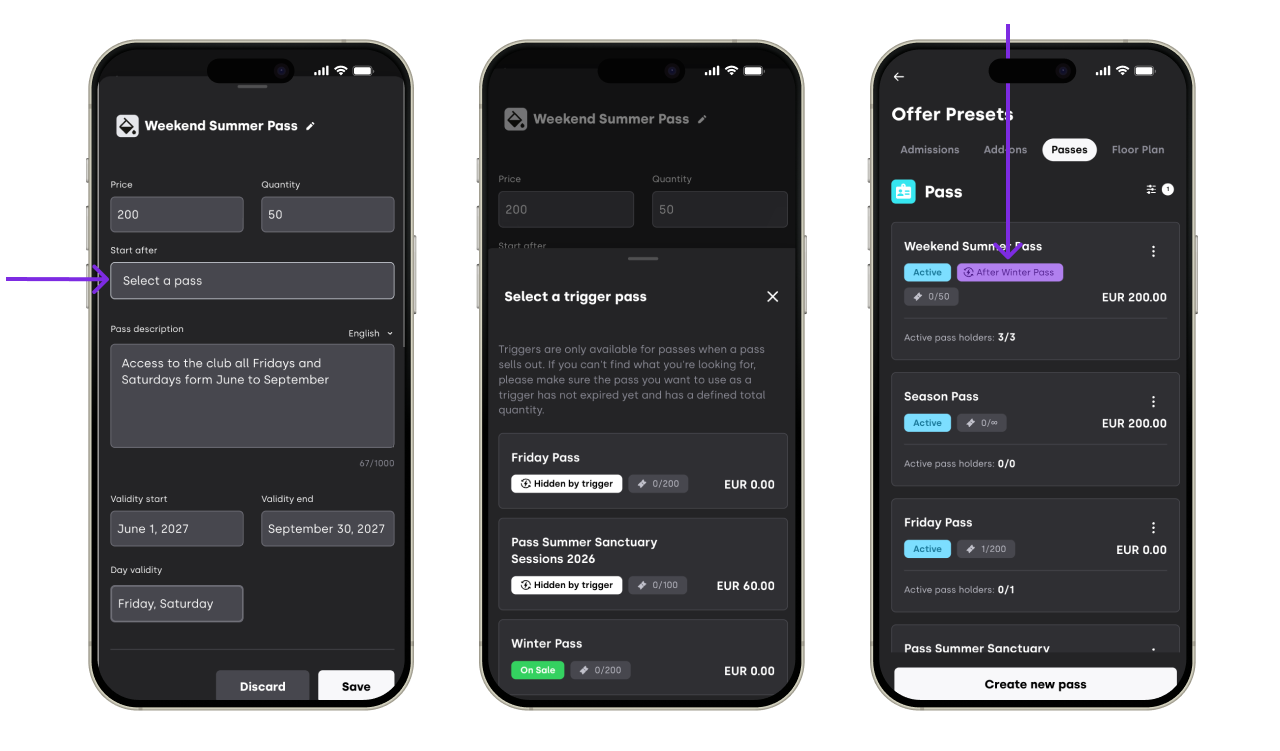


The selected pass will become the trigger. This pass will only go on sale once the trigger pass is sold out.
2. Eligible Trigger Passes
Not every pass can act as a trigger. To keep the chain predictable, the selector only shows passes that meet these conditions:
Defined total quantity — the trigger pass must have a fixed total quantity (unlimited passes cannot be used as triggers, since they never sell out)
Not expired — passes that have already expired are excluded
If you don't see the pass you want to use as a trigger, check its quantity and expiration date.
3. Remove a Trigger
To unlink two passes:
Open the Pass Preset you want to edit
Click the ✕ button next to the selected trigger in the Start after field
Save the preset
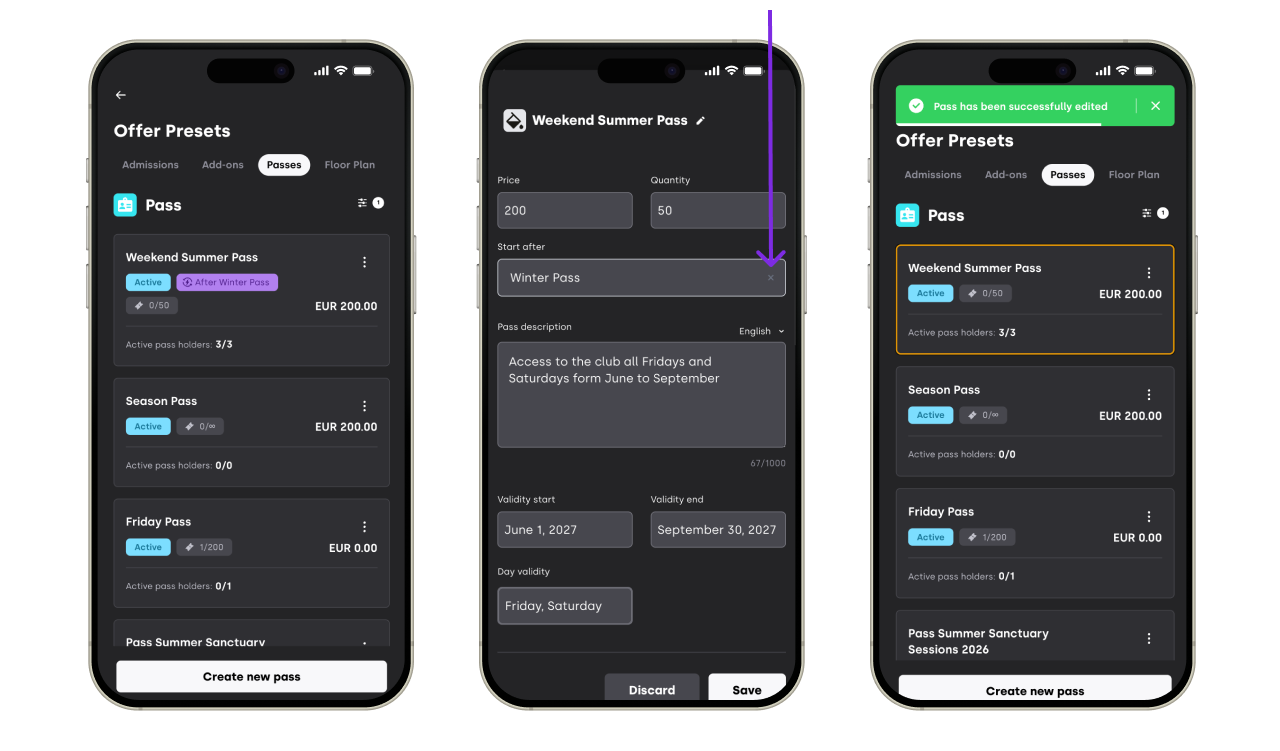

The pass will revert to standard sales behavior (available as soon as its own sales start date is reached).
4. Good to Know
Presets only — the "Start after" field is configured at the Pass Preset level. Event passes inherit the relationship from the preset they were created from.
Pass-to-pass chain — triggers only link passes to other passes. They do not link passes to tickets or tickets to passes.
Release is automatic — once the trigger pass sells out, the next pass becomes available to customers with no manual action needed.
If you have any other questions check our FAQ page or contact support@xceed.me