
How to recover your password
Use this if you can’t remember your password or your login attempt fails. It’s useful for both organisers and buyers who need quick access to their XCEED account. The process only takes a few minutes.
1. Start the password recovery process
Go to the XCEED.me, click on login and input your email.´
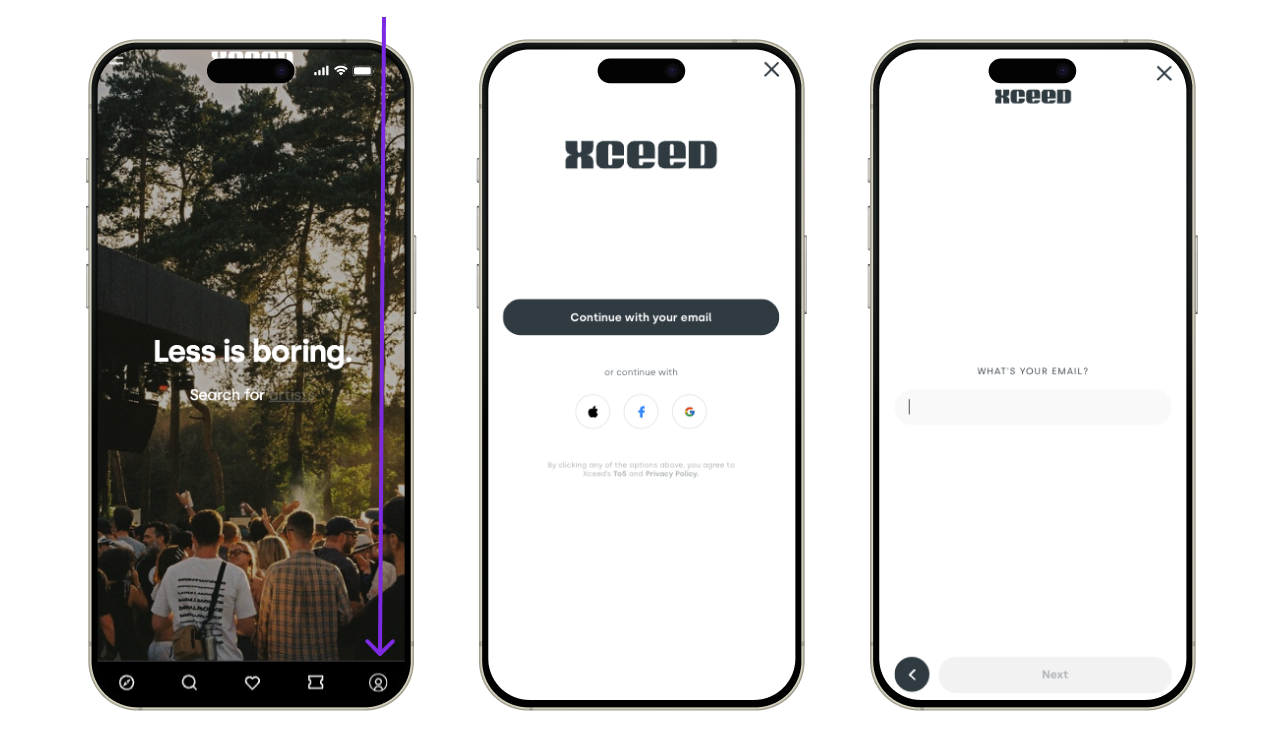
Click Forgot your password?

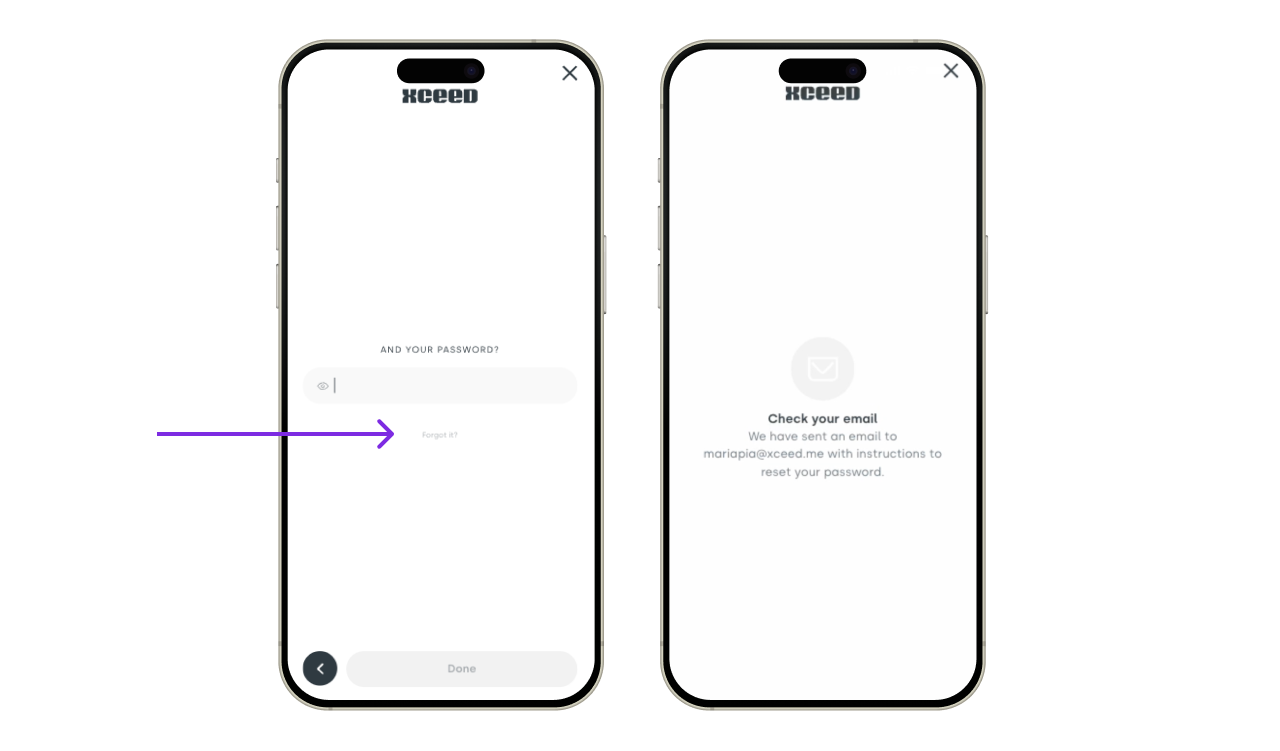
2. Check your email inbox
Open the email sent by XCEED.
Click the password reset link inside the email.
If you don’t see the email:
Check your spam or junk folder
Make sure you entered the correct email address
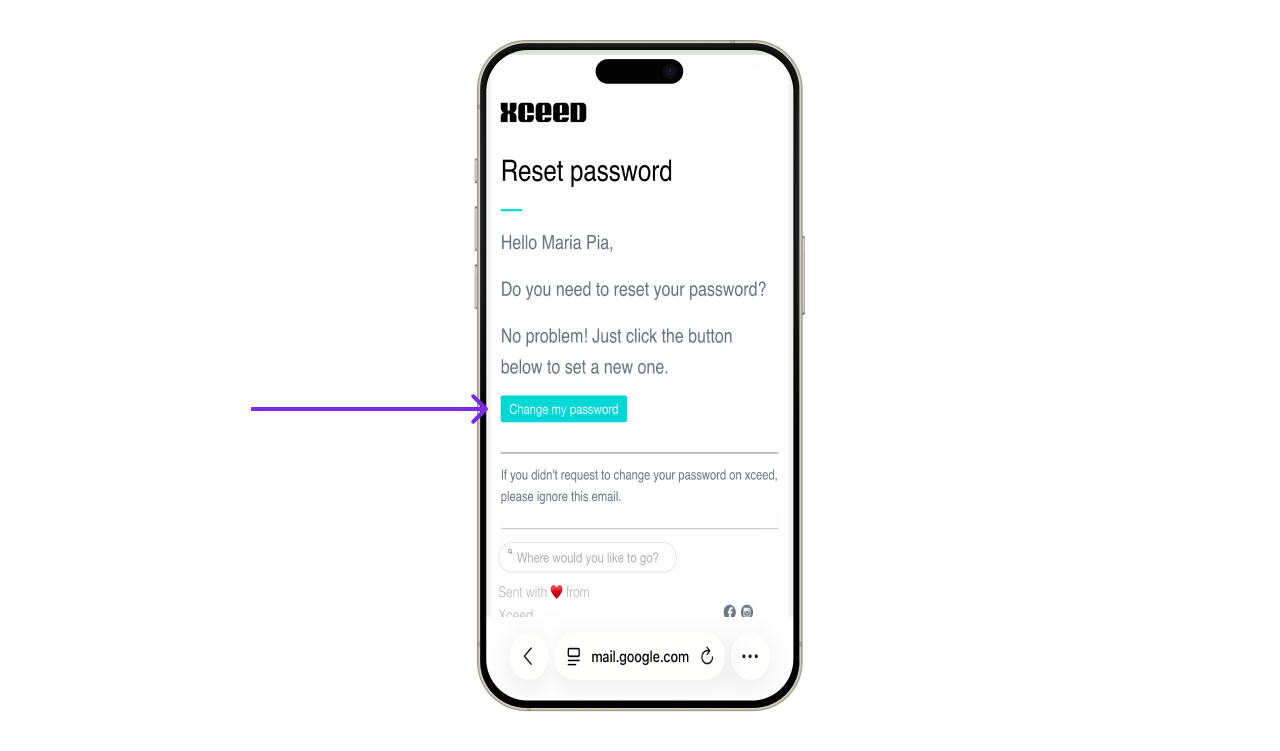

3. Set a new password
Follow the link from the email.
Choose a new password.
Confirm and save it.
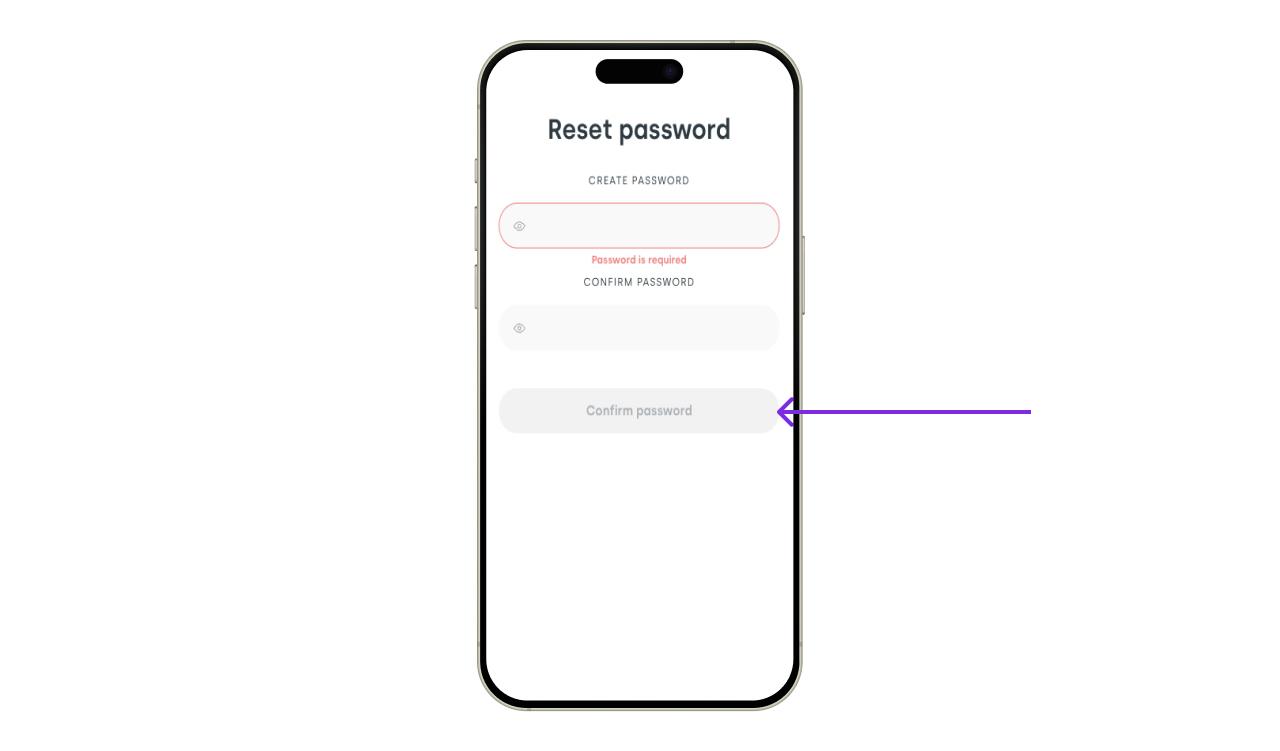

Once saved, you can log in again using your new password.
4. Common issues
If you don’t receive the email, wait a few minutes and try again
Password reset links may expire for security reasons
Make sure you’re not logged into another XCEED account in the same browser
If the problem persists, contact support.
If you have any other questions check our FAQ page or contact support@xceed.me