
How to Create and Send Out Invitations
Use invitations when you want controlled guest access without publishing a public link. In XCEED Pro, you can create different invitation types (e.g., VIP, Sponsor) and send them individually or in bulk.
1. Permissions
Invitations are only available to Directors/Organisers of an event. Promoters and Team Leaders can’t create or send invitations.
Invitations are not visible on public links.
2. Create Invitation Presets
Invitation presets work like a guest list or ticket template: you define the name, description, and what info the guest must provide.
In XCEED Pro, go to your Presets and open the Invitations tab.
Use the default preset (already created for you) or edit it to match your needs.
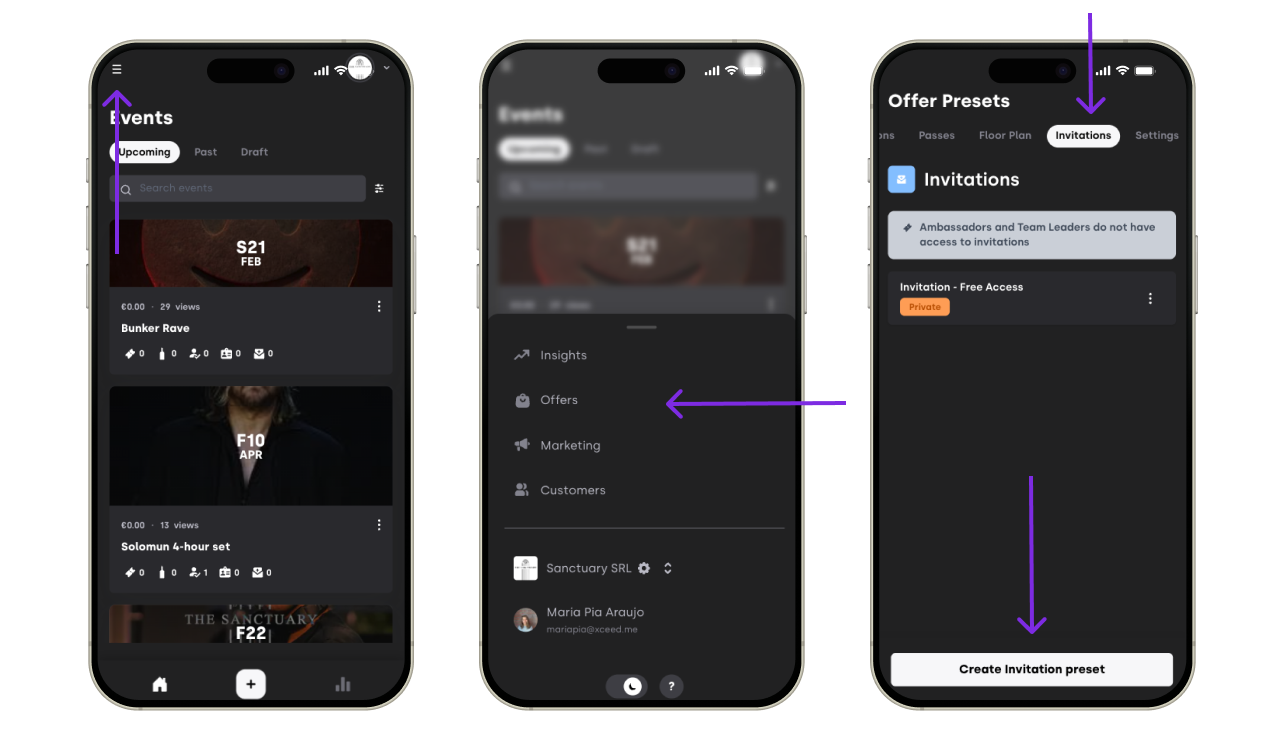
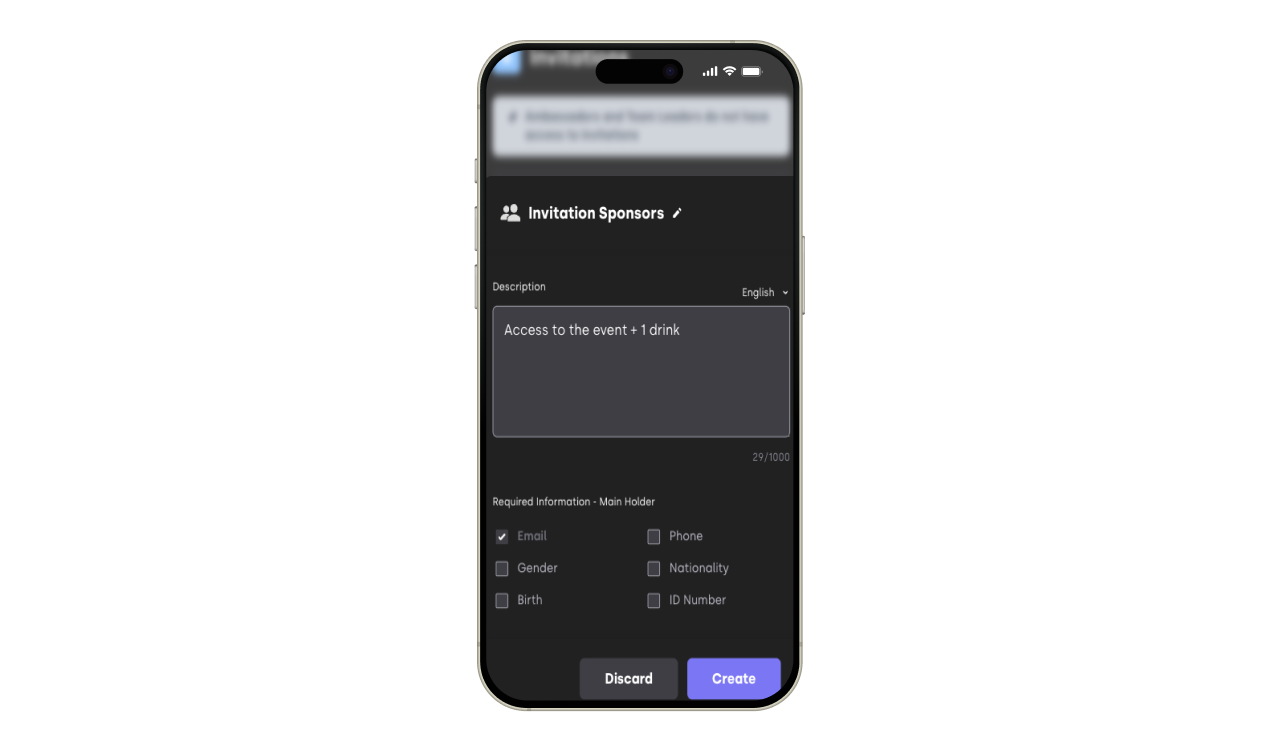
Click Create invitation preset and configure it like you would a guest list or ticket:
Invitation name
Description
Required customer fields
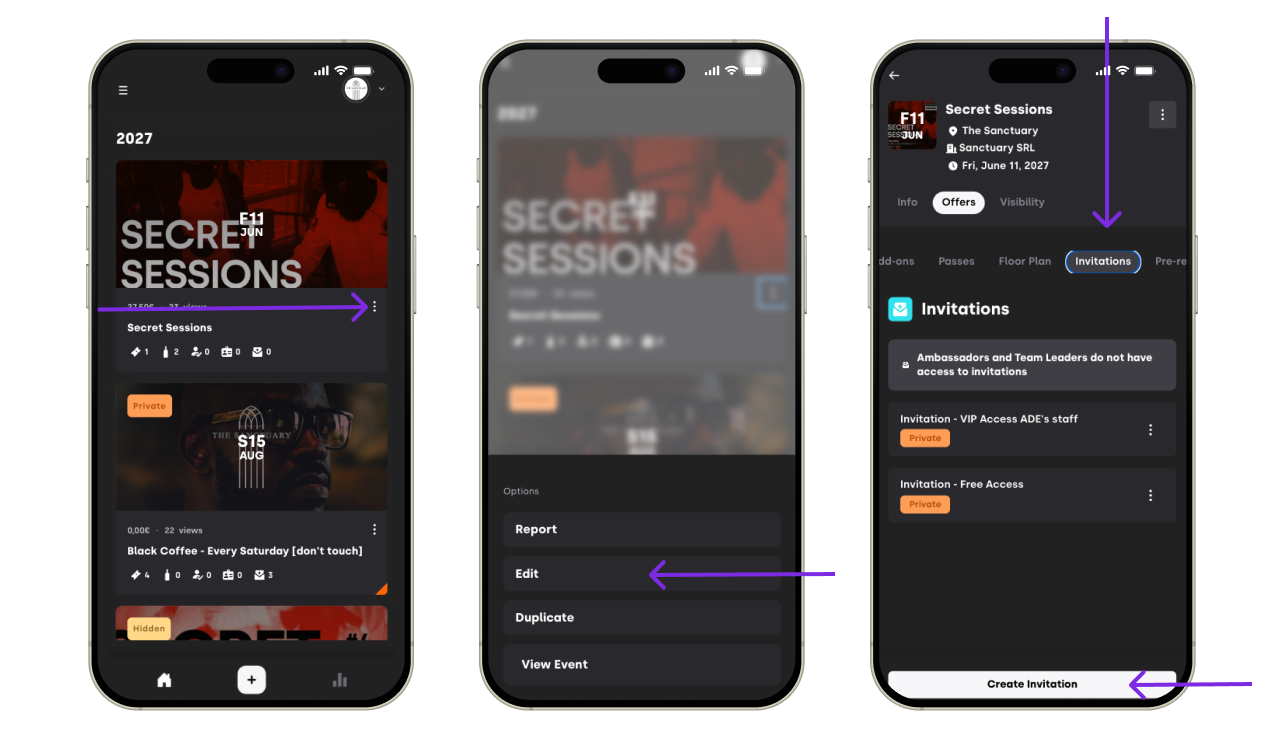
Add this preset to any event where you would like to send it for
4.1 While editing your event go to the invitations tab
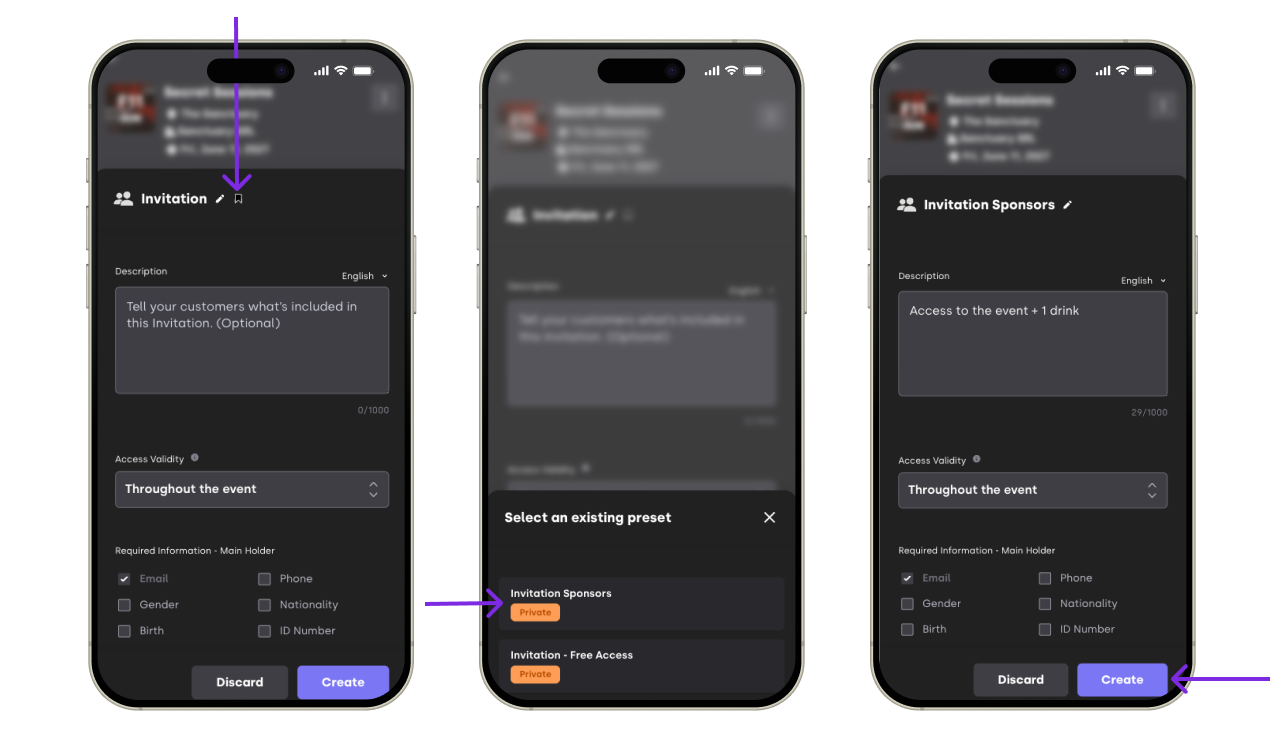
4.2 Select the invitation already create don presets


3. Send Invitations From XCEED Pro
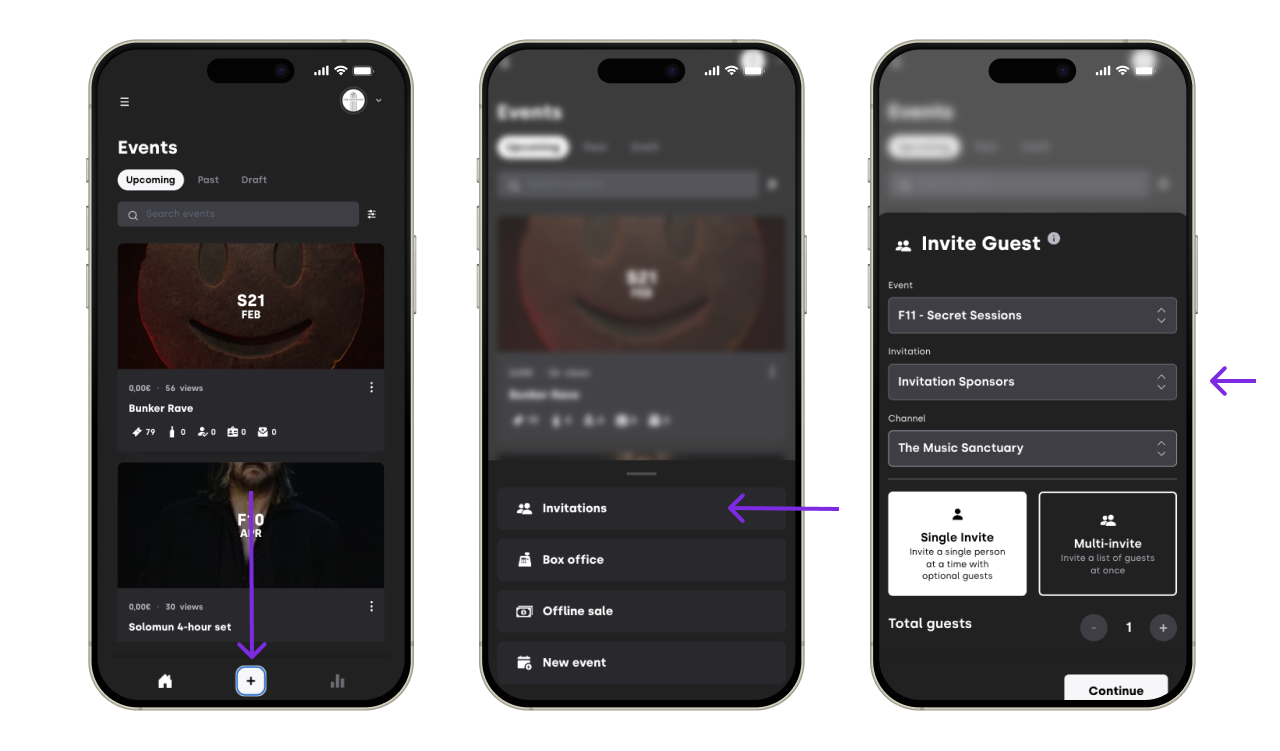
Go back to your main XCEED Pro page.
Click the Action button (+ bottom center).
Select:
The event
The invitation type
The Channel
The quantity of invitations to generate

3.1 Send a Single Invitation
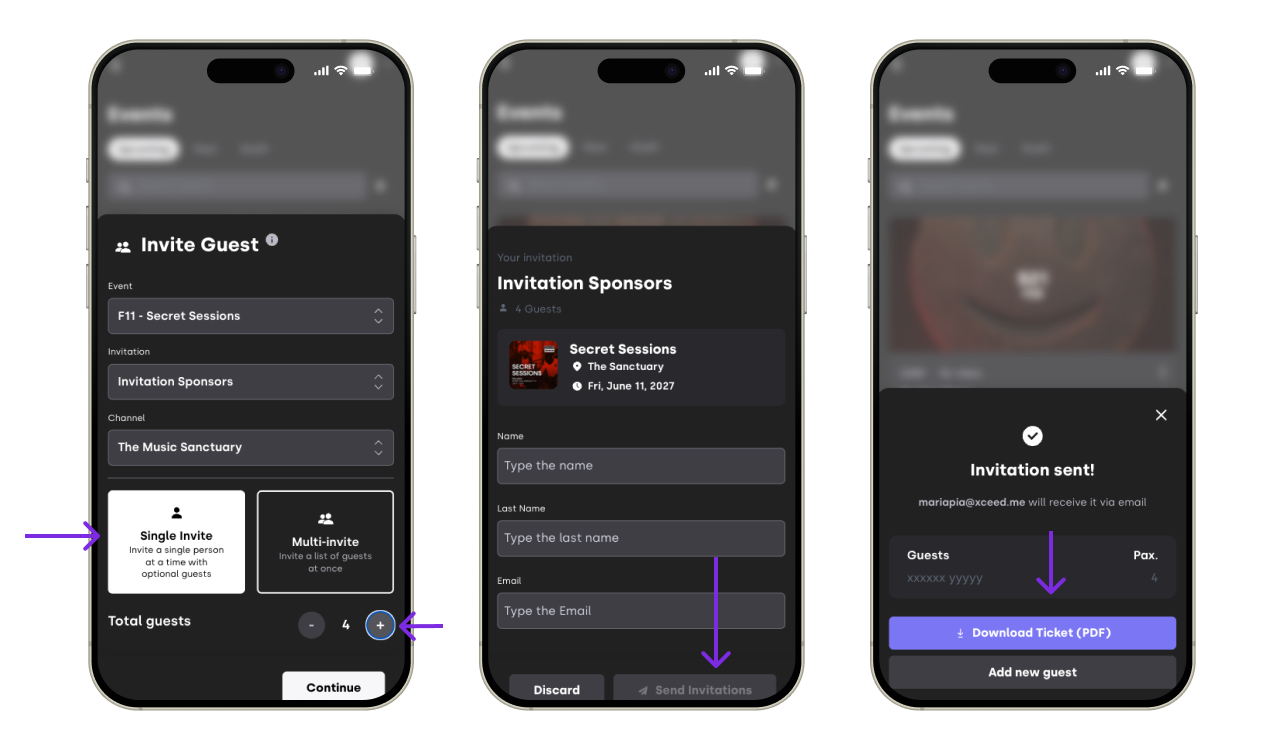
Use this when you’re inviting one person (optionally with multiple entries under the same name).
Choose Single invite.
If you need multiple invites for the same person, use the plus (+) button to increase the quantity.
Fill in the required details.
Choose how to deliver it:
Send by email directly, or
Download the PDF and send it via WhatsApp (or any other way).
3.2 Send Multiple Invitations In One Go
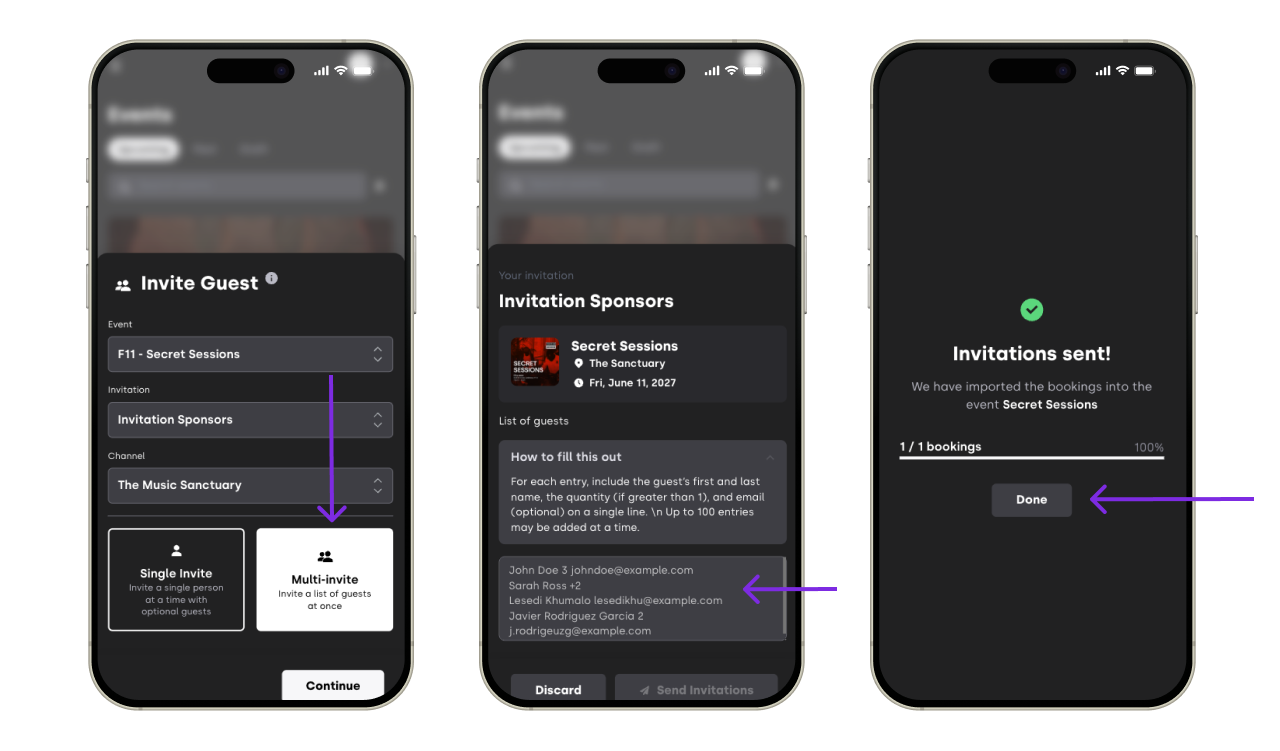
Use this when you want to create invitations for different people at once.
Choose Multi-invite.
In the text box, add one invitation per line, using any of these formats:
Name (mandatory)
Example:Xxxxx Yyyyy→ creates 1 invitationName + quantity
Example:Xxxxx Yyyyy 3→ creates 3 invitationsName + “+quantity”
Example:Xxxxx Yyyyy +4→ creates 5 invitationsName + email (optional quantity can be included or not)
Example:Xxxxx Yyyyy xxxxx@xceed.me→ creates 1 invitation and sends it to that email
Click save

3.2.1. If You Didn’t Add An Email
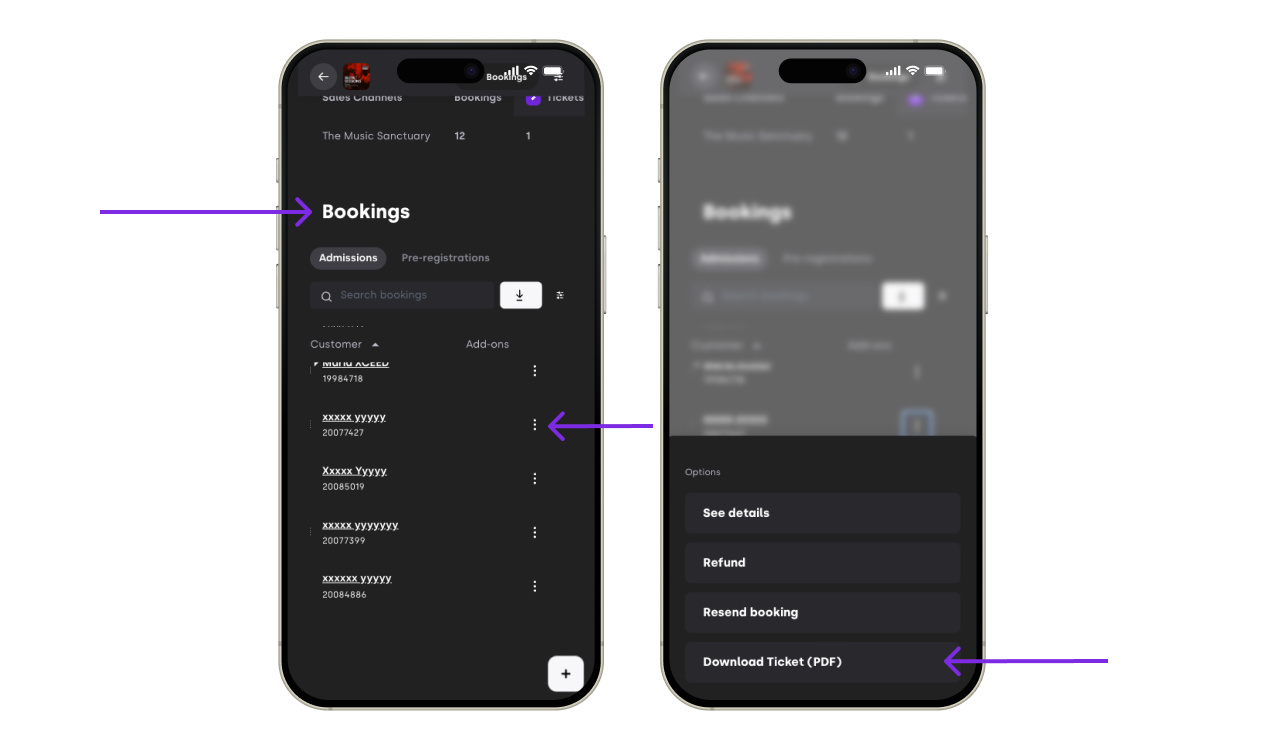
If no email was included, you can still:
Download the invitation PDF later from your customer list and send it manually, or
Ask the guest to give their name at the door.

If you have any other questions check our FAQ page or contact support@xceed.me