
Allow extra guests on table offer
Let your clients add extra people to their table booking, with a price per guest and a limit you set.
Some groups are bigger than your standard table capacity, like a birthday party with 8 people booking a table for 6. Instead of turning them away or asking them to book a second table, you can let them pay for the extra guests directly when they book. This helps you fill your tables and earn more from every bottle service booking.
1. What extra guests are
Extra guests are additional people a client can add to a table booking. You decide two things:
The price for each extra guest.
The maximum number of extra guests allowed per table.
Your client sees this option when booking the table and pays for the extra guests together with the table. An extra QR code is generated for this extra guest.
2. How to enable extra guests
2.1 Open your bottle service offer
Log in to XCEED Pro.
Go to the event where you want to enable extra guests.
Open the bottle service offer you want to edit, or create a new one.
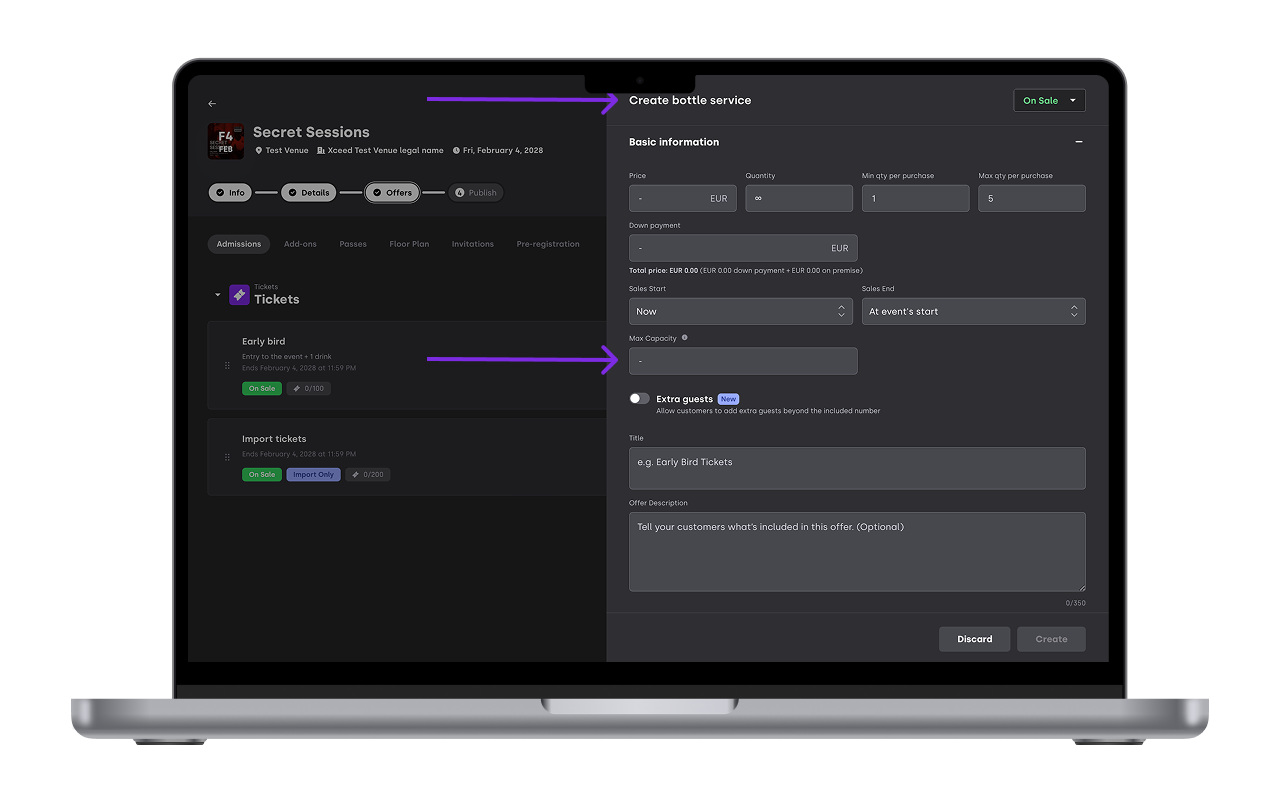
2.2 Turn on the extra guests option
Inside the bottle service offer form, find the extra guests option.
Turn it on.
Enter the price for each extra guest.
Enter the maximum number of extra guests allowed per table.
Click Save.
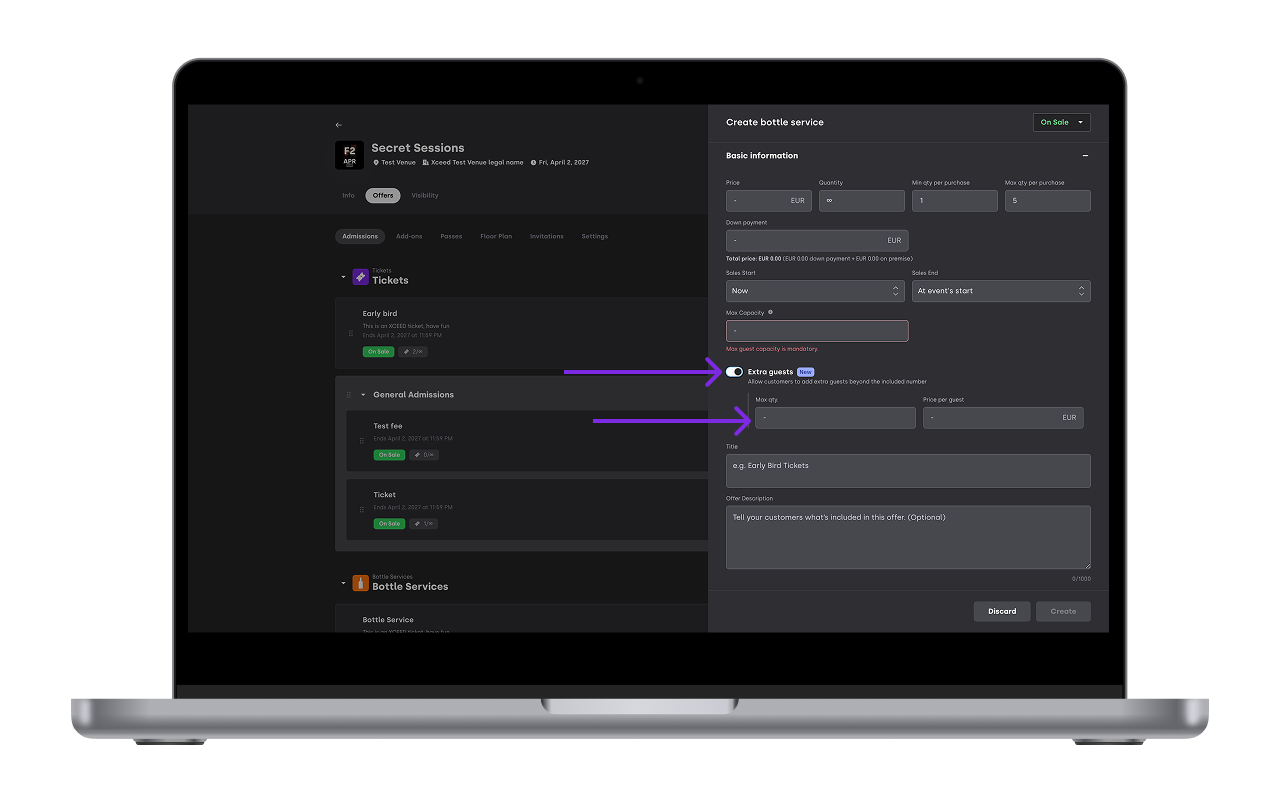
Example: if you set the price to 30 € and the maximum to 3, a client can add up to 3 extra people to the table, paying 30 € for each one.
3. What your clients see
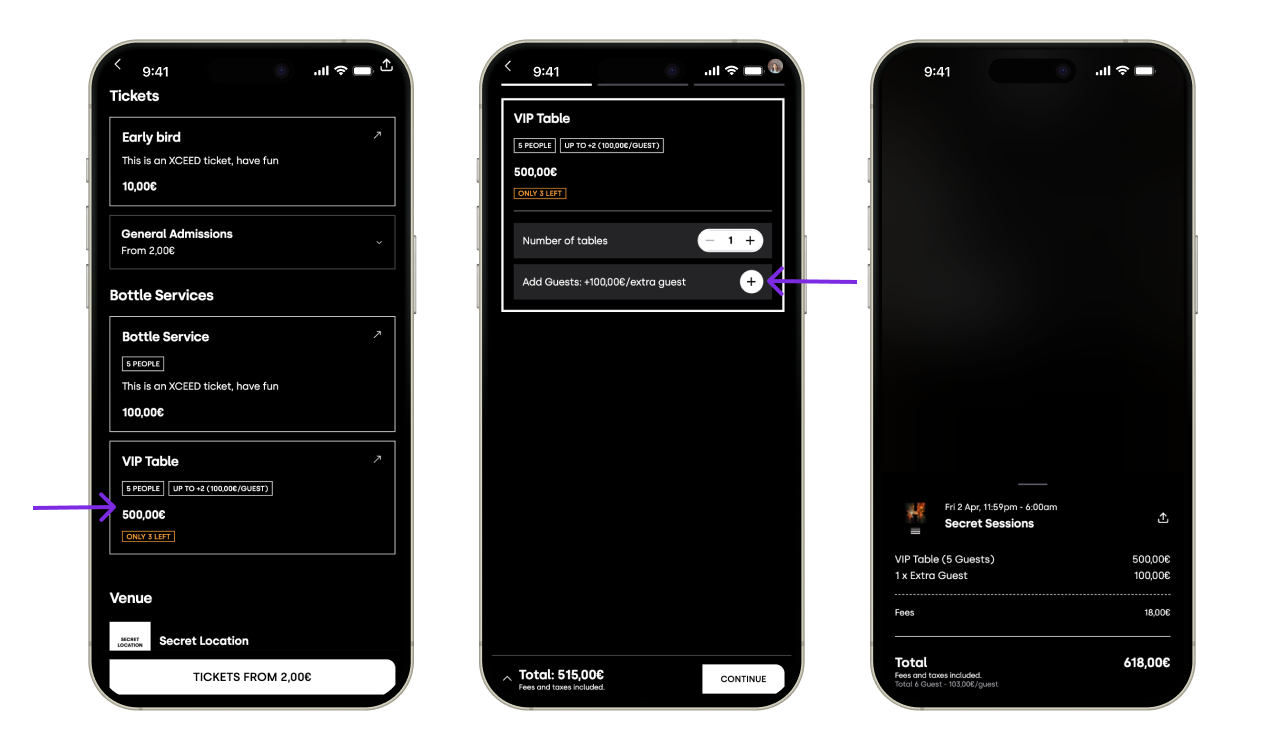
When your client books the table, they can choose how many extra guests they want to add, up to the maximum you set. The price of the extra guests is added to the total automatically before they pay.
If you have any other questions check our FAQ page or contact support@xceed.me