
Audiences: get to know who buys tickets for your events
The Audience section in your XCEED event report shows you who bought tickets, where they are, and what language they browse in.
Use it to see which cities your buyers come from before you plan your next marketing campaign. Check the age and gender split to make sure your line-up and communication match the people who actually attend. Look at the language data to decide which languages to translate your event page into.
1. What is the Audience section
The Audience section is a part of your event report that gives you information about the people interested in your event.
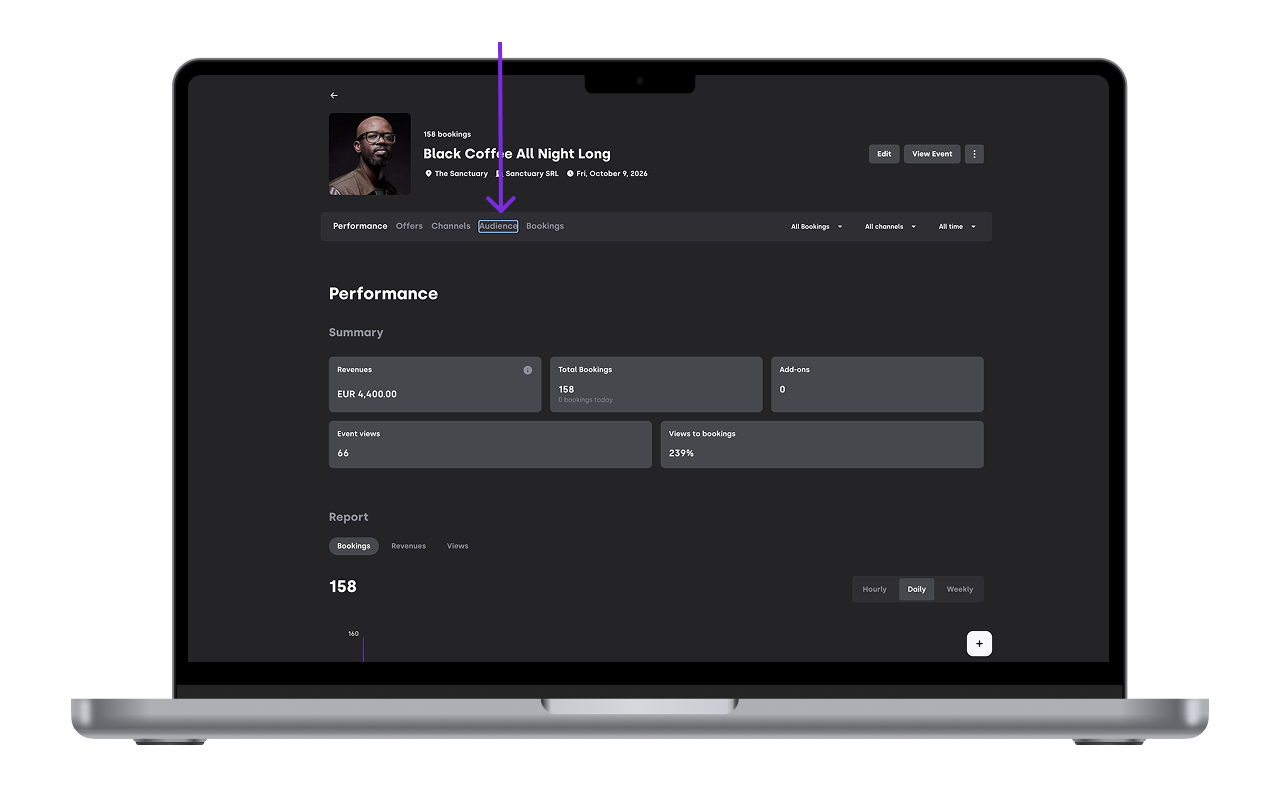
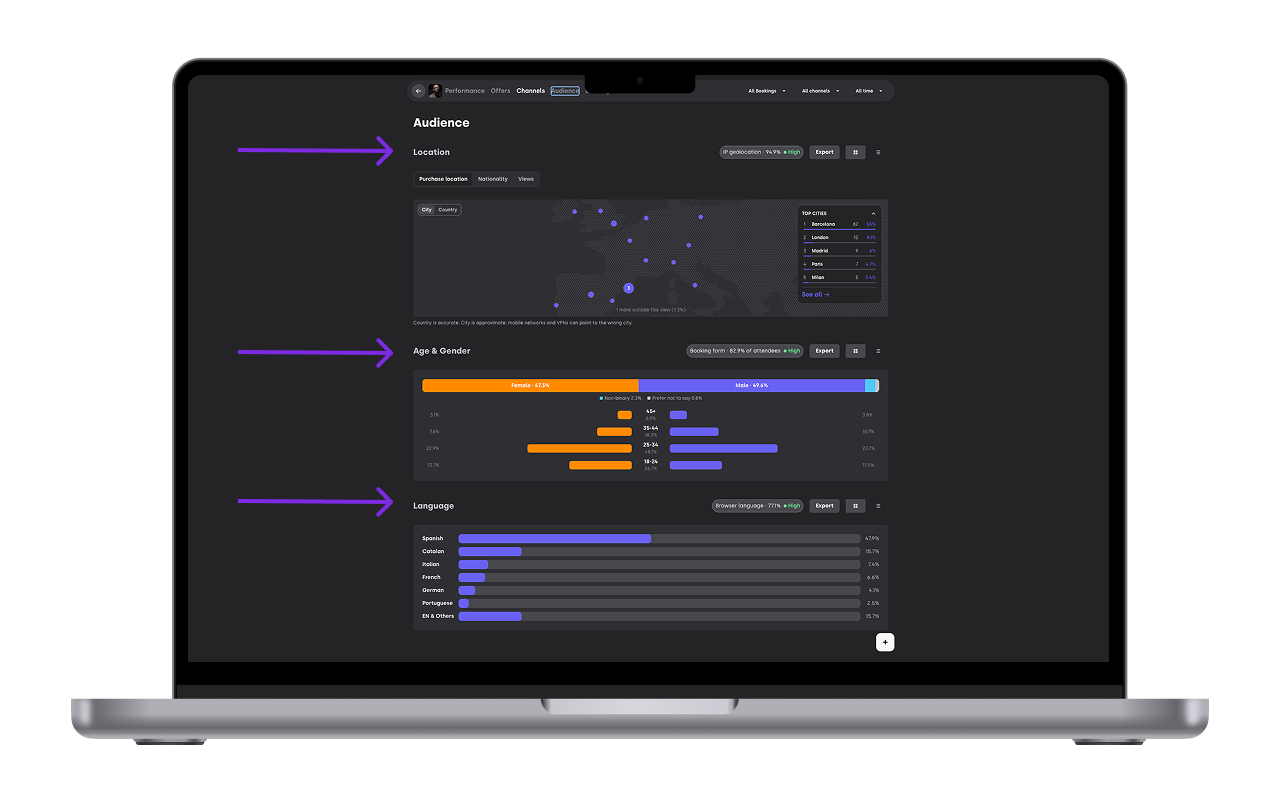
You can see three types of information:
Location: where your buyers are.
Age and gender: who attends your event.
Language: what language your audience browses in.
2. What you can see
The Audience section only appears on events with at least one booking. If your event has no bookings yet, you won't see it.
2.1 Location
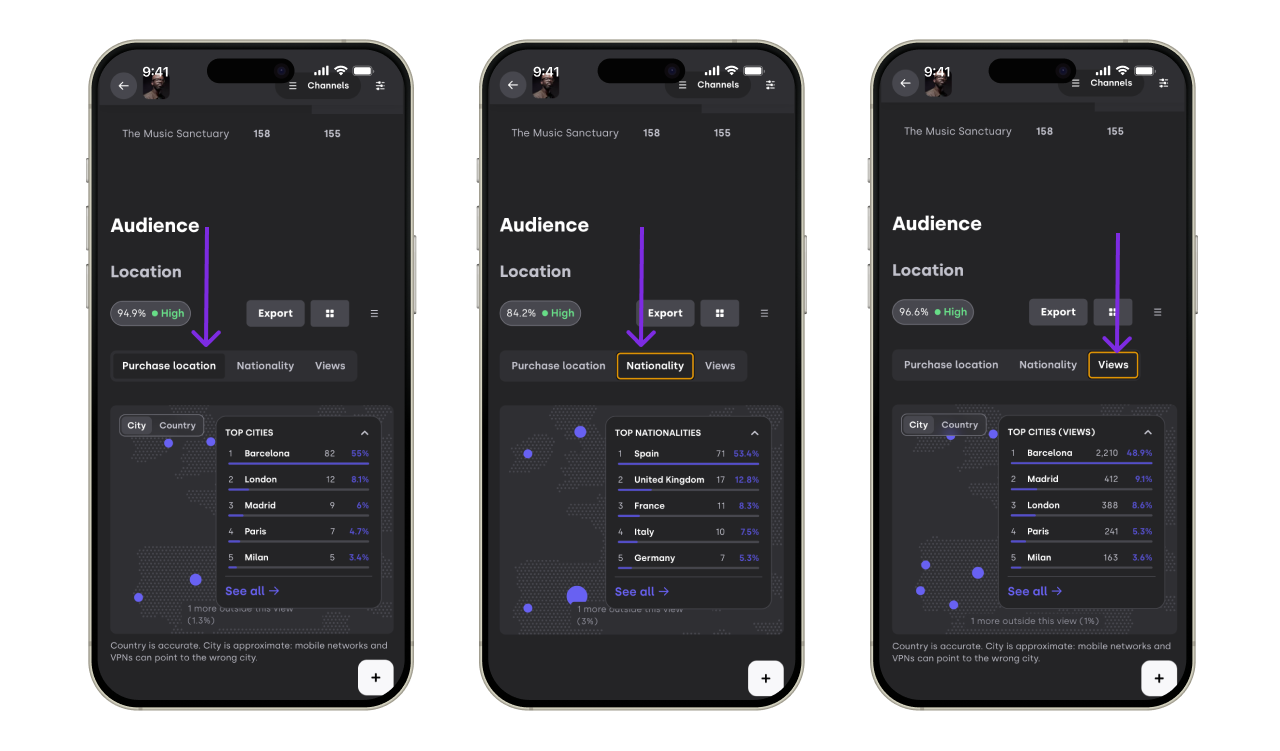
The Location view shows you a map of where your buyers are. You can see the data by city or by country.
You can switch between three views:
Purchase location: This view shows where your buyers were when they bought their tickets.
Nationality: This view shows the nationality of your buyers.
Page views: This view shows where your event page was viewed from. It includes everyone who visited your page, even people who didn't buy a ticket. Use it to find cities where people are interested in your event but aren't buying yet.
2.2 Age and gender
This view shows you the age and gender split of the people who attend your event.
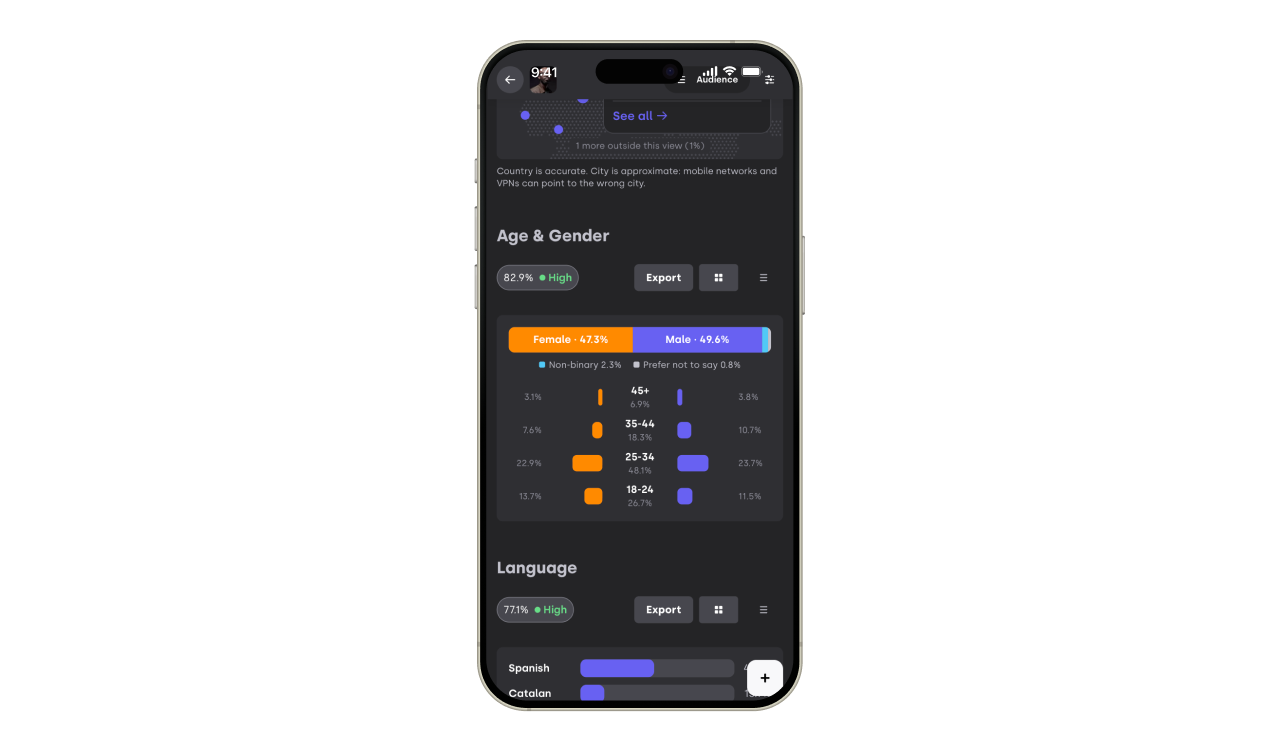
This data only appears if you ask buyers for their age and gender at checkout. If you don't collect these fields, this part will be empty.
3.3 Language
This view shows you the language your audience uses when they browse.
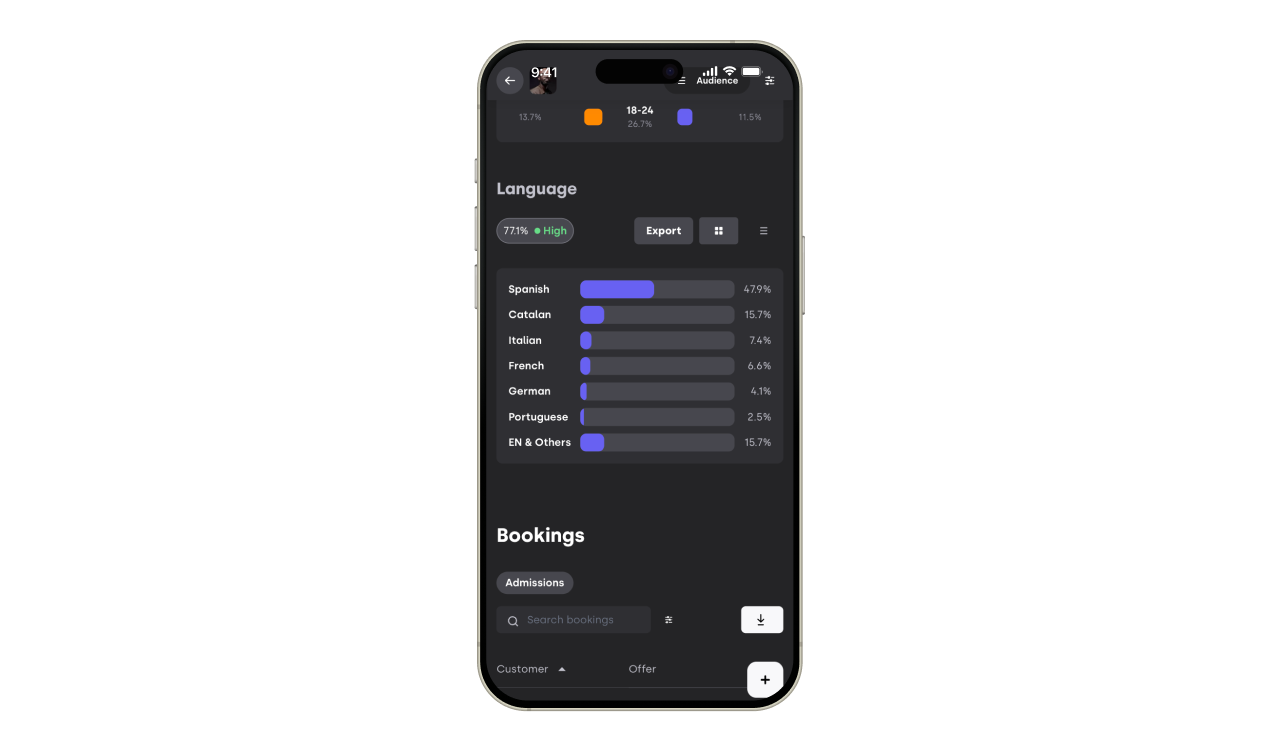
Use it to:
Decide which languages to translate your event page and communication into.
Choose the right language when you create a marketing campaign.
4. Troubleshooting
4.1 I can't see the Audience section
Check that your event has at least one booking. The section only appears once someone has booked.
4.2 The age and gender view is empty
You need to collect age and gender at checkout for this data to appear. Make sure your event asks buyers for these fields.
4.3 The page views map shows more people than my bookings
That's normal. The page views map includes everyone who visited your event page, including people who didn't buy a ticket.
If you have any other questions check our FAQ page (link) or contact support@xceed.me