
How to Analyse Your Customers in XCEED Pro
The success of your event depends on many factors, but especially on who your customers are. With XCEED Pro, you can review everyone who has ever bought from you, filter them by useful criteria, and export the list for campaigns. This is ideal for retention, segmentation, and cleaner post-event reporting.
Log in to XCEED Pro.
In the left-side menu, click Customers
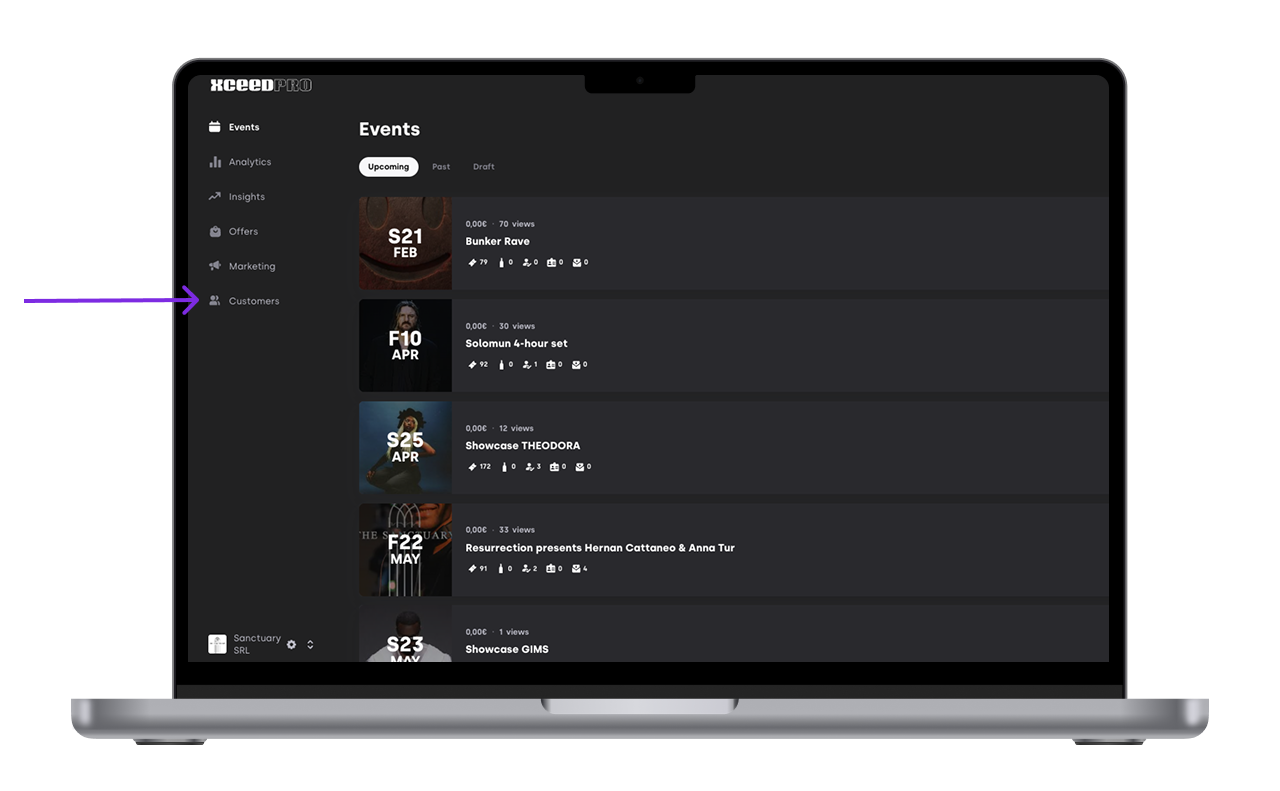
On this page, you’ll see a list of all customers who have ever purchased a ticket from you.
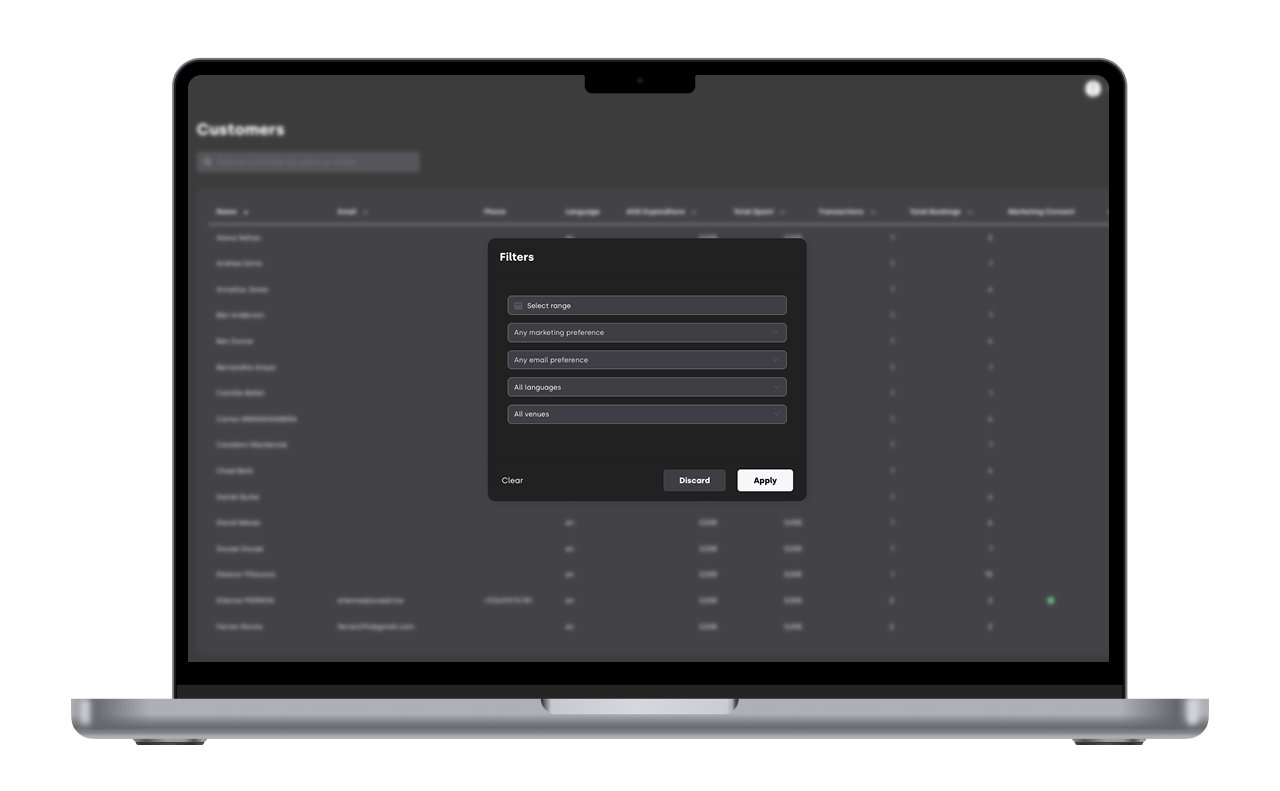
Filter your customers by:
Date
Marketing consent
Email given
Language
Venue
The success of your event depends on many factors but specially on who your customers are. It is important to make sure they want to come back for more.
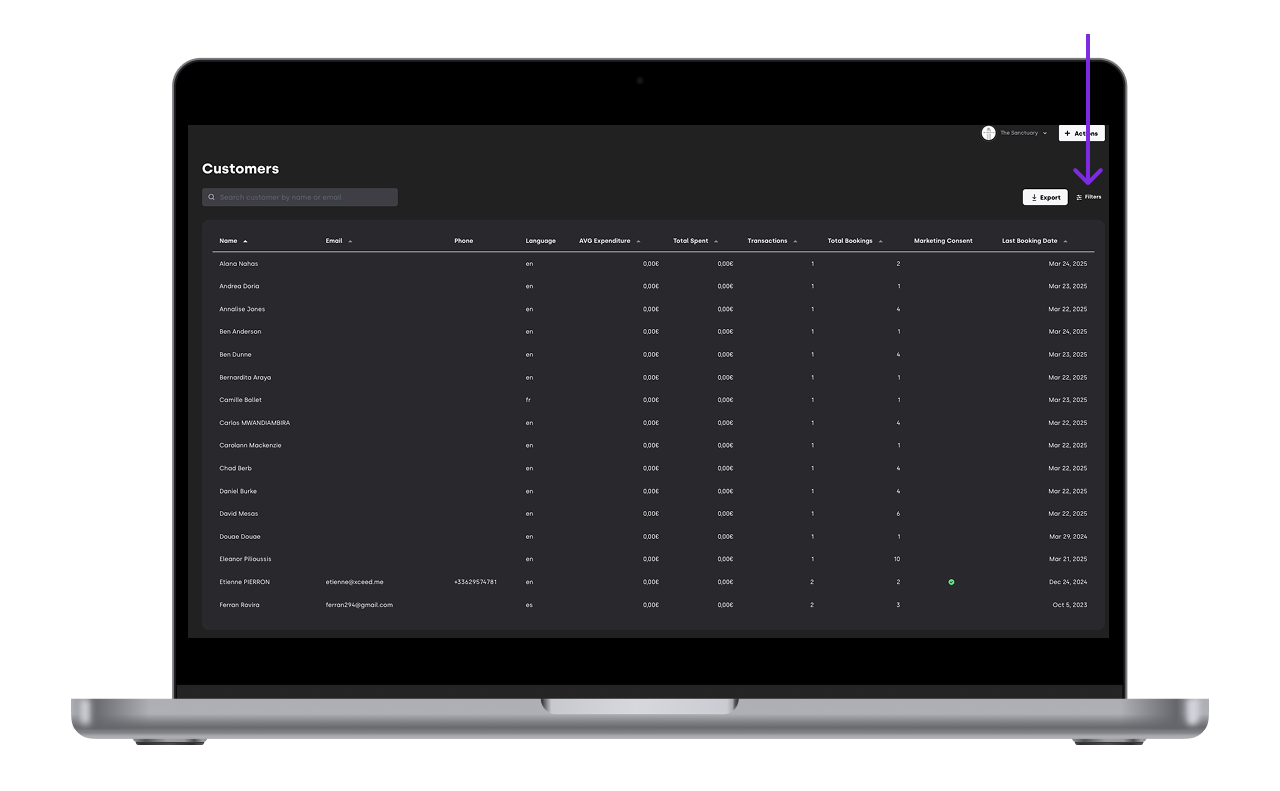
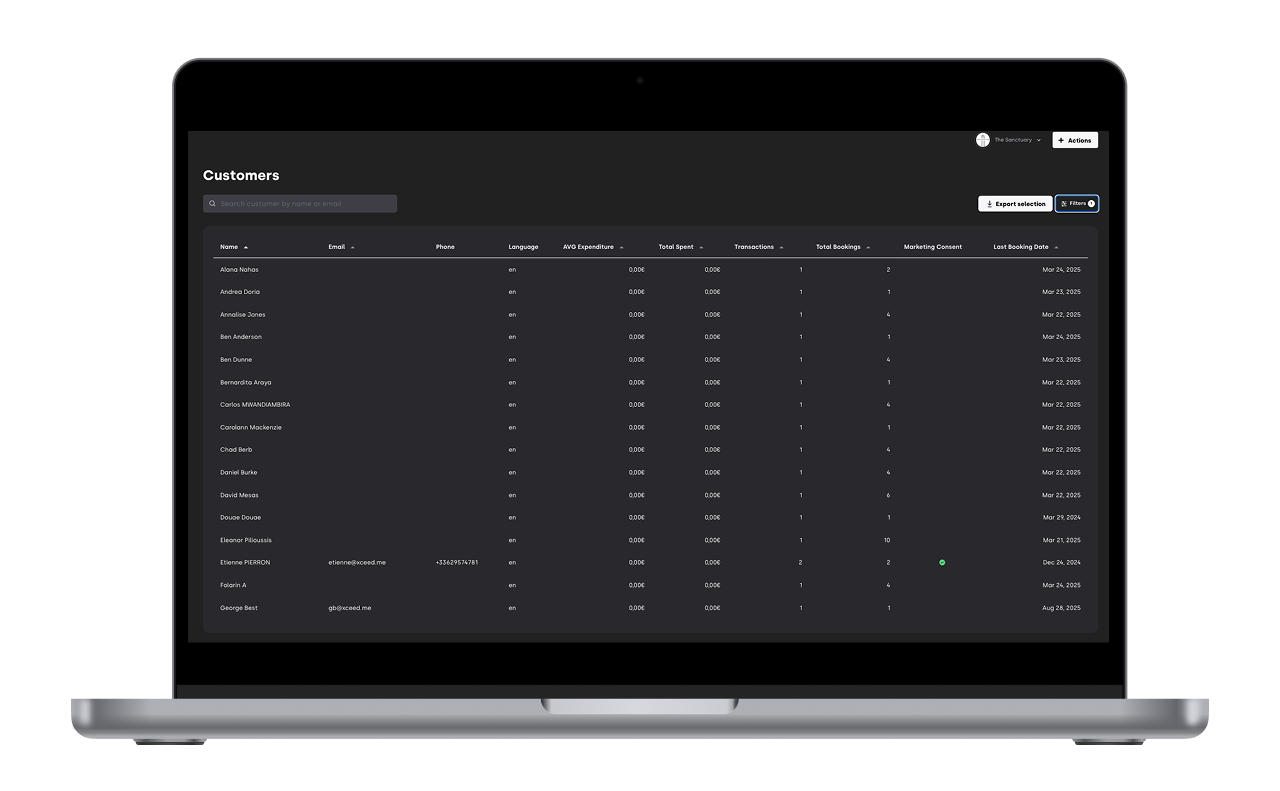
Once your list is filtered (or if you want the full raw list), you can export it as a CSV file -> Click Export (top right).
This export is designed to work smoothly even for heavier files with many purchases.


If you have any other questions check our FAQ page or contact support@xceed.me