
XCEED Access: Clearing cache
If you are having issues with downloading ticket onto the XCEED Access app or something looks off with the checkin count on your event the first thing to do is to clear the cache on the the app.
Clearing the cache won't log you out or change the venue in which you are working in but rather eliminate the booking that are now on your phone and open space to download new ones.
Open the XCEED Access app on your smart phone and chose your venue
On the top right corner click on settings
Select the option "Clear Cache"
Accept the pop up message warning you what clear cache does by clicking on "Clear cache"
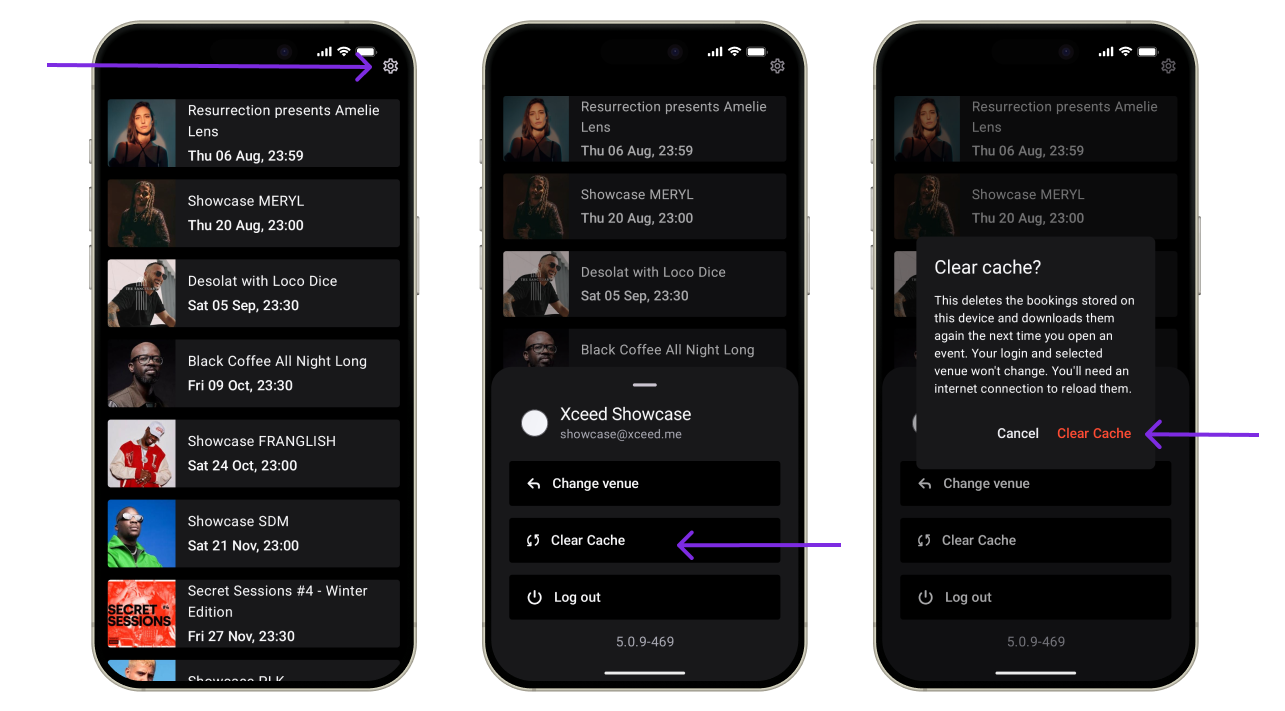
After this, with internet connection, you can download the bookings again.
If your problem presissts please contact your account manager or support@xceed.me