
Have your event at a secret location and reveal it to your clients when you want
You can now mark an event's venue as secret: the event still happens in a known city, but the exact venue (name, address, coordinates, photos) is withheld until it's revealed — either to ticket holders only, to the public, or both — on a schedule or manually.
Two independent reveal channels exist per event:
Address to ticket holders — controls when buyers get the address (email, my-bookings, PDF, wallet).
Venue on the public event page — controls when anyone (including non-buyers) can see it.
1. How to set it up
On your XCEED Pro main page on the top right corner select create a new event.
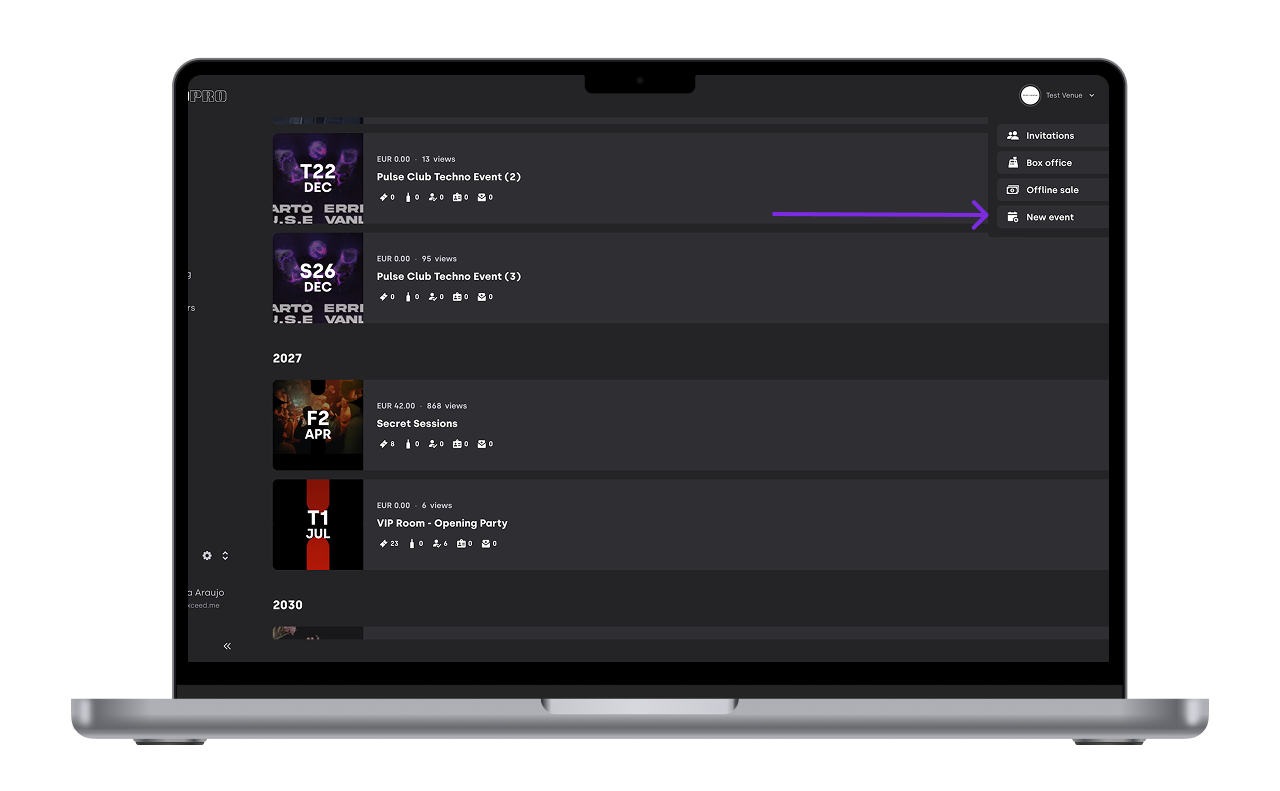
You will still create the event in the respective correct location on XCEED Pro like always. The difference is that now on the very first page, after choosing the name and date you can also set the location as public or secret
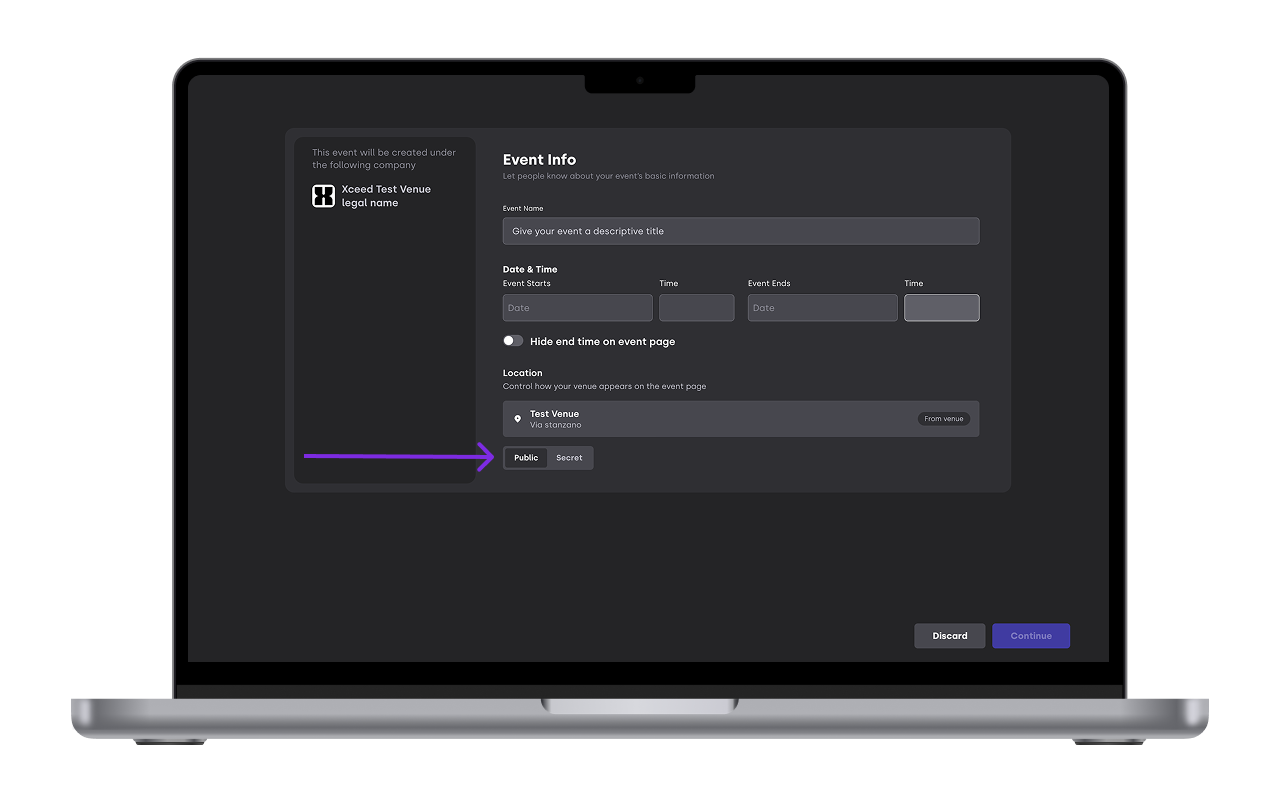
Decide when you want to reveal the venue to your ticket buyers or to the general public
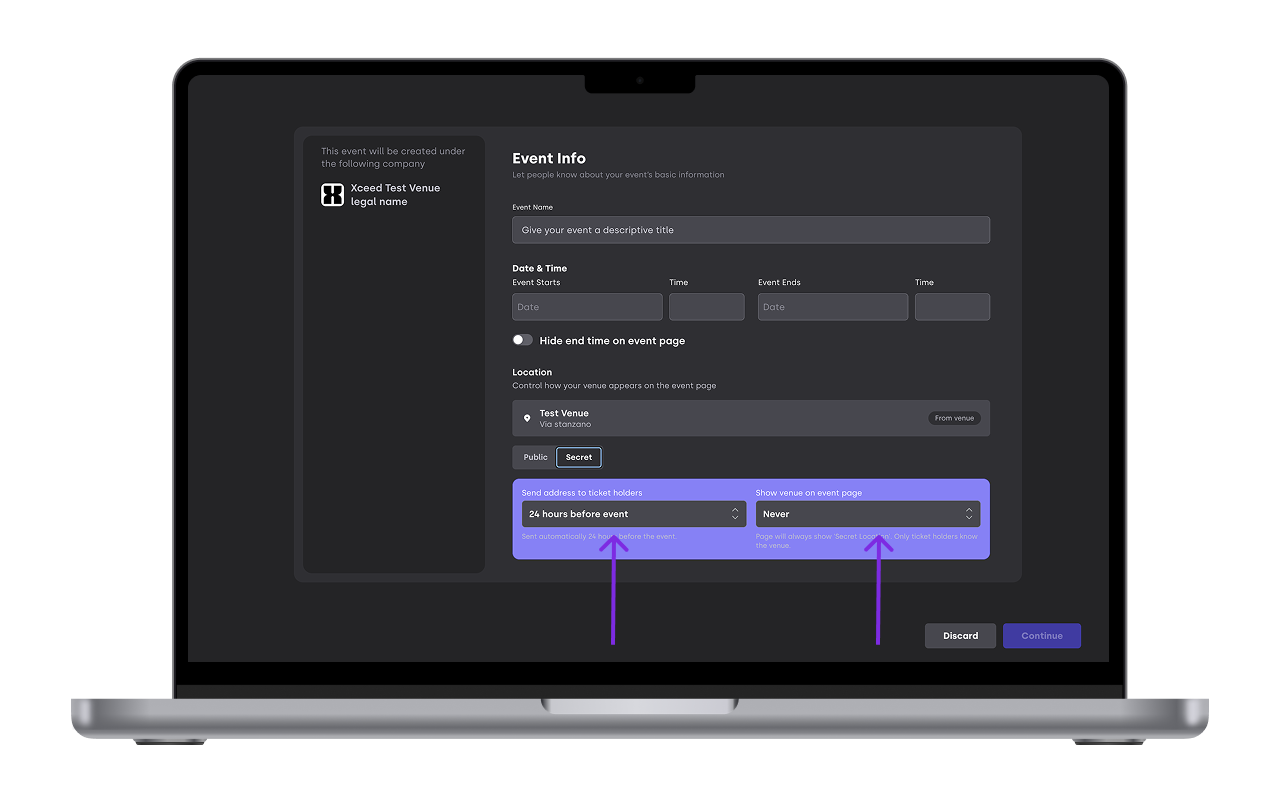
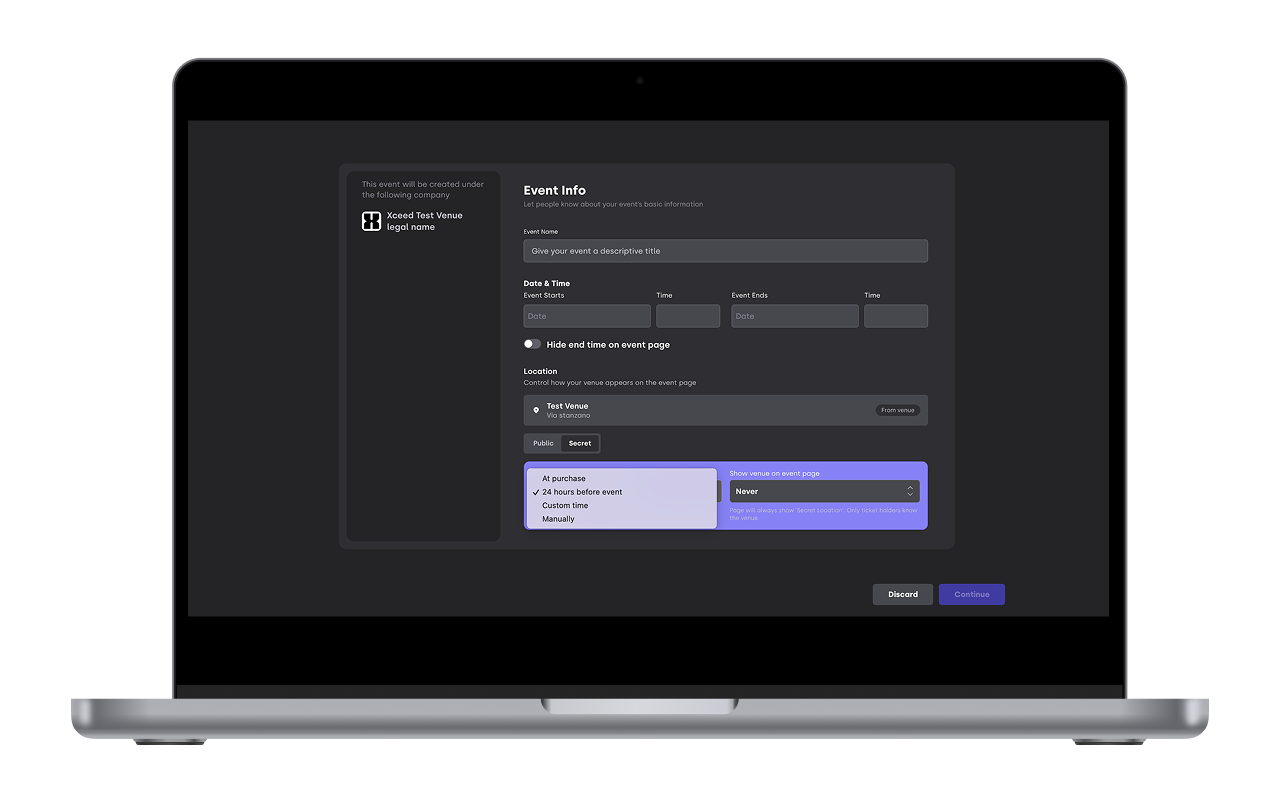
Both actions are independent from each other. You can chose:
At purchase: Only available for telling your ticket buyers who receive an email right after a purchase announcing the venue location
24h before the event: An email is sent automatically to all ticket buyers with the location reveal and the XCEED page also changes to show the location
Custom time: Automatize when you would like the location to be revealed at your own will. For example a week or a month before the event.
Manually: Decide when you would like the location to be revealed at your own will manually. You can click on reveal venue now whenever you want.
Never: Never reveal the location via the platform in case you prefer doing it in another way
After setting the view on the event location you can always come back and edit
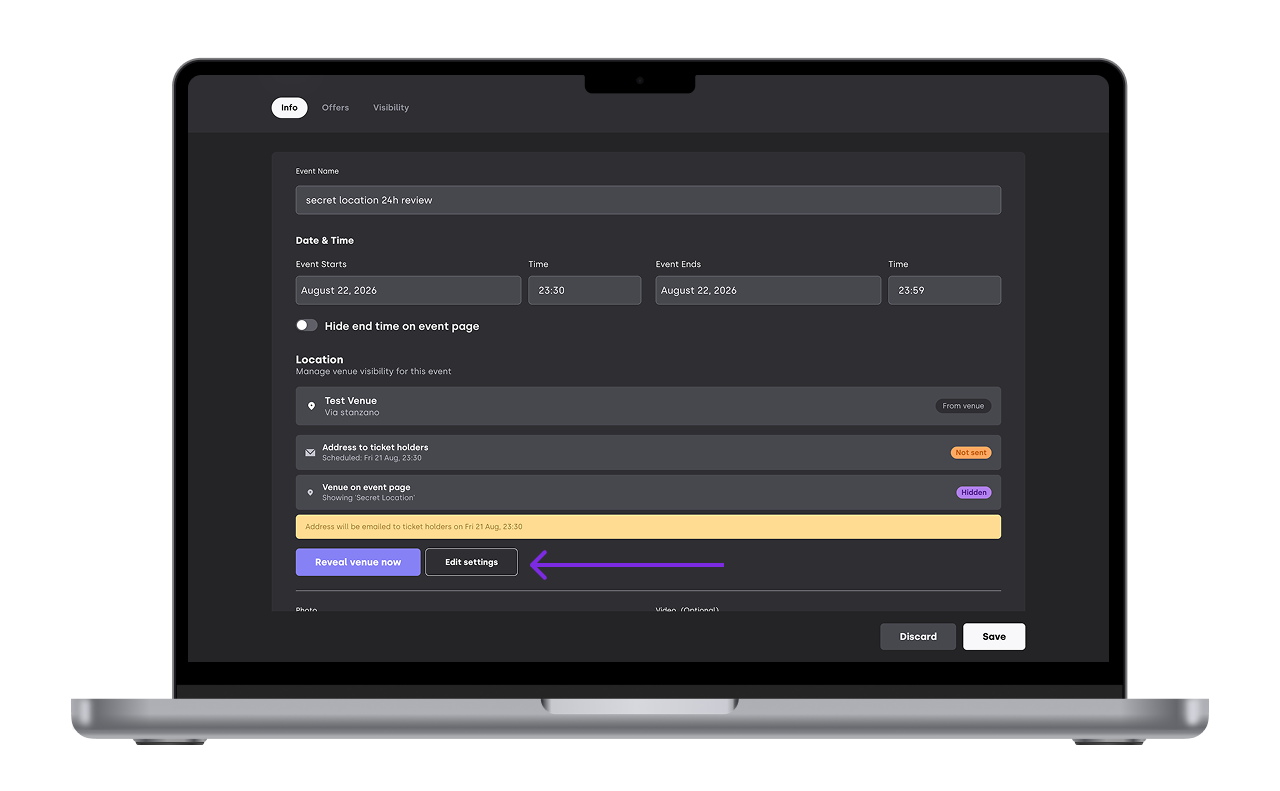
Attention:
The reveal venue now only comes up if you set the email to be sent manually and the venue to never
If you hide an event but its still going to happen ticket buyers won't receive the email with the venue reveal
If you set your event to public and realize you wanted as secret you can always go back and edit it. Just be ware that people might have seen it on your page before the change
2. What your clients see
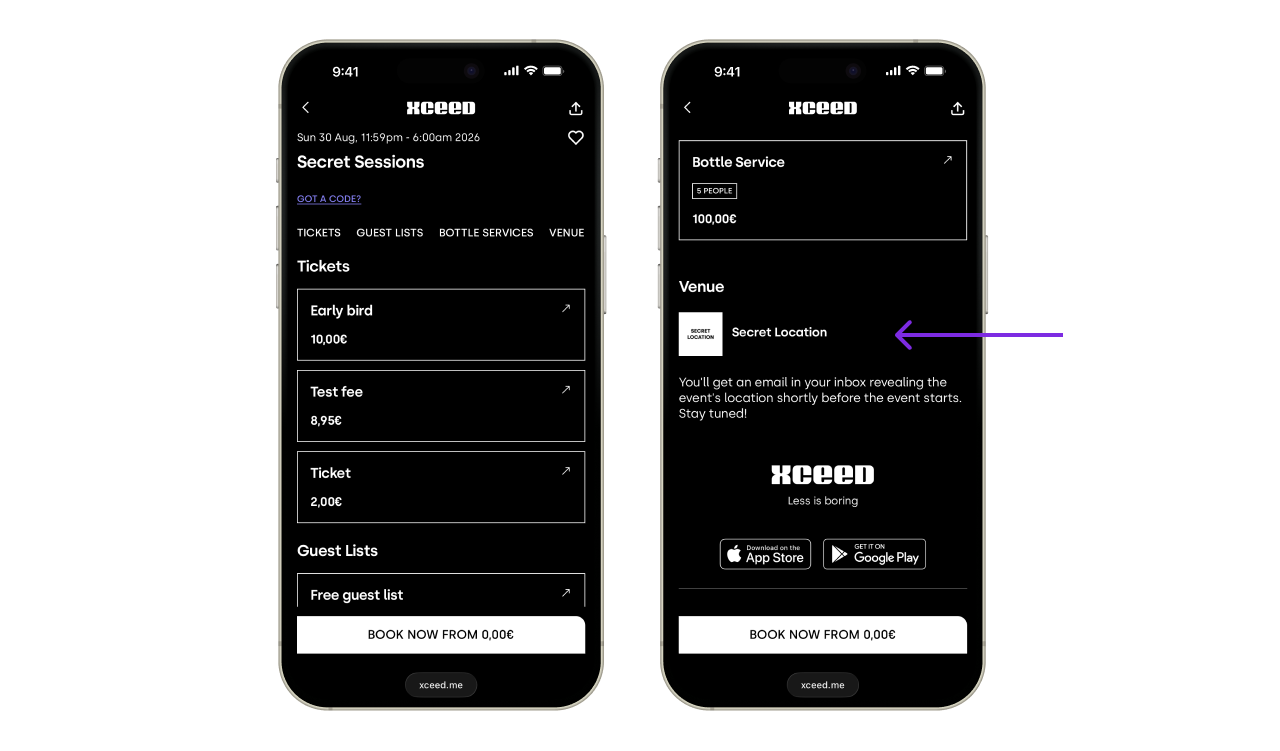
Before revealing the venue, your XCEED page only has secret location as the venue:
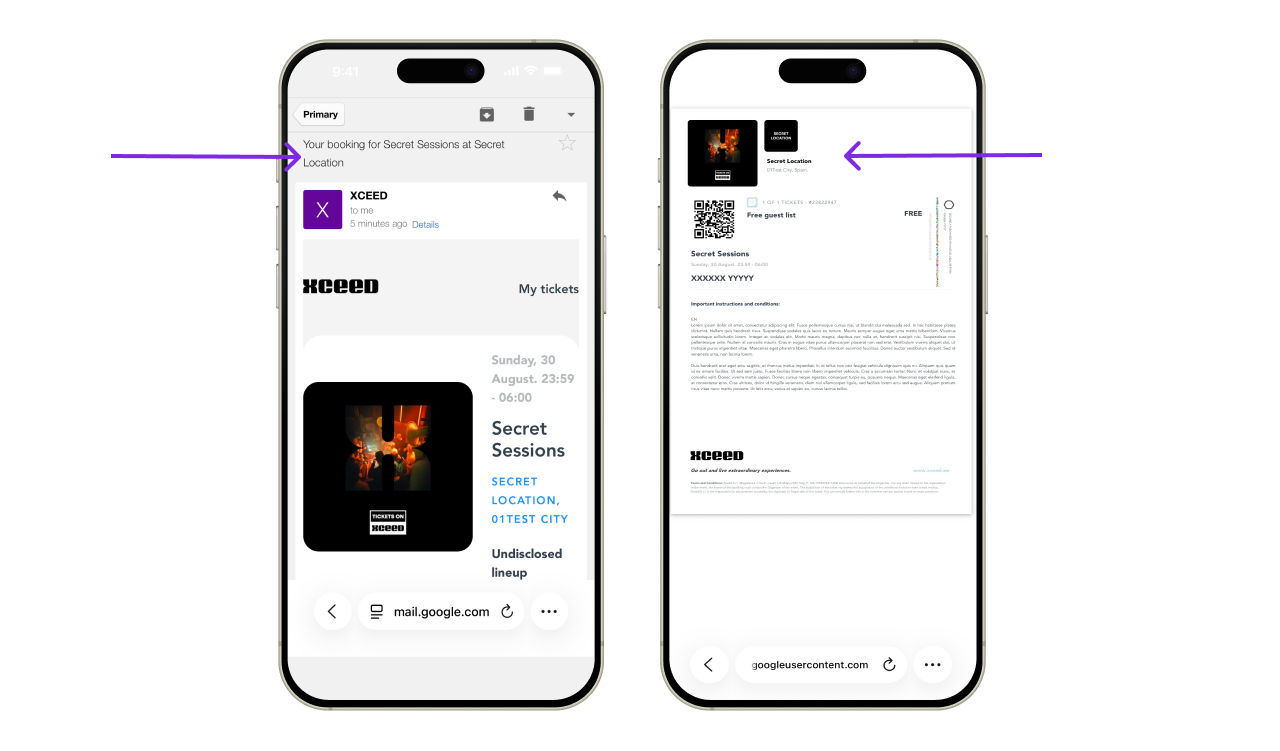
The clients receive an email with the pdf confirmation anyway but there is no venue assigned, it just says secret location in a certain city:
Once you reveal your venue it comes up as always on you XCEED page:
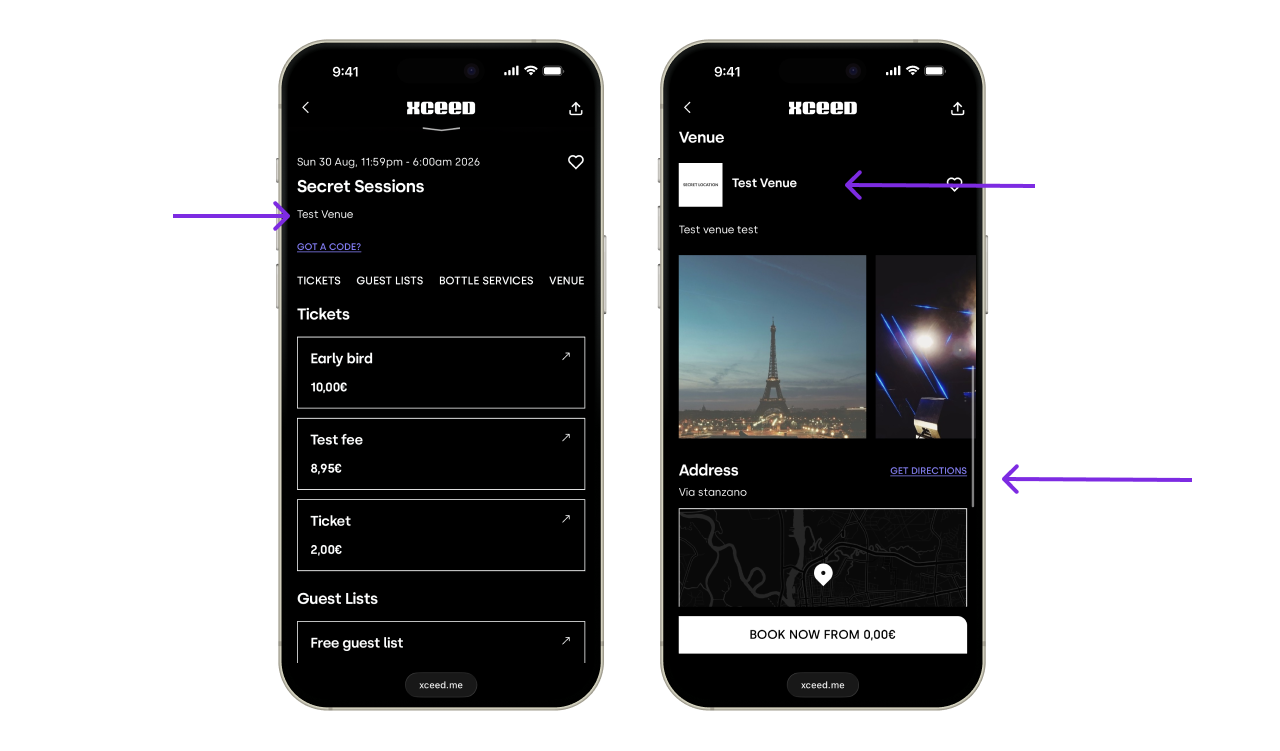
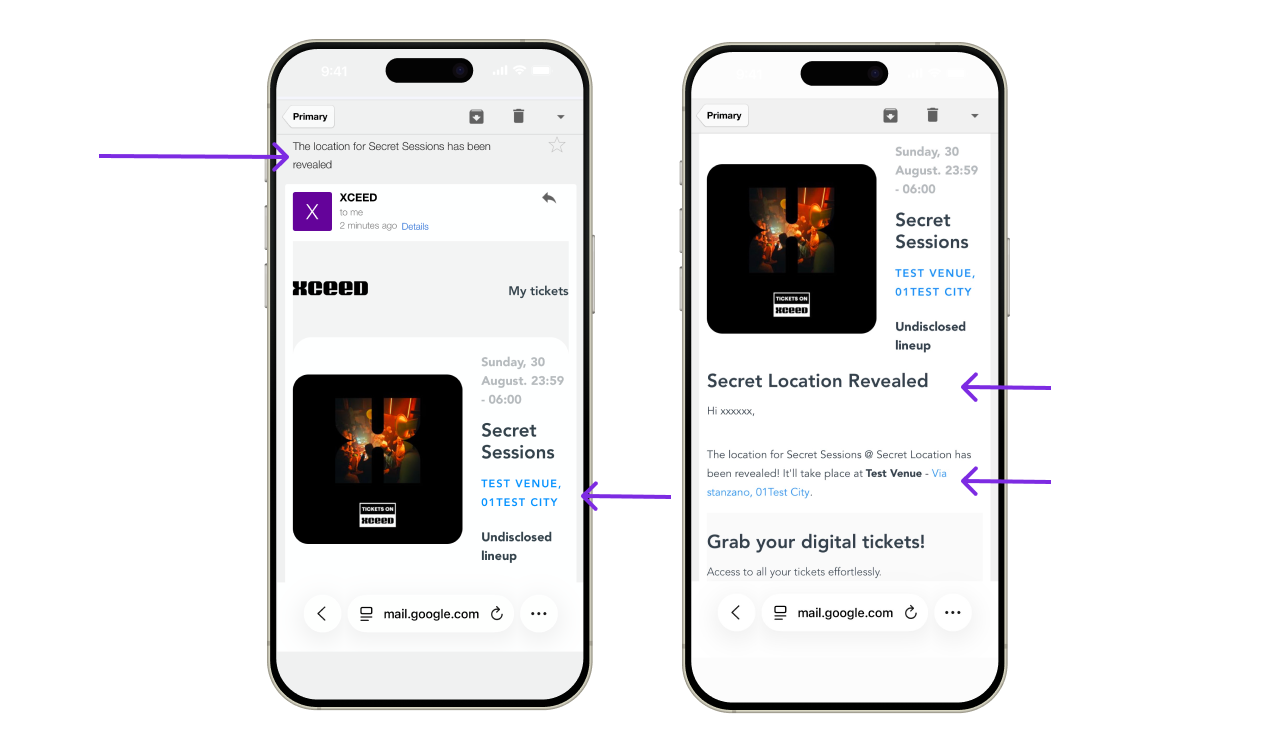
An email is also sent to all ticket buyers with the venue reveal:
If you have any questions feel free to email support@xceed.me and we are happy to help