
Create your Organiser page
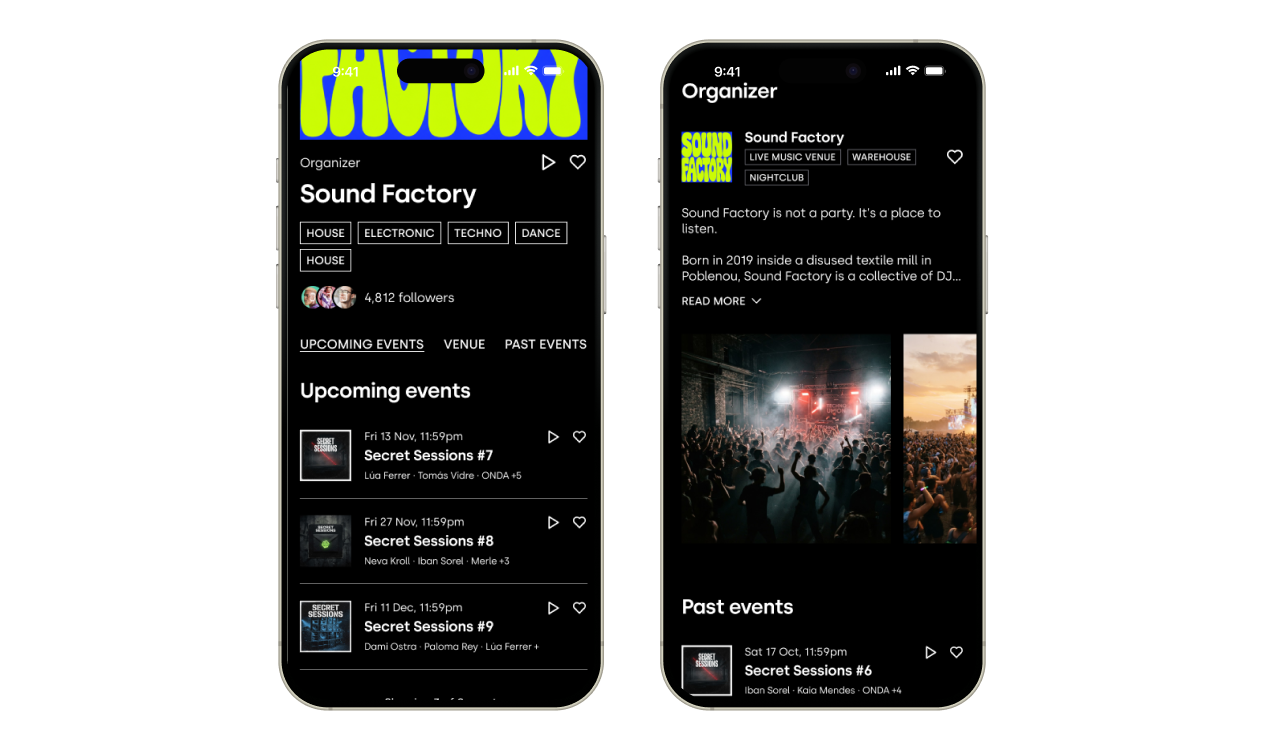
Organizer pages give your company its own public page on XCEED, where fans can see all your events and follow you.
If you run a party series, a festival or events across several cities, your organizer page brings everything together in one place. You can also share that link on your social media, in your bio or with partners so people discover all your events at once.
1. What are organizer pages shows
Your commercial name and logo
Your description
Your music and vibe tags
The cities and regions where you run events
Your upcoming events and past events
How many people follow you
A Follow button, so fans can follow you. The heart icon on the
Once your page is public, fans can find it by searching your name on google and on XCEED, from the organizer section of any of your event pages, in the "Organizers in [city]" listings and in their Saved tab.
2. How to activate your organiser page
You can do this yourself in XCEED Pro in a few minutes. You don't need to ask XCEED to do it for you.
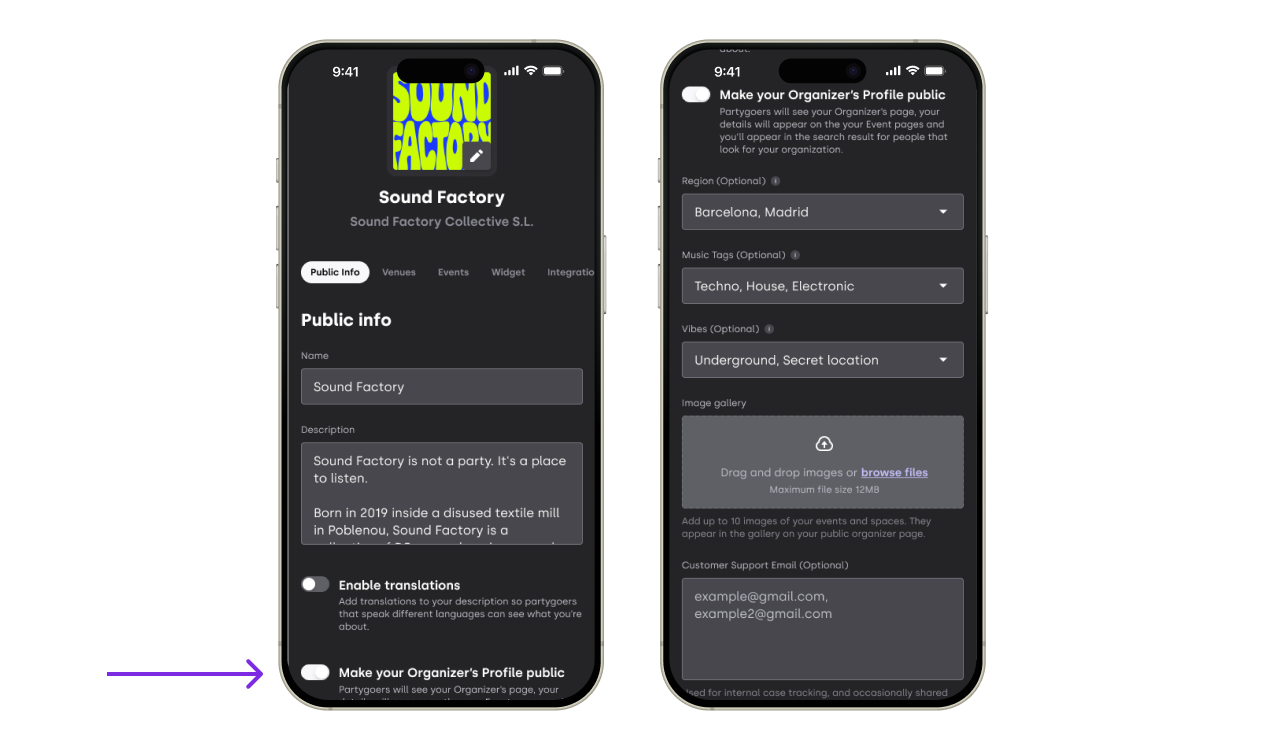
Log in to XCEED Pro.
Open your company settings.
Click Public info.
Find the toggle "Make your organizer page public".
Switch it on.
Complete your page with:
Description: a short text about who you are and what kind of events you run. You can add translations so fans see it in their language.
Cities and regions: the places where you run events.
Music and vibe tags: the styles that best describe your events.
Gallery: photos from your events.
The more complete your page is, the easier it is for fans to find you and follow you.
Ps: If you want to hide your page, go back to Public info and switch the toggle off. Your page goes offline and no longer appears in search or listings.
3. Share your page
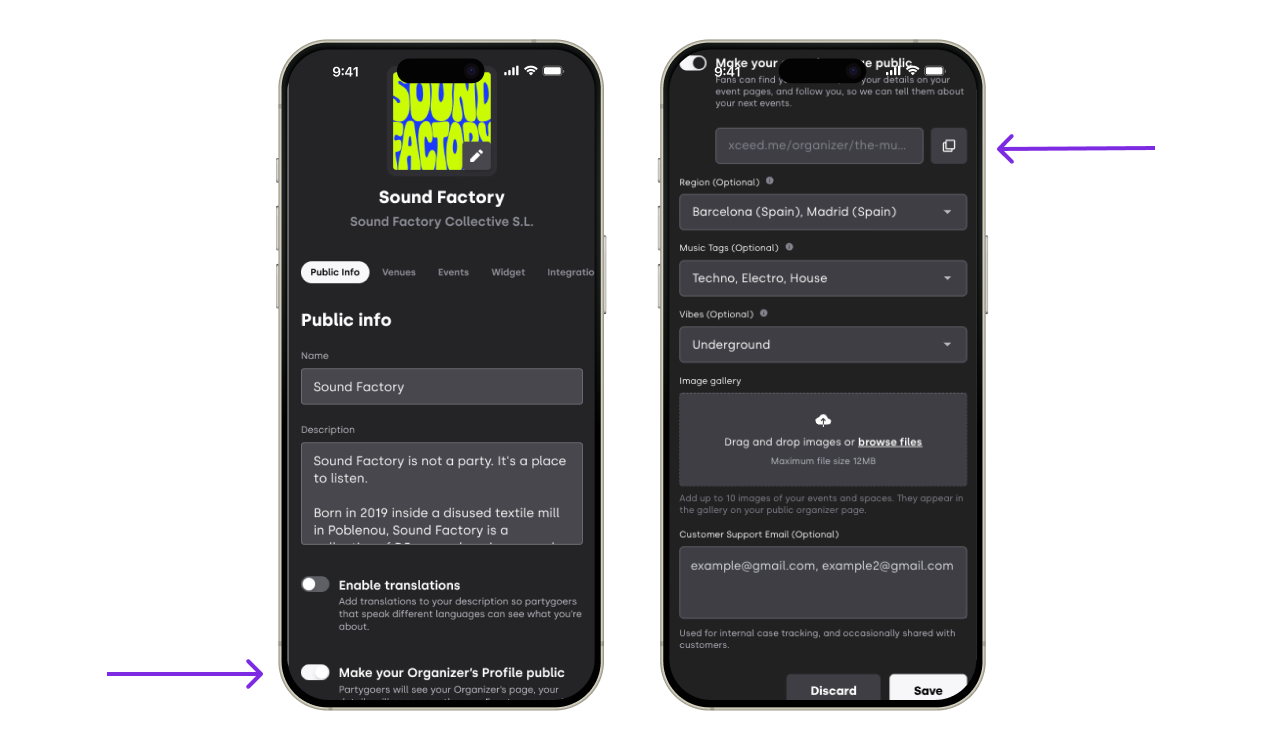
Once your page is public, your page link appears on the same screen.
Click the copy button next to it.
Paste the link wherever you want to share it, for example in your Instagram bio.
4. Good to know
Sales done on your organiser page are associated to your default channel
When a fan follows you, XCEED saves that they follow you. They don't receive automatic emails or push notifications about your new events yet. (Coming soon)
Keep using your promoter links for tracking: If you track your marketing results, keep using your promoter links in your campaigns instead of your organizer page link.
Each event has one organiser: the company that created it. Events can't have more than one organiser (co-hosts) for now.
You create and manage your events exactly as before. Your organizer page is simply added on top.
If you have any other questions check our FAQ page (link) or contact support@xceed.me