
Delay the delivery of your tickets
Delayed ticket delivery lets you choose when your buyers receive their ticket PDF, so tickets arrive a set number of hours or days before your event instead of right after purchase.
You can use it to stop tickets from being shared or resold outside XCEED long before the event. It also helps when you want everyone to get their tickets close to the date, so nobody loses them in their inbox.
1. Set delayed delivery of tickets
You can set up delayed delivery of tickets for your whole company as a default or by event.
1.1 For the company as a whole
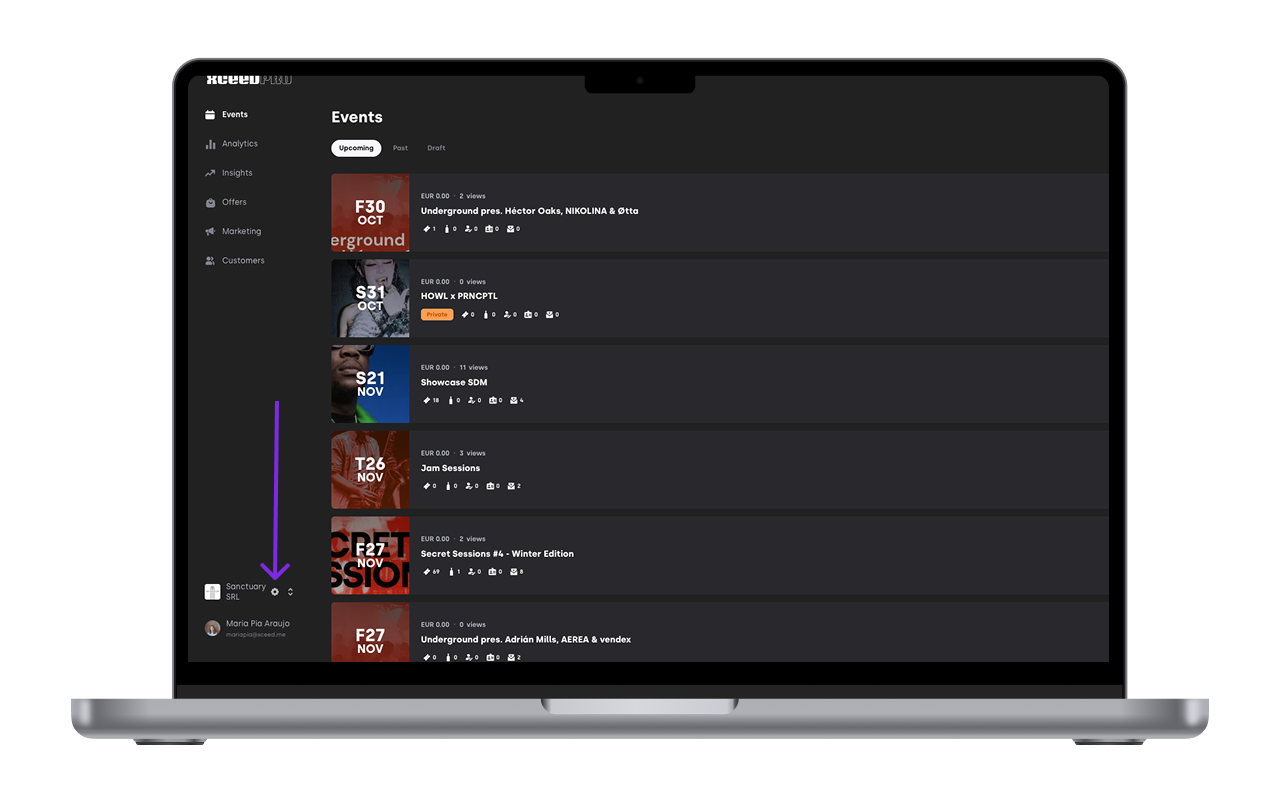
Login to your XCEED account and go to your company settings page
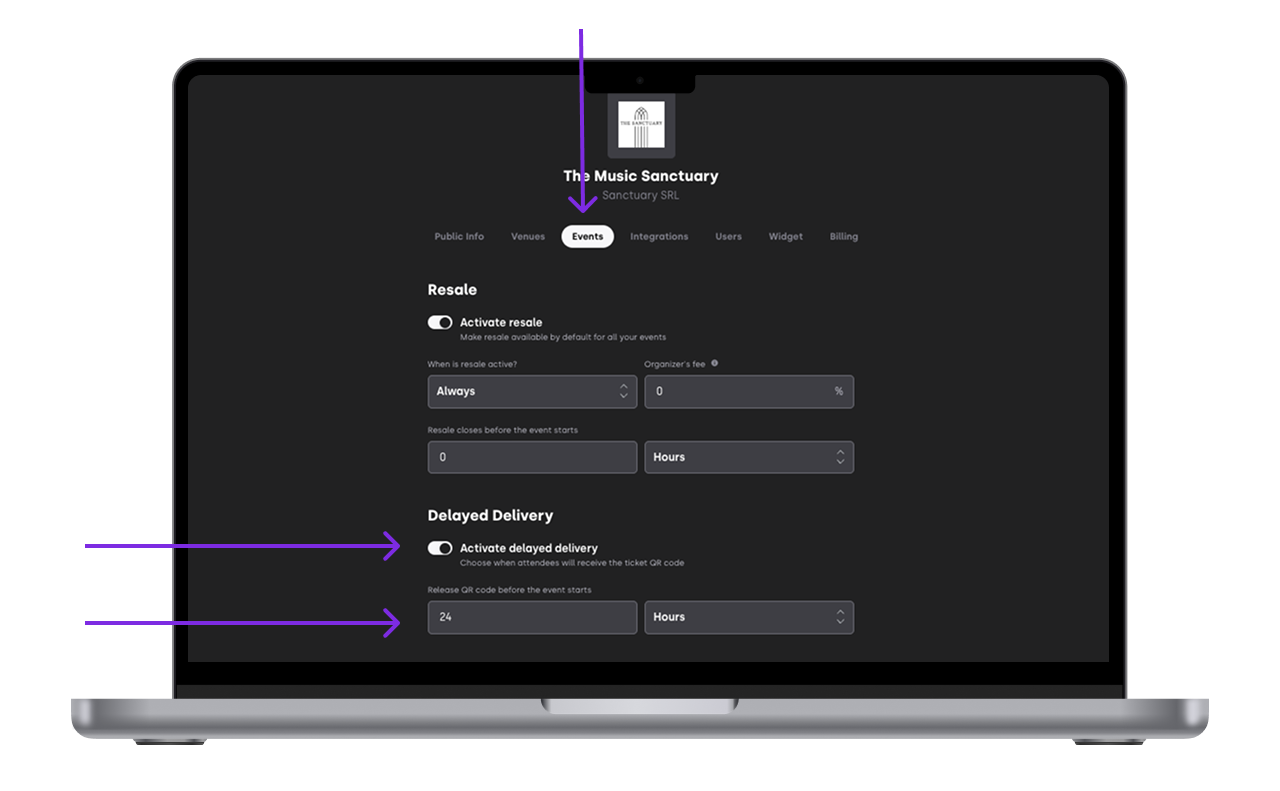
Click on the the events tab
Activate the delay delivery toggle and decide how many days or hours before the event starts the tickets get sent out
1.2 For a specific event
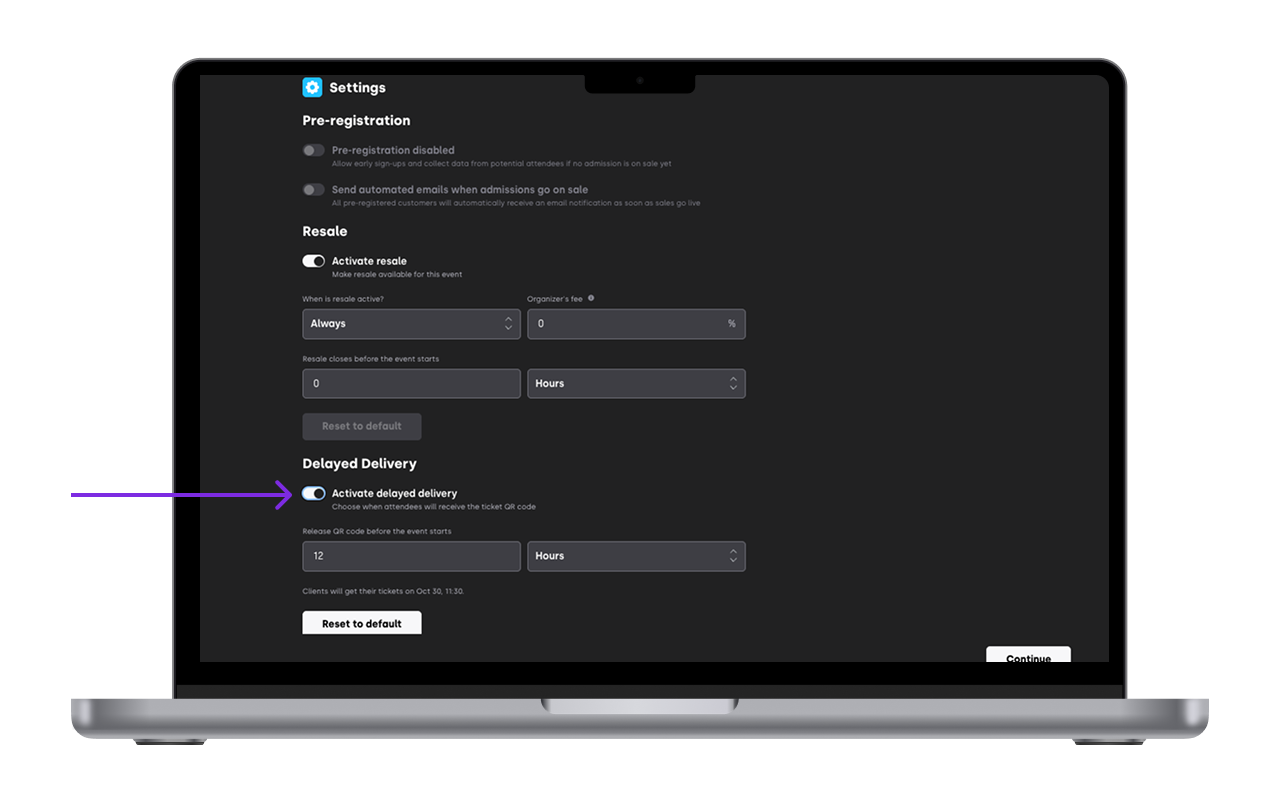
Open the specific event you want to set the resale for and click on edit
Go to the setting tab
Activate delayed delivery of tickets just like you would do on the company default settings
2. How it works
What buyers receive right after buying: Your buyer gets a confirmation email straight away. This email confirms the purchase was successful, but it does not include the ticket PDF yet. They also have a placeholder for the ticket on the app but with no QR code
What buyers receive later: XCEED sends the ticket PDF automatically at the time you choose. For example, if you set 48 hours, your buyers receive their tickets 48 hours before your event starts. You don't need to do anything else.
Resale still works: If resale is turned on for your event, your buyers can still resell their tickets on XCEED before they receive the PDF. Delayed delivery does not block resale.
Default company setting only apply to events you create in the future. Events you already created, or that are already on sale, keep their current setting.
Time is based on the venue: The send time is calculated using the time zone of the city where your venue is. If your event starts at 22:00 in Barcelona and you set 24 hours, tickets go out at 22:00 Barcelona time the day before.
You can't change it after tickets are sent: Once XCEED has sent the ticket PDFs for an event, the setting is locked. Make sure you're happy with the timing before the send time arrives.
If you have any other questions check our FAQ page (link) or contact support@xceed.me