
Sell Add-Ons with your Admissions
Use add-ons when you want to increase revenue per booking or simplify on-site operations. They’re especially useful for festivals, clubs, and venues offering extras like lockers, welcome drinks, transport, or merchandise. Add-ons are purchased together with admissions.
1. What add-ons are in XCEED
Add-ons are optional complementary items that buyers can select when purchasing a ticket.
They allow you to:
Sell products or services in advance
Bundle experiences with admissions
Reduce cash handling on-site
Add-ons are linked to admissions and cannot be purchased on their own.
2. Create an add-on
Log in to XCEED Pro.
Open the event where you want to offer add-ons on the editing offer tab where it says add-ons.
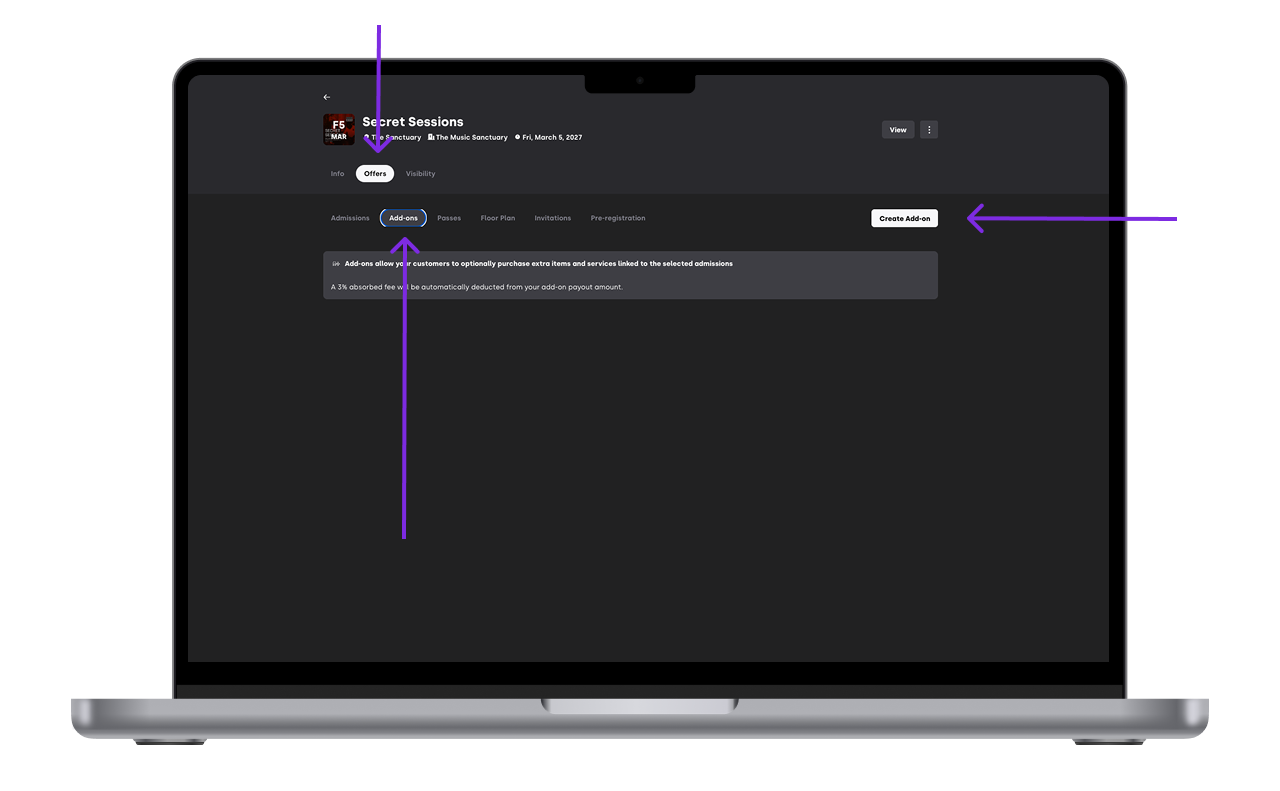
Create a new add-on product.
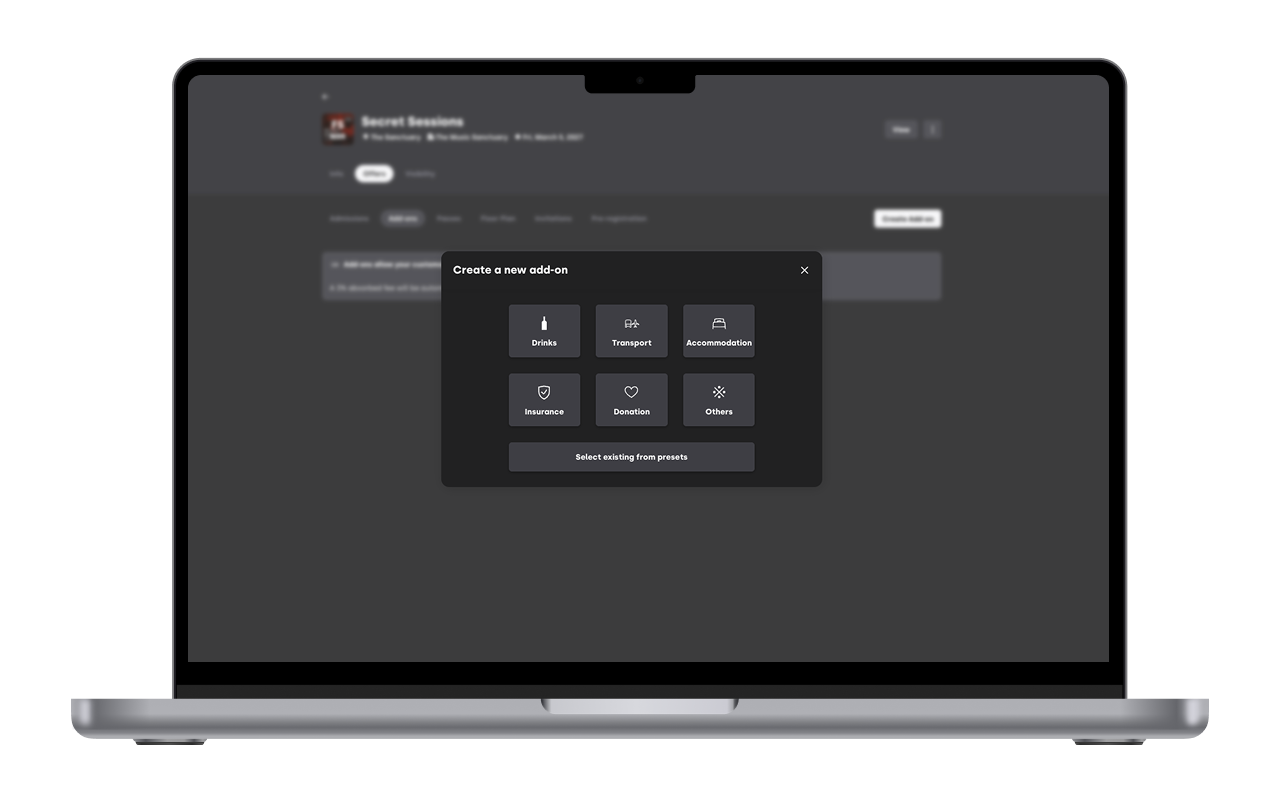
Define the name, price, and description.
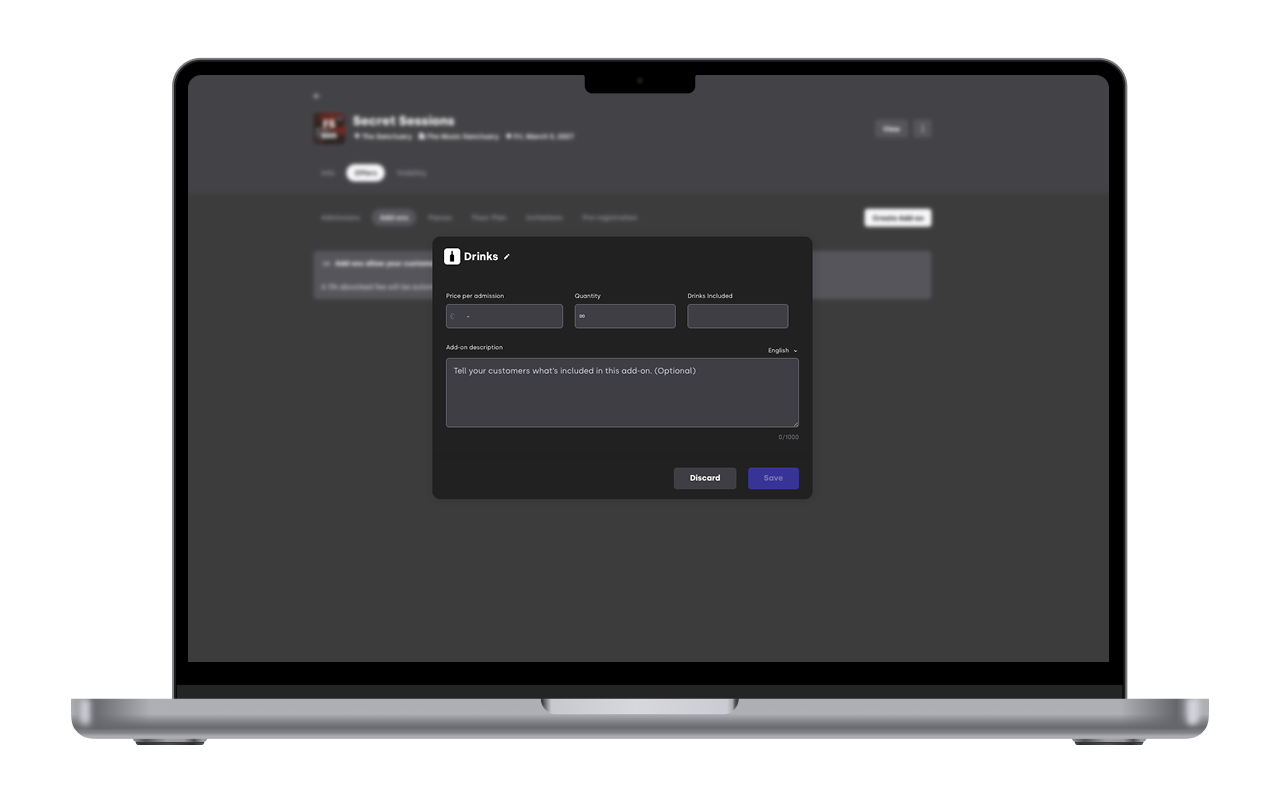
Save the add-on.
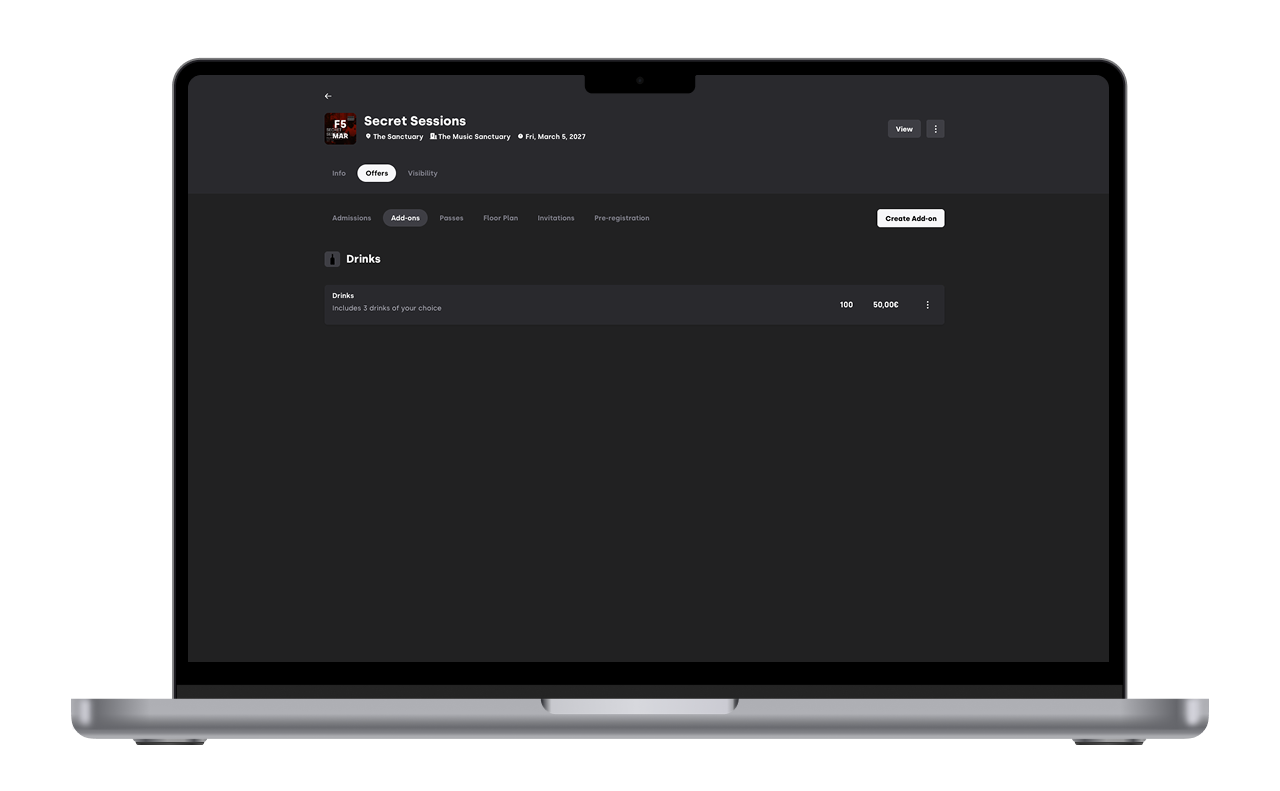


Once created, the add-on becomes available to be linked to admissions.
3. Link add-ons to admissions
Add-ons must be attached to one or more ticket types
Select the admission(s) you want the add-on to be available for.
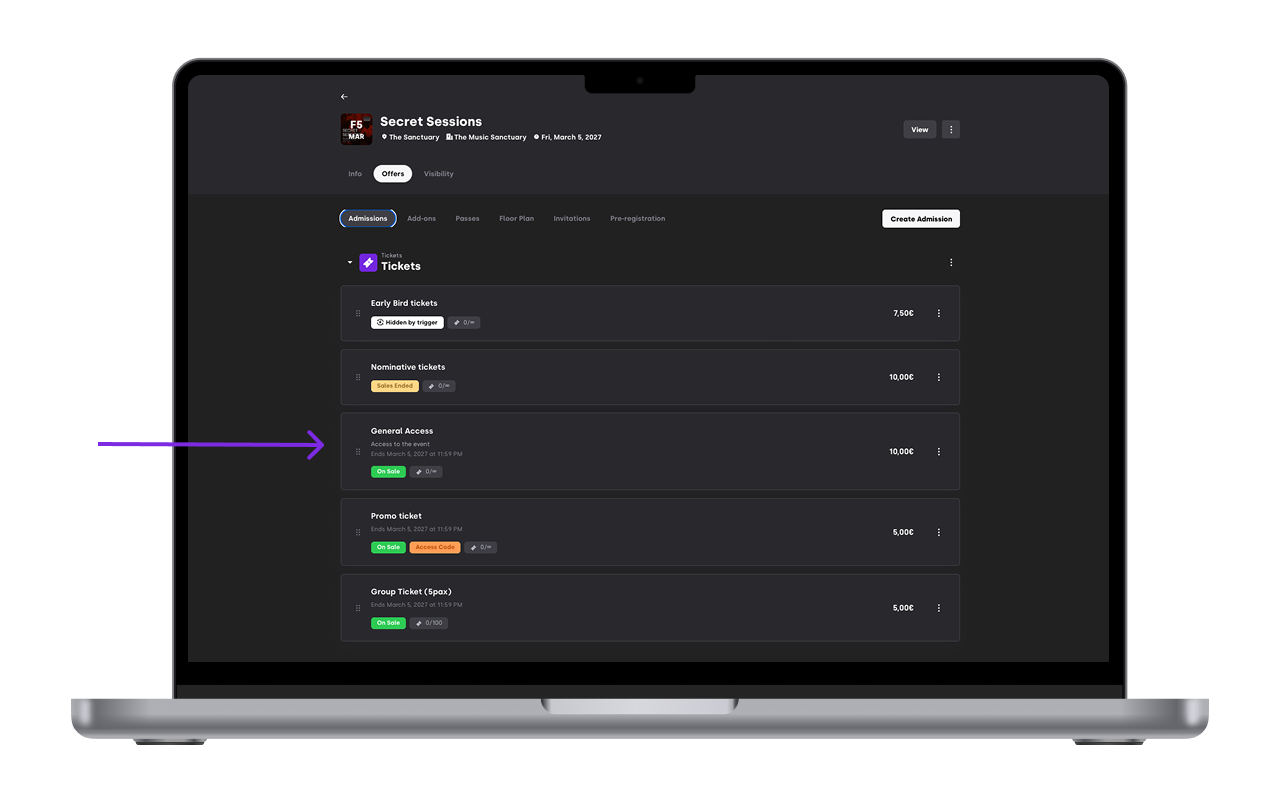
Link the add-on to those admissions.
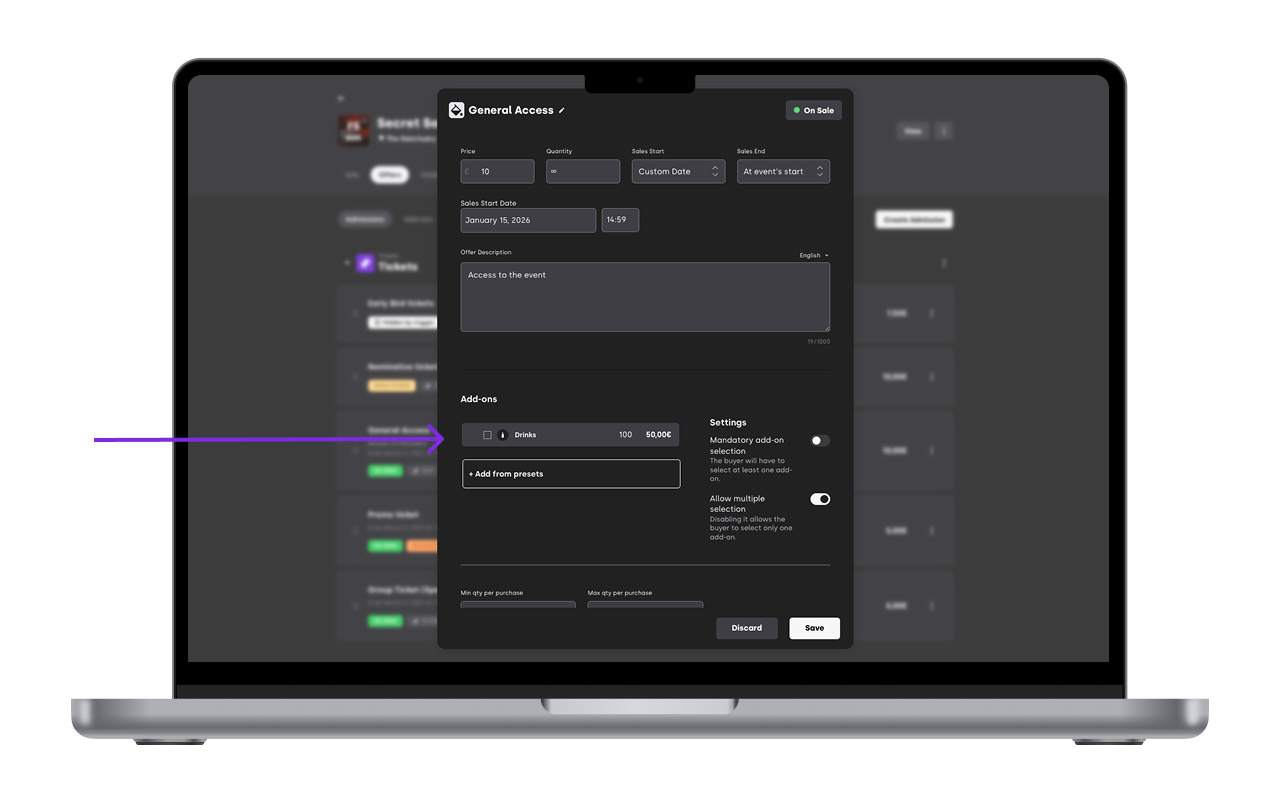
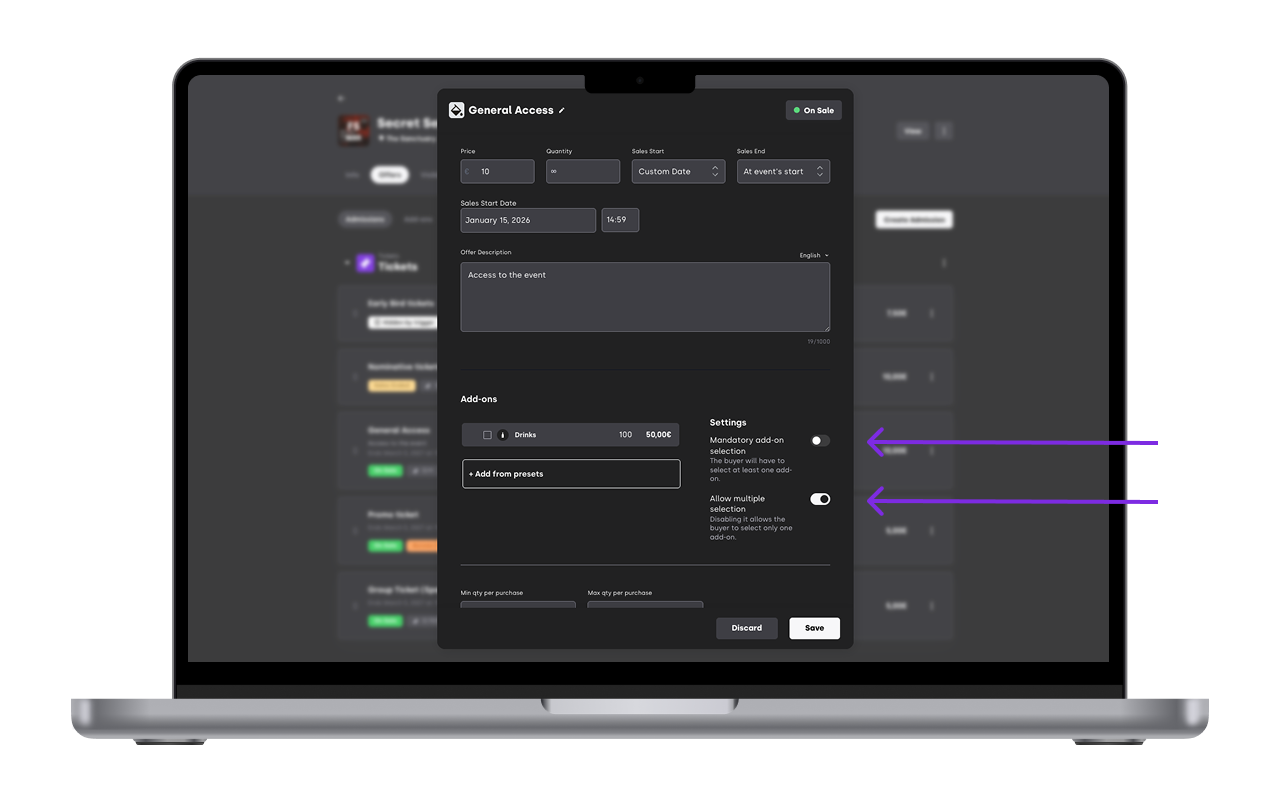
Define how the add-on should behave at checkout:
Optional: buyers can choose whether to add it
Mandatory: the add-on is automatically included with the ticket
Multi-selection: buyers can select more than one type of the add-on
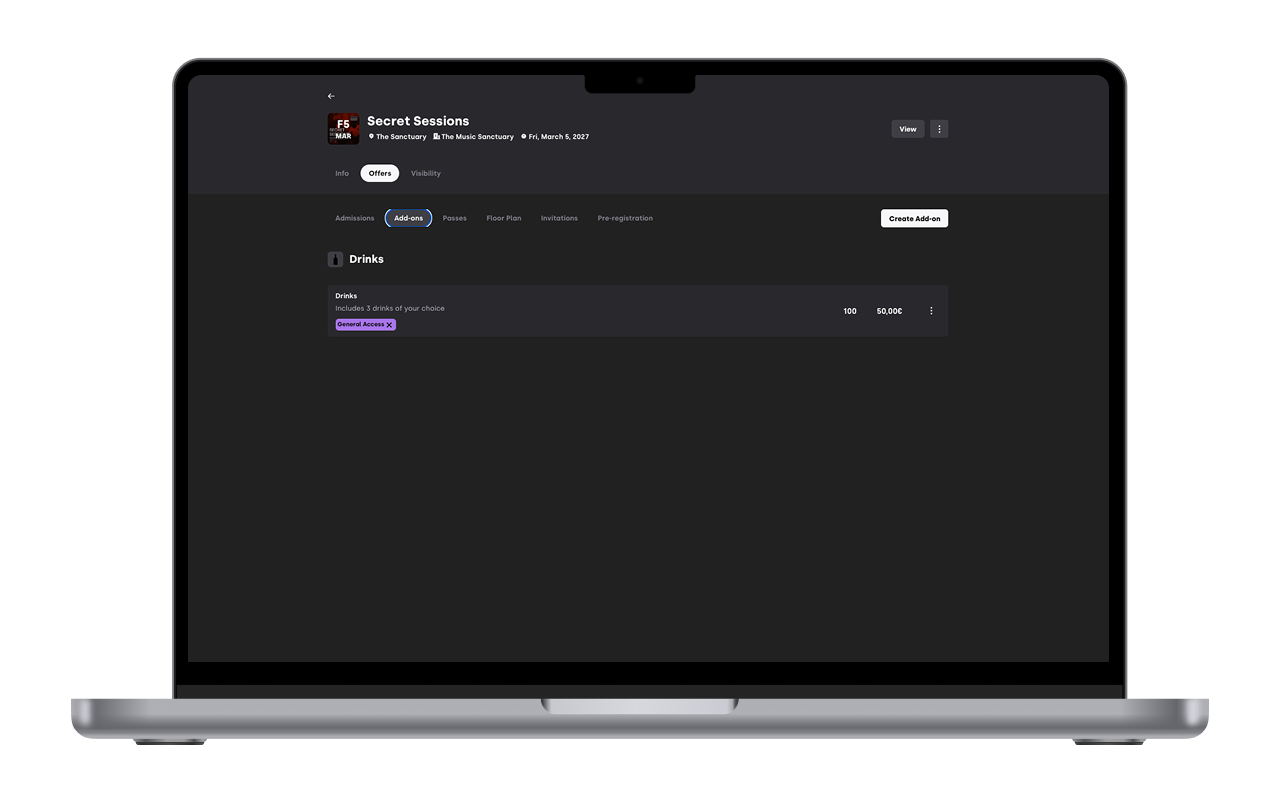
Save your changes. On the add-on tab you can see what offers each add-on is associated too


Only buyers purchasing the selected admissions will see the add-on during checkout.
4. How add-ons work for buyers
During checkout:
Buyers see available add-ons linked to their ticket
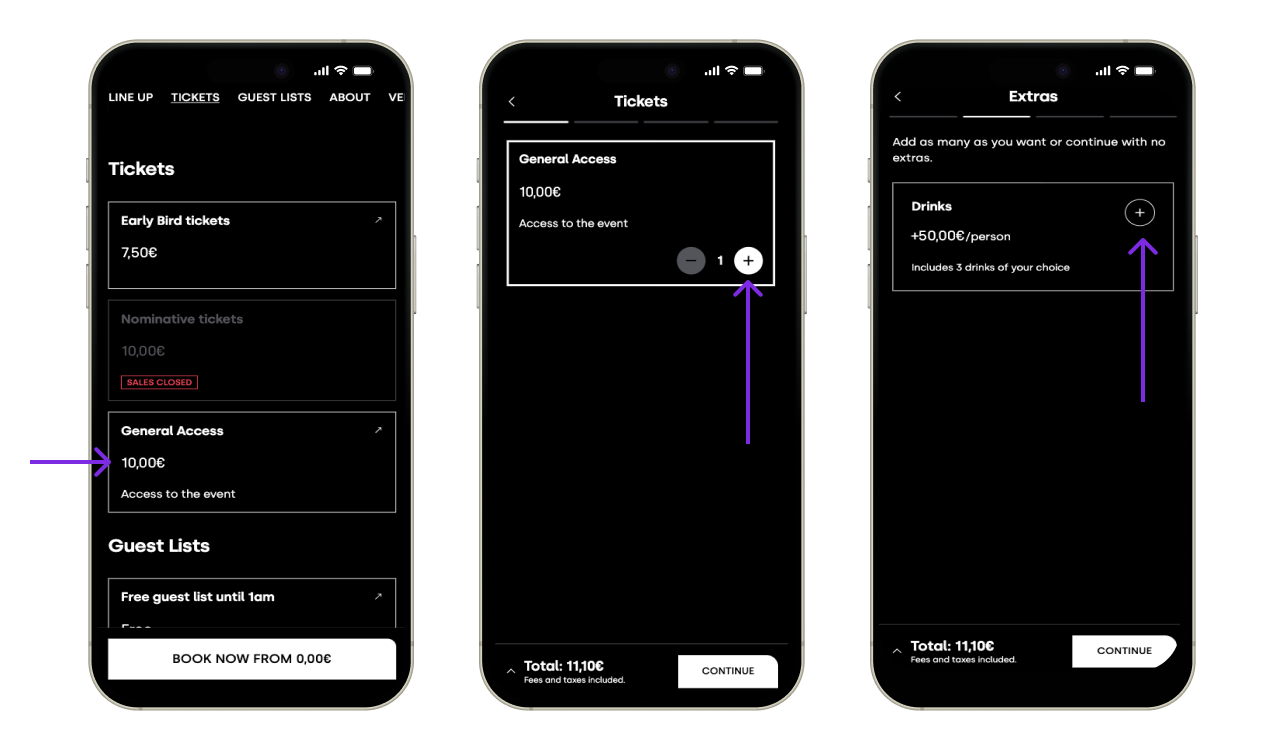
Add-ons are optional unless configured otherwise
Selected add-ons are paid together with the ticket
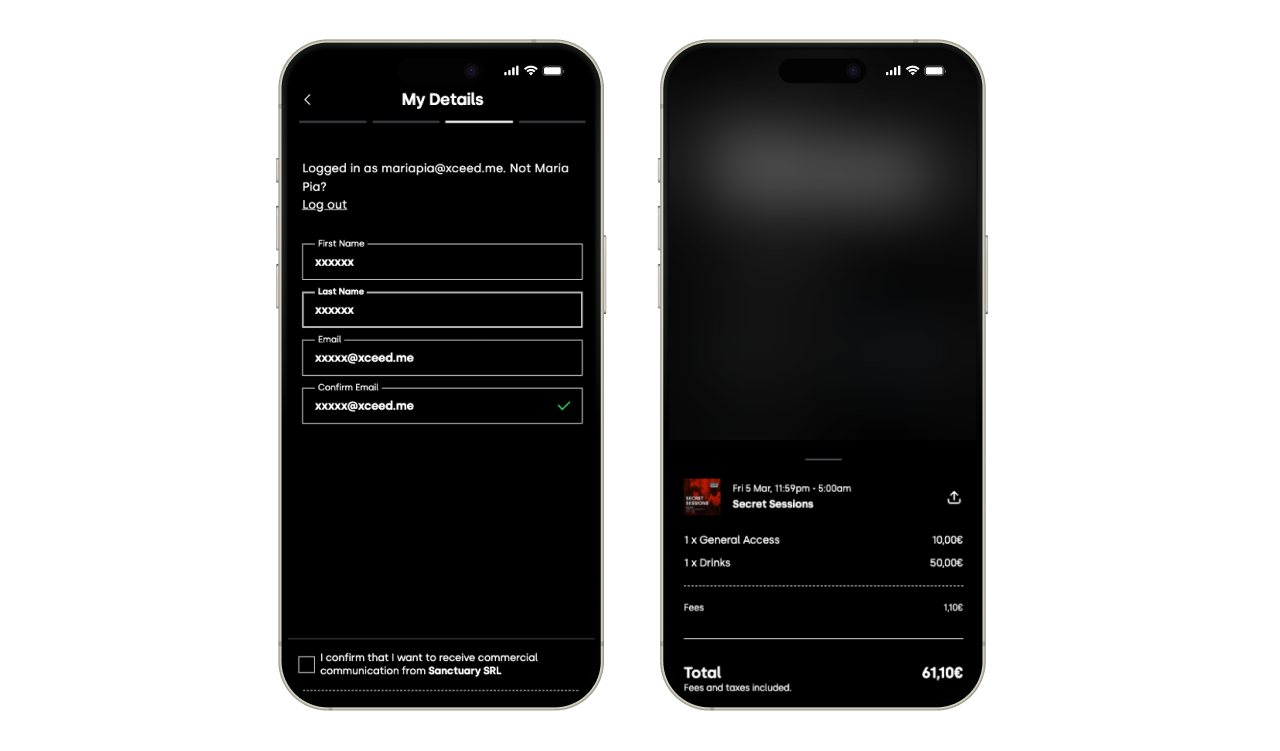


5. Transaction fees on Add ons
Just like tickets add ons have transaction fees. In order to incentivise add on purchases all add on fees are of 3% absorbed.
Example: If you add on is a Bus service for 10€ the client will pay 10€. Your revenue will be 10€x(1-3%)=9.7€
6. Operational considerations
When using add-ons, keep in mind:
Add-ons can have limited availability
Sold add-ons appear in event reporting
Delivery or redemption happens on-site, managed by the organiser
Clear naming and descriptions helps staff recognise what each add-on includes.
Add-ons appear as part of the same booking under a single unique QR code.
Avoid offering too many add-ons at once
The quantity of add-ons is always the same as the number of tickets in a booking.
(Example:If your booking is of 3 tickets, all three tickets will get the insurance add-on. You can't chose only one of them having insurance and not the other two)
If you have any other questions check our FAQ page or contact support@xceed.me