
How to Get Your Sales Recap in XCEED Pro
If your event has ended and you want a clean breakdown of sales and revenue, your Sales Recap is usually emailed automatically. However, you can also export it anytime directly from XCEED Pro.
1. How you receive the Sales Recap (automatic)
After transfers are processed, XCEED sends sales recap emails automatically (weekly).
To receive automatic finance emails (like the sales recap), make sure your company “emails” field is filled in under Billing and Finance notifications in XCEED Pro (see more about filling in your company data here)
2. How to download the Sales Recap manually (anytime)
You can export the Sales Recap from the event page in XCEED Pro by:
Log in to XCEED Pro
Open the event you want the recap for.
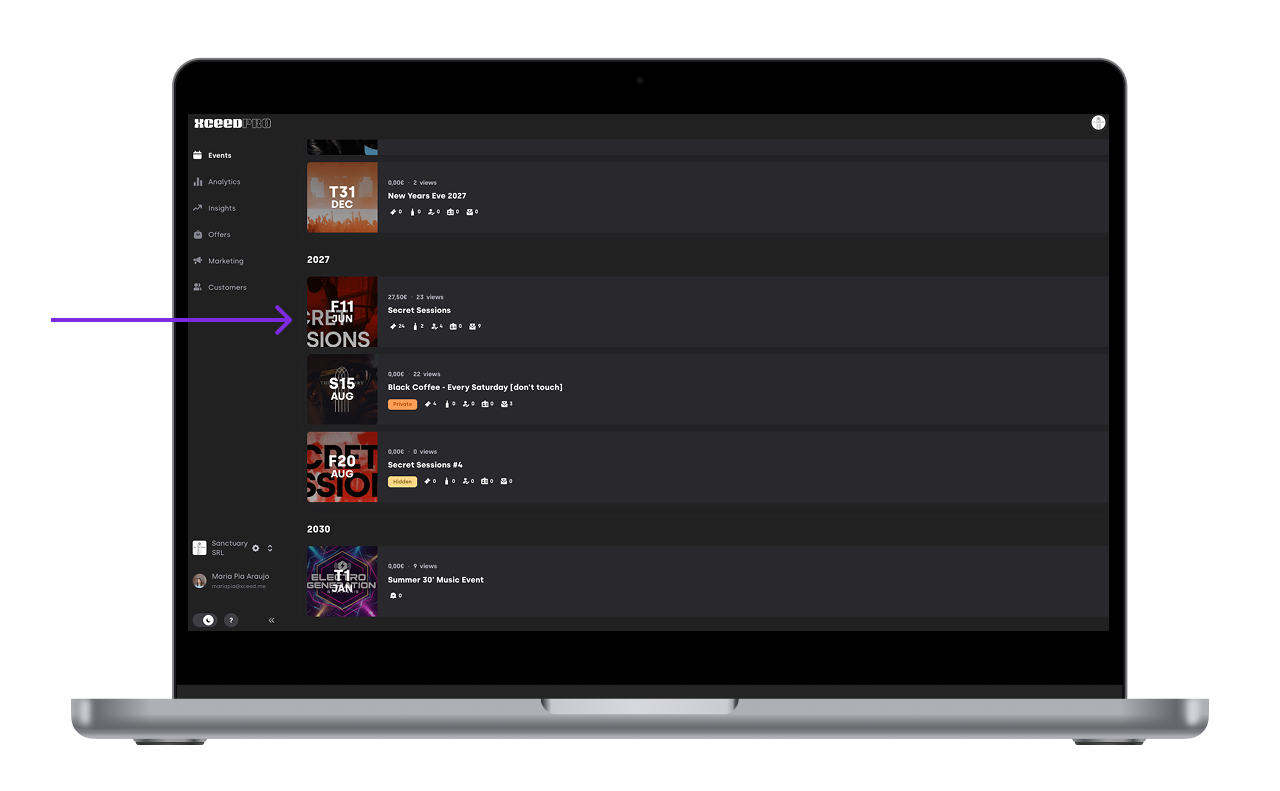
At the top of the event page, click the three dots menu.
Select Export Sales Recap.
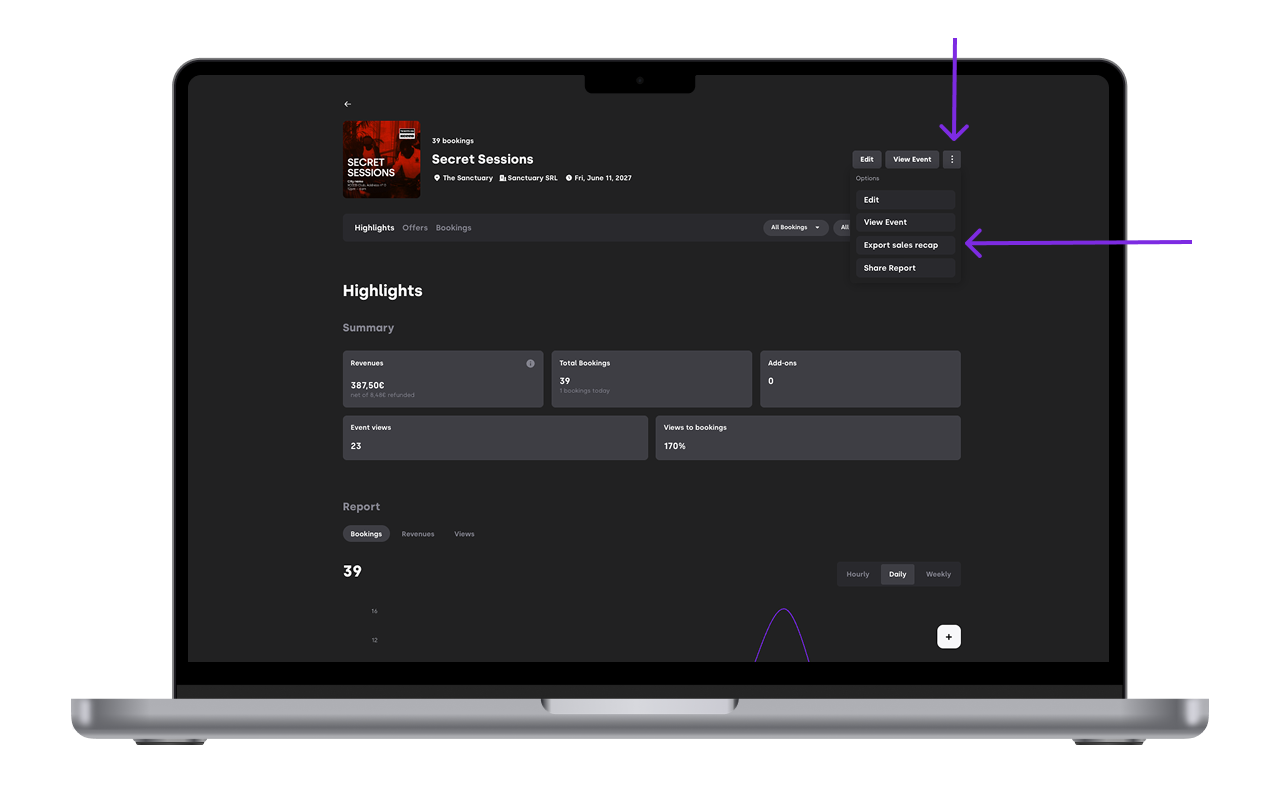
Choose the export format you need:
5.1 By booking
5.2 By offer
5.3 By offer type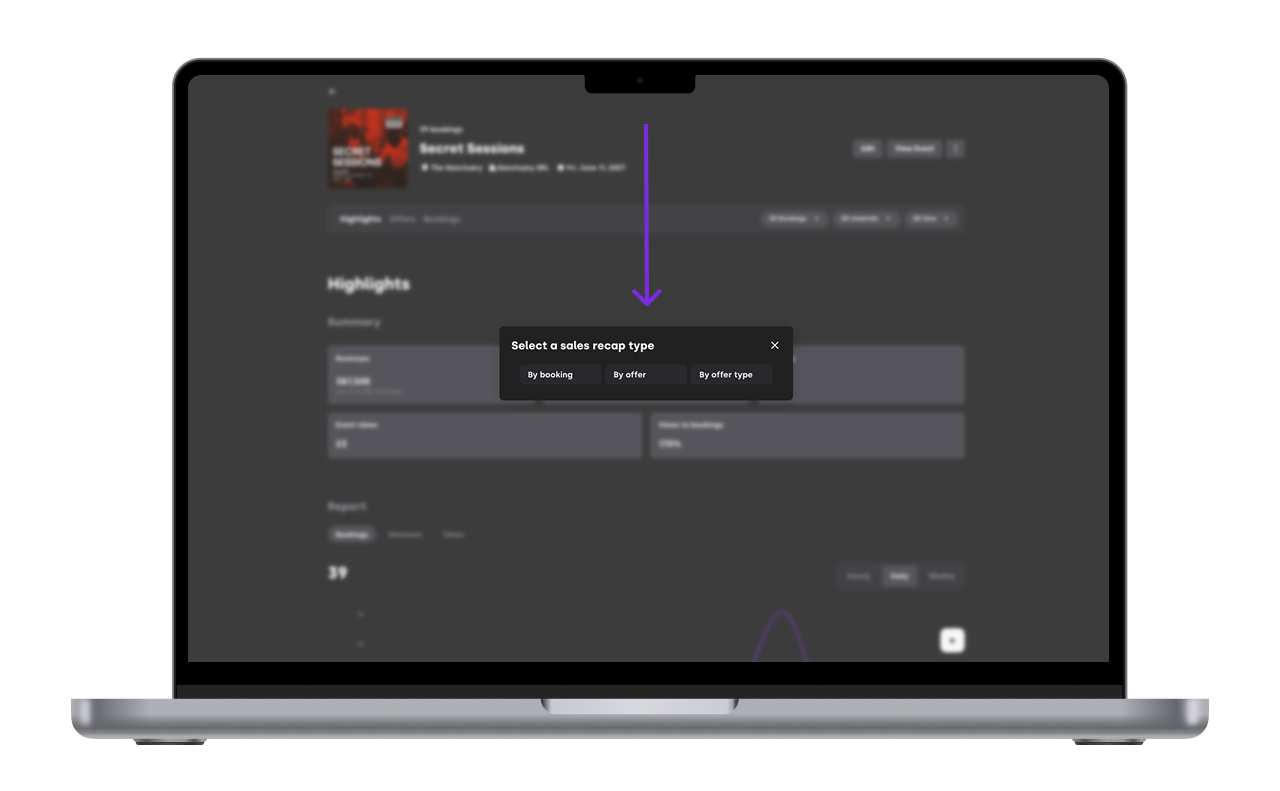
6. A PDF document will be downloaded


If you have any other questions check our FAQ page or contact support@xceed.me