
How to Create Offer Presets
1. What are Offer Presets
Offer presets are reusable templates that store the details of your offers, such as pricing, discounts, and availability. Instead of creating the same offer from scratch each time, you can use a preset to quickly generate identical or similar offers across events.
Offer presets can include:
Name and description of the offer
Price and any discounts applied
Quantity limits or availability restrictions
Visibility defenitions
Validity dates and other parameters
How to create an offer preset
Log in to XCEED Pro.
Open the Offers tab on the left hand side.
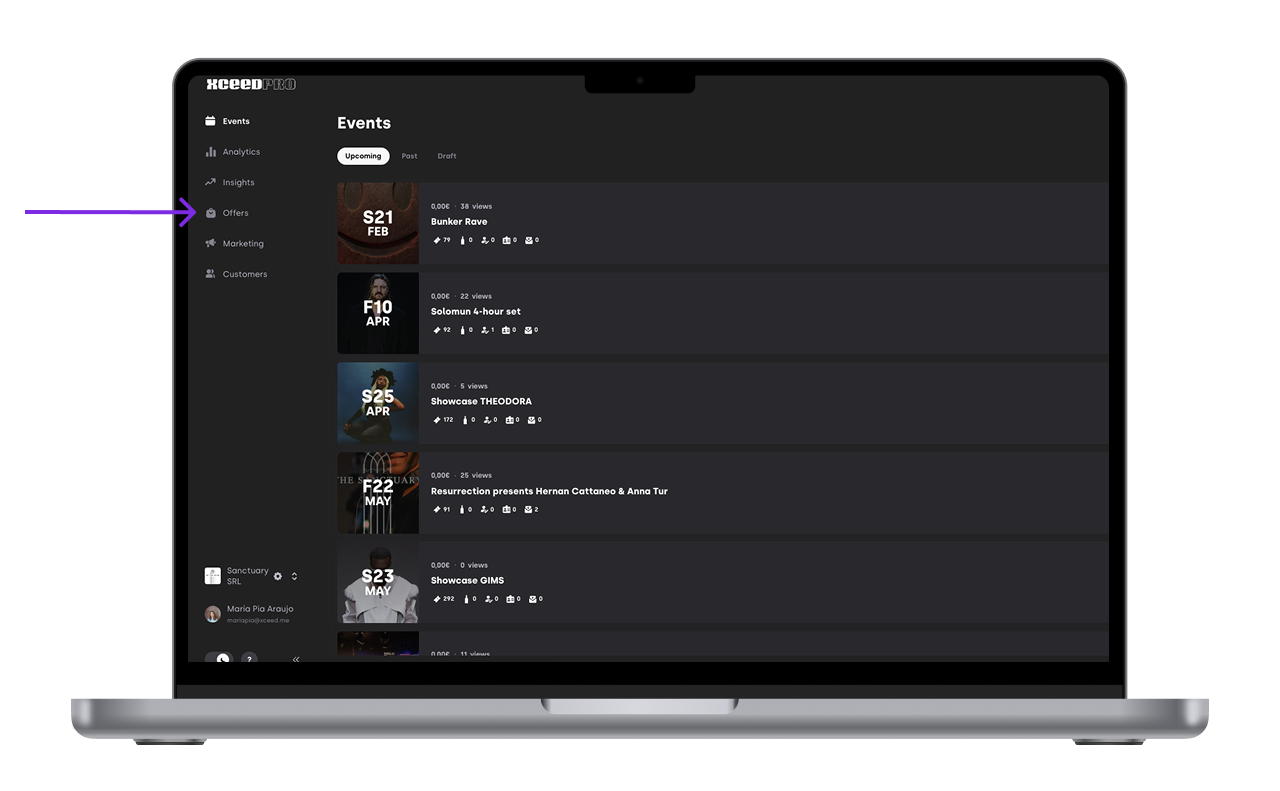
Click Create new offer to create a new offer or edit an existing offer. You can set presets of Tickets, Tables, Guest-lists, Add-ons, passes, Floor Plans and Invitations
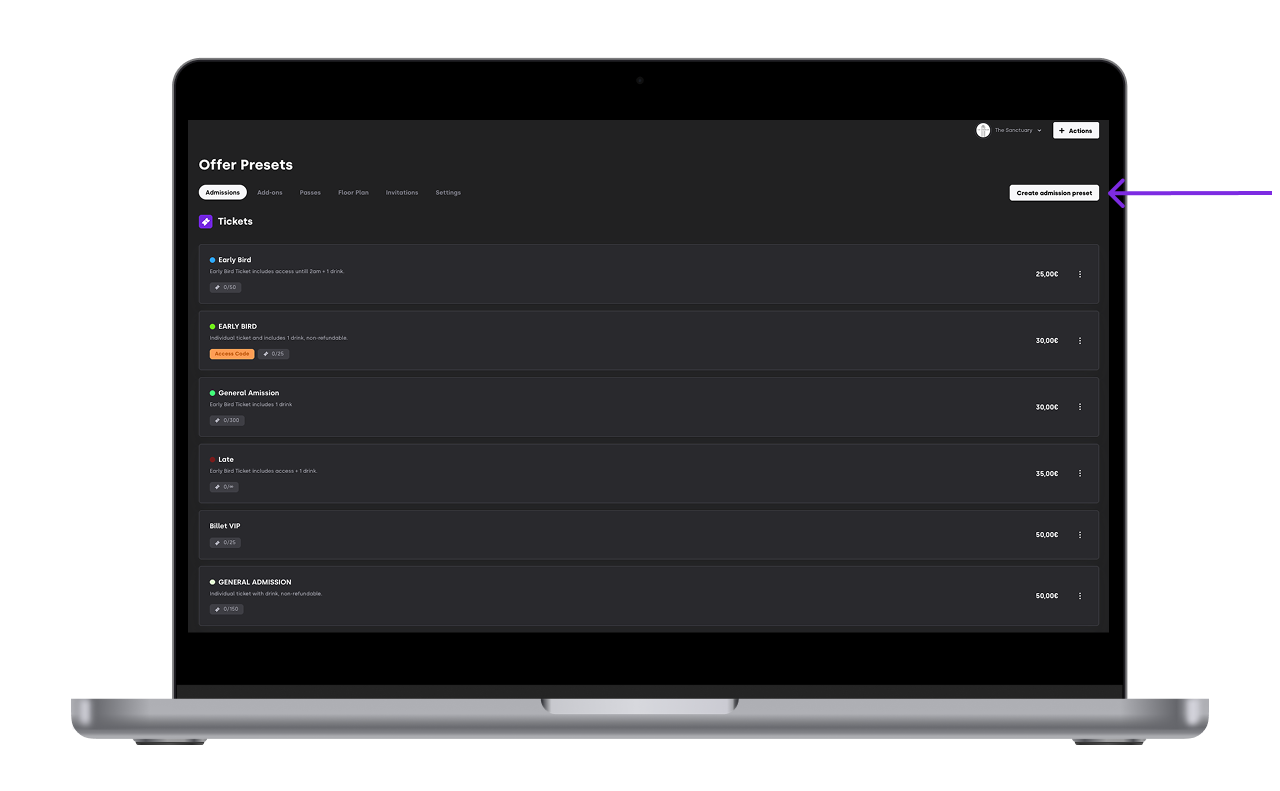
Fill in the details of the offer (name, description, price, quantity, validity, etc.).
Save the offer as a preset.


Once saved, the offer preset is available to be used for other events.
4. Apply an offer preset to new events
After creating an offer preset, you can easily apply it to new or existing events:
Open the new event where you want to apply the offer.
Go to the Offers section of the event settings.
Click on create admission
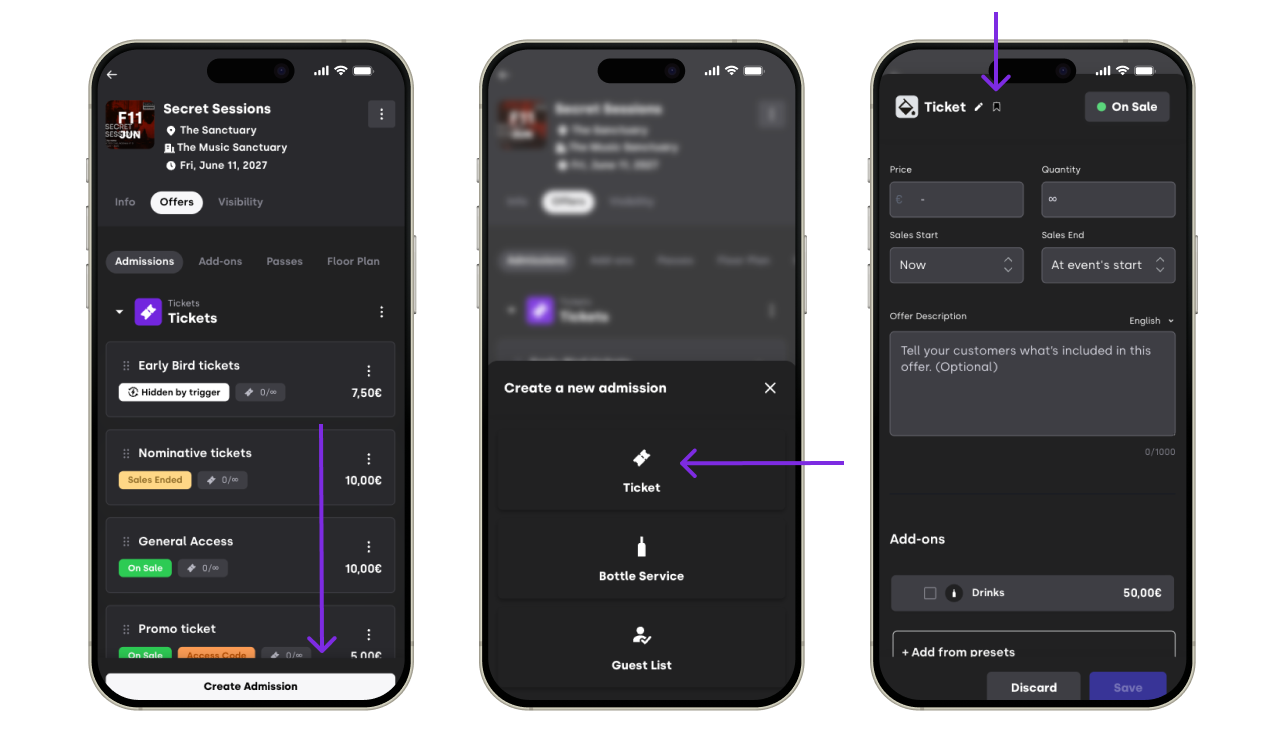
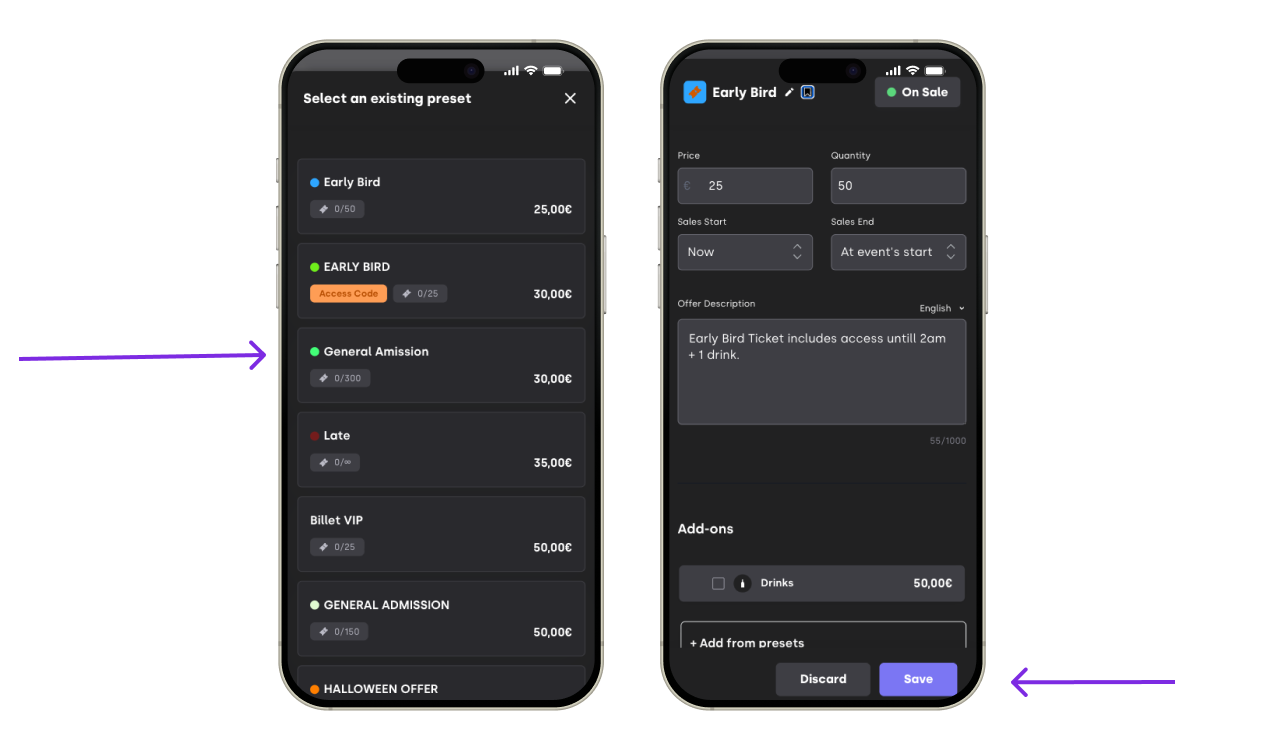
Apply the preset offer by clicking on the bookmark next to the offer name
Save your changes.

5. Benefits of using offer presets
Consistency: Ensure the same offer details are applied to multiple events without errors.
Efficiency: Save time by not having to recreate the same offer repeatedly.
Simplified management: Make changes to a preset, and those changes can be applied across multiple events quickly.
6. Best practices for offer presets
Name your presets clearly to avoid confusion when applying them to different events (e.g., “Early Bird Offer” or “VIP Pass”).
Update your offer presets regularly to reflect any changes in pricing or availability.
Avoid applying preset offers with outdated details to new events to ensure accuracy.
Well-organized offer presets improve workflow and ensure that your events run smoothly.
If you have any other questions check our FAQ page or contact support@xceed.me